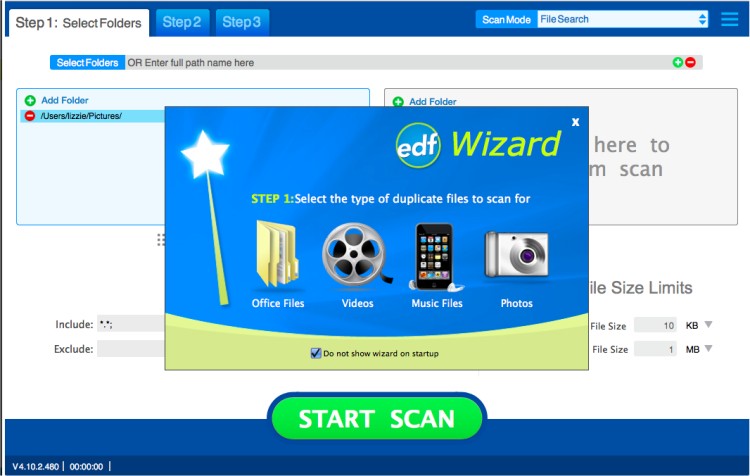
Easy Duplicate Finder has recently released version 8.3.1.6 / 5.29.0.1109, a powerful tool designed to identify and eliminate duplicate files from your computer. This software is particularly useful for users who want to reclaim hard disk space occupied by unnecessary duplicates. Its robust search engine quickly locates exact duplicate files, defined as those containing the same content.
The application boasts flexible search settings that allow users to search based on specific criteria, such as file size and type, while also providing the option to ignore empty files. Users can scan selected folders or entire drives, add multiple locations for scanning, and manage duplicate files efficiently by removing only those that are truly redundant.
Easy Duplicate Finder features a user-friendly interface suitable for all skill levels, enabling users to search for and delete duplicates with minimal effort. Key features include the ability to protect system files and folders, advanced management options for duplicate files, manual selection for deletion, automatic removal of duplicate copies, and easy access to file properties.
In addition to its core functionality, users may encounter related issues, such as 'Access Denied' errors when attempting to delete files or folders, methods for securely deleting files in Windows 10 & 11 using PowerShell, and guidance on how to take full ownership of files and folders. The software effectively simplifies file management, helping users maintain an organized and efficient digital environment.
For future enhancements, it would be beneficial to include additional features such as automated reports on duplicate file findings, integration with cloud storage solutions for duplicates across devices, and improved algorithms for identifying similar files that may not be exact duplicates
The application boasts flexible search settings that allow users to search based on specific criteria, such as file size and type, while also providing the option to ignore empty files. Users can scan selected folders or entire drives, add multiple locations for scanning, and manage duplicate files efficiently by removing only those that are truly redundant.
Easy Duplicate Finder features a user-friendly interface suitable for all skill levels, enabling users to search for and delete duplicates with minimal effort. Key features include the ability to protect system files and folders, advanced management options for duplicate files, manual selection for deletion, automatic removal of duplicate copies, and easy access to file properties.
In addition to its core functionality, users may encounter related issues, such as 'Access Denied' errors when attempting to delete files or folders, methods for securely deleting files in Windows 10 & 11 using PowerShell, and guidance on how to take full ownership of files and folders. The software effectively simplifies file management, helping users maintain an organized and efficient digital environment.
For future enhancements, it would be beneficial to include additional features such as automated reports on duplicate file findings, integration with cloud storage solutions for duplicates across devices, and improved algorithms for identifying similar files that may not be exact duplicates
Easy Duplicate Finder 8.3.1.6 / 5.29.0.1109 released
Easy Duplicate Finder will help you to find and delete duplicate files easily.
Easy Duplicate Finder 8.3.1.6 / 5.29.0.1109 released @ MajorGeeks