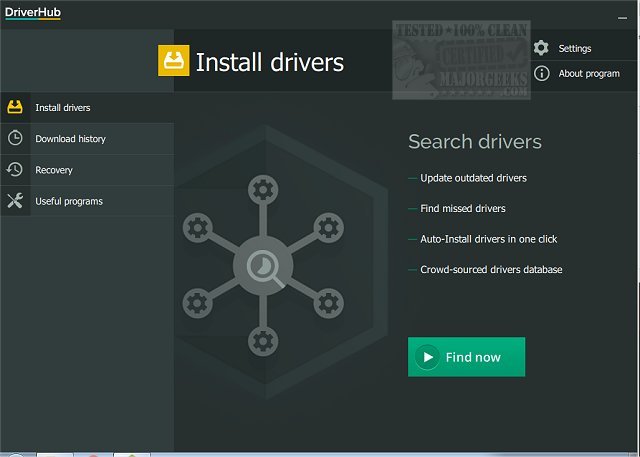
DriverHub has released version 2.1.8, a tool designed to streamline the process of identifying and updating outdated drivers on your computer. By quickly scanning your system, DriverHub efficiently locates outdated drivers and recommends the latest versions available for installation. Keeping your drivers up-to-date is crucial for maintaining your machine's performance and security, as outdated drivers can lead to various operational issues.
The user-friendly interface of DriverHub allows users to easily review the outdated drivers found during the scan. You can choose which drivers to update, and the application also provides the option to create a restore point before installation, ensuring a fallback option in case any new driver causes issues.
Additionally, DriverHub includes a suite of system tools for convenient access to functions such as display settings, PC management, and command prompt, along with a history log of downloaded drivers for tracking purposes. The software is designed with an attractive and organized layout, enabling users to confidently update their drivers without complications.
In summary, DriverHub 2.1.8 not only simplifies the driver update process but also enhances user experience with its comprehensive features. Keeping drivers current with DriverHub can significantly improve your computer's functionality and security.
To further enhance your system management, consider exploring additional resources such as guides on downloading drivers through Windows Update, managing driver problems in Device Manager, and backing up and restoring your drivers
The user-friendly interface of DriverHub allows users to easily review the outdated drivers found during the scan. You can choose which drivers to update, and the application also provides the option to create a restore point before installation, ensuring a fallback option in case any new driver causes issues.
Additionally, DriverHub includes a suite of system tools for convenient access to functions such as display settings, PC management, and command prompt, along with a history log of downloaded drivers for tracking purposes. The software is designed with an attractive and organized layout, enabling users to confidently update their drivers without complications.
In summary, DriverHub 2.1.8 not only simplifies the driver update process but also enhances user experience with its comprehensive features. Keeping drivers current with DriverHub can significantly improve your computer's functionality and security.
To further enhance your system management, consider exploring additional resources such as guides on downloading drivers through Windows Update, managing driver problems in Device Manager, and backing up and restoring your drivers
DriverHub 2.1.8 released
DriverHub quickly scans your machine for any outdated drivers and then finds and displays the most current drivers available for installation.