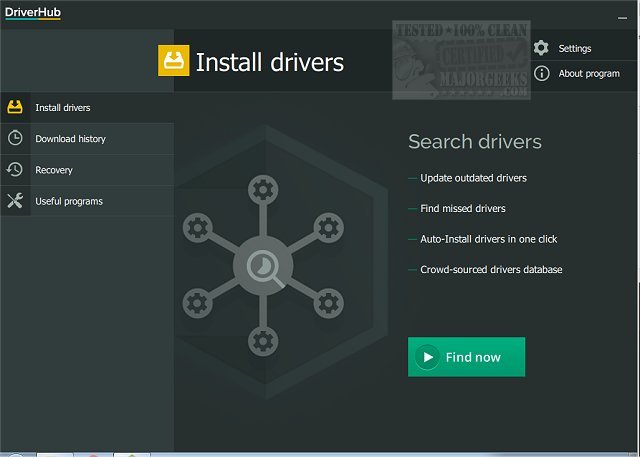
DriverHub 2.1.5 has been released, offering an efficient solution for users needing to keep their drivers up to date. This software scans your computer swiftly to identify any outdated drivers and presents a list of the latest versions available for installation. Keeping drivers updated is crucial for maintaining optimal machine performance and security, as outdated drivers can lead to various issues that may impede functionality.
The process of evaluating your system for outdated drivers is straightforward with DriverHub. It not only locates and lists these drivers but also facilitates easy installation of the newer versions. Users have the option to select or deselect drivers from the list before proceeding, enhancing control over the update process. Furthermore, DriverHub allows users to create a restore point, providing a safety net in case any complications arise from the new installations.
In addition to driver management, DriverHub offers a suite of useful system tools for quick access to features such as display settings, PC management, the control panel, and the command prompt. The application also maintains a history of downloaded drivers, enabling users to keep track of updates made to their system. With its user-friendly interface and organized layout, DriverHub instills confidence in users as they navigate the driver update process.
Overall, DriverHub 2.1.5 not only simplifies driver management but also enhances the overall user experience by integrating helpful tools and features, making it an essential utility for maintaining system health. Users can also explore related topics such as downloading the latest drivers for Windows, managing driver problems in Device Manager, and backing up and restoring drivers to ensure a seamless computing experience
The process of evaluating your system for outdated drivers is straightforward with DriverHub. It not only locates and lists these drivers but also facilitates easy installation of the newer versions. Users have the option to select or deselect drivers from the list before proceeding, enhancing control over the update process. Furthermore, DriverHub allows users to create a restore point, providing a safety net in case any complications arise from the new installations.
In addition to driver management, DriverHub offers a suite of useful system tools for quick access to features such as display settings, PC management, the control panel, and the command prompt. The application also maintains a history of downloaded drivers, enabling users to keep track of updates made to their system. With its user-friendly interface and organized layout, DriverHub instills confidence in users as they navigate the driver update process.
Overall, DriverHub 2.1.5 not only simplifies driver management but also enhances the overall user experience by integrating helpful tools and features, making it an essential utility for maintaining system health. Users can also explore related topics such as downloading the latest drivers for Windows, managing driver problems in Device Manager, and backing up and restoring drivers to ensure a seamless computing experience
DriverHub 2.1.5 released
DriverHub quickly scans your machine for any outdated drivers and then finds and displays the most current drivers available for installation.