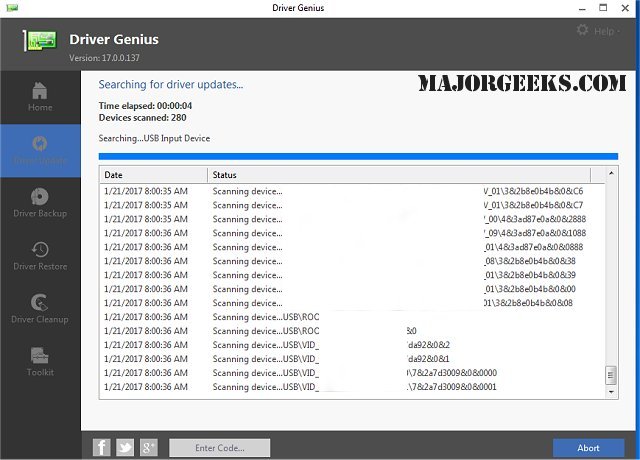
Driver Genius Professional has recently released version 25.0.0.143, enhancing its functionality as a robust tool for managing device drivers. This software excels in backing up and restoring drivers, allowing users to easily safeguard their system's drivers in either ZIP or self-extracting EXE formats. This capability simplifies the process of restoring drivers after an operating system reinstallation, enabling users to install the necessary drivers with just one click.
The latest version features a user-friendly auto-install package, which includes a wizard mode designed for beginners, making it accessible for users with varying levels of technical expertise. Key features of Driver Genius include the ability to clone drivers, detailed information retrieval about installed devices, offline driver searches, and a streamlined process for updating drivers with a single click. Additionally, it provides a live update option for its driver information database to keep users informed about the latest updates.
In summary, Driver Genius Professional 25.0.0.143 is an essential tool for anyone looking to manage their drivers efficiently, reducing the hassle of manual installations and updates. With its intuitive interface and comprehensive features, it caters to both novice and advanced users, ensuring that drivers are always up-to-date and readily available for restoration when needed.
To further extend the utility of Driver Genius, users might consider integrating it with other system maintenance tools or exploring additional resources for driver management, such as tutorials on downloading the latest drivers for Windows, methods for backing up and restoring drivers, and troubleshooting techniques using the Driver Verifier Manager. This holistic approach can enhance overall system performance and stability
The latest version features a user-friendly auto-install package, which includes a wizard mode designed for beginners, making it accessible for users with varying levels of technical expertise. Key features of Driver Genius include the ability to clone drivers, detailed information retrieval about installed devices, offline driver searches, and a streamlined process for updating drivers with a single click. Additionally, it provides a live update option for its driver information database to keep users informed about the latest updates.
In summary, Driver Genius Professional 25.0.0.143 is an essential tool for anyone looking to manage their drivers efficiently, reducing the hassle of manual installations and updates. With its intuitive interface and comprehensive features, it caters to both novice and advanced users, ensuring that drivers are always up-to-date and readily available for restoration when needed.
To further extend the utility of Driver Genius, users might consider integrating it with other system maintenance tools or exploring additional resources for driver management, such as tutorials on downloading the latest drivers for Windows, methods for backing up and restoring drivers, and troubleshooting techniques using the Driver Verifier Manager. This holistic approach can enhance overall system performance and stability
Driver Genius Professional 25.0.0.143 released
Driver Genius is a professional tool for backing-up or restoring your drivers.