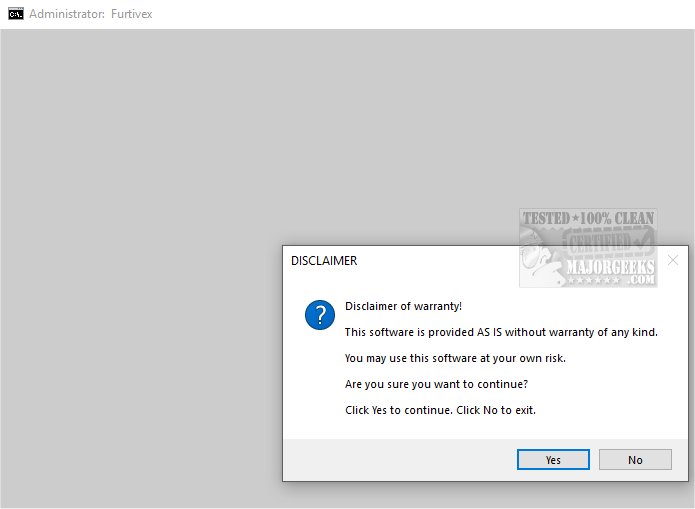
DoesNotBelong, formerly known as Furtivex Malware Removal, is a newly updated script designed to complement your antivirus software by offering a free, on-demand scanning tool. This tool serves as an additional protective layer that effectively identifies and removes malware threats.
DoesNotBelong is engineered to improve malware remediation and system modifications. While it is effective in eliminating threats, users should possess a basic understanding of Windows system internals for optimal use. Some of the key features include:
1. Proactive Process Management: The tool actively manages processes to enhance both system performance and security. It terminates non-essential processes while maintaining a whitelist of crucial ones, ensuring that core functionalities remain operational. It also performs a thorough cleaning of RunOnce entries from the Windows Registry.
2. Event Viewer Log Management: DoesNotBelong systematically clears various Event Viewer logs — including Application, Security, Setup, System, and Forwarded Events — improving the clarity of event data. It can also remove caches from popular applications and browsers like Microsoft Edge, Google Chrome, and Mozilla Firefox, while preserving cookies to safeguard user logins.
3. Registry Repair and Malware Mitigation: The script addresses potential damage caused by malware by correcting registry modifications and lifting policy restrictions. This allows the continued functionality of other antivirus software, enhancing overall security.
4. User Experience Improvements: It offers options to disable intrusive features in Windows 10 and 11, such as the 'Show me suggested content in the Settings app' setting. A System Restore Point is automatically created during usage, providing a safety net should any issues arise.
For troubleshooting purposes, DoesNotBelong presents crash dump information for analysis via WinDbg, which can be extremely helpful in diagnosing issues with crashed applications. Additionally, if Malwarebytes logs are found on the desktop, the tool will display their names for easy access.
DoesNotBelong serves as an essential tool for users looking to enhance their malware protection. With its proactive approach and comprehensive features, it not only fortifies defenses against various threats but also offers peace of mind. By using DoesNotBelong, users can feel more secure in their online activities, knowing they have a robust additional layer of security in place.
As the tool continues to evolve, future updates may introduce even more features and enhancements, further solidifying DoesNotBelong's position as a critical component of any cybersecurity strategy. Users are encouraged to stay updated with the latest releases to maximize their protection against emerging threats
Key Features and Functionalities
DoesNotBelong is engineered to improve malware remediation and system modifications. While it is effective in eliminating threats, users should possess a basic understanding of Windows system internals for optimal use. Some of the key features include:
1. Proactive Process Management: The tool actively manages processes to enhance both system performance and security. It terminates non-essential processes while maintaining a whitelist of crucial ones, ensuring that core functionalities remain operational. It also performs a thorough cleaning of RunOnce entries from the Windows Registry.
2. Event Viewer Log Management: DoesNotBelong systematically clears various Event Viewer logs — including Application, Security, Setup, System, and Forwarded Events — improving the clarity of event data. It can also remove caches from popular applications and browsers like Microsoft Edge, Google Chrome, and Mozilla Firefox, while preserving cookies to safeguard user logins.
3. Registry Repair and Malware Mitigation: The script addresses potential damage caused by malware by correcting registry modifications and lifting policy restrictions. This allows the continued functionality of other antivirus software, enhancing overall security.
4. User Experience Improvements: It offers options to disable intrusive features in Windows 10 and 11, such as the 'Show me suggested content in the Settings app' setting. A System Restore Point is automatically created during usage, providing a safety net should any issues arise.
System Diagnostics and Reporting
For troubleshooting purposes, DoesNotBelong presents crash dump information for analysis via WinDbg, which can be extremely helpful in diagnosing issues with crashed applications. Additionally, if Malwarebytes logs are found on the desktop, the tool will display their names for easy access.
Conclusion
DoesNotBelong serves as an essential tool for users looking to enhance their malware protection. With its proactive approach and comprehensive features, it not only fortifies defenses against various threats but also offers peace of mind. By using DoesNotBelong, users can feel more secure in their online activities, knowing they have a robust additional layer of security in place.
Future Developments
As the tool continues to evolve, future updates may introduce even more features and enhancements, further solidifying DoesNotBelong's position as a critical component of any cybersecurity strategy. Users are encouraged to stay updated with the latest releases to maximize their protection against emerging threats
DoesNotBelong 12.1.6 released
DoesNotBelong (formerly Furtivex Malware Removal) is a script designed to enhance the capabilities of your antivirus software by providing a free, on-demand scanning tool. This additional layer of protection helps identify and eliminate malware threats effectively.