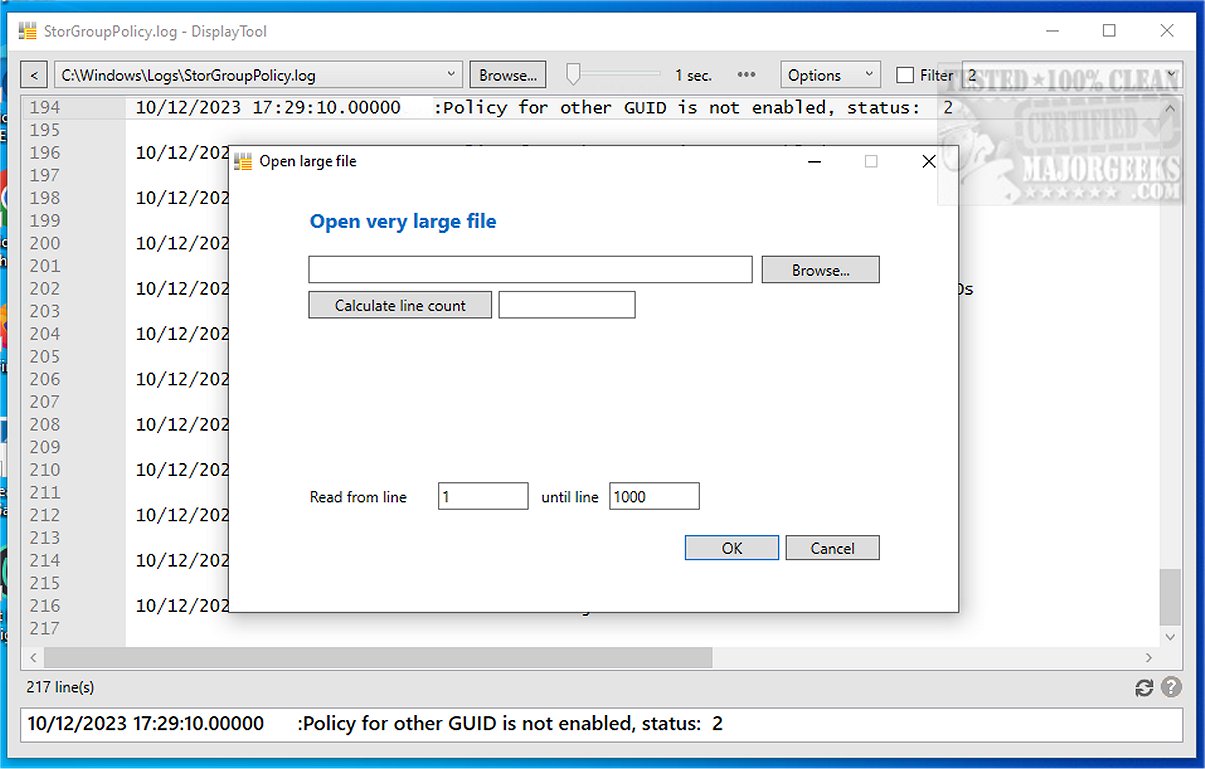
DisplayTool is a powerful application designed for viewing text and log files with ease, akin to the Unix "tail" command, but optimized for Windows environments. The latest version, 3.0.0.24, introduces enhanced features for real-time updates and monitoring, making it an essential tool for users who frequently work with log files.
Key Features of DisplayTool:
1. Real-Time Monitoring: Users can monitor text files in real time, witnessing changes as they occur. This feature is particularly beneficial for collaborative environments where multiple users may be editing the same document.
2. Remote File Access: DisplayTool allows seamless access to remote files over a network, providing flexibility for users working from different locations. It intelligently reconnects and refreshes the file display when the remote system regains connectivity after a restart.
3. Log File Monitoring: The tool excels at keeping the displayed content of log files current. Users can apply filters to focus on specific lines of interest and adjust refresh intervals for handling large files without hassle.
4. Visual Indicators: A unique visual indicator alerts users to new lines of text with a brief status bar change to green, enhancing the user experience.
5. Command Line Operations: For advanced users, DisplayTool can be controlled via the command line, allowing for custom parameters such as monitored files and filtering criteria.
6. File Management Features: Users can merge multiple small files into one, open large files partially, and modify file content by retaining or removing specific lines, including duplicate entries. Additional capabilities include trimming lines based on specific text or columns and extracting text within brackets.
7. PowerShell Integration: The tool features an expand function that translates a list of usernames into corresponding PowerShell commands, adding to its utility for system administrators.
8. Reliability: DisplayTool is built to maintain connections during unexpected events, such as reboots or network interruptions, ensuring uninterrupted workflow.
Conclusion: DisplayTool stands out as an essential utility for real-time monitoring and editing of log files, ideal for system administrators and users who require up-to-date information at their fingertips. Its advanced filtering options and robust performance make it a valuable asset for anyone needing to track changes and manage text-based files effectively.
Future Enhancements: As technology evolves, future updates to DisplayTool may include even more advanced analytics features, improved integration with cloud services, and enhanced user customization options to cater to a broader range of user needs
Key Features of DisplayTool:
1. Real-Time Monitoring: Users can monitor text files in real time, witnessing changes as they occur. This feature is particularly beneficial for collaborative environments where multiple users may be editing the same document.
2. Remote File Access: DisplayTool allows seamless access to remote files over a network, providing flexibility for users working from different locations. It intelligently reconnects and refreshes the file display when the remote system regains connectivity after a restart.
3. Log File Monitoring: The tool excels at keeping the displayed content of log files current. Users can apply filters to focus on specific lines of interest and adjust refresh intervals for handling large files without hassle.
4. Visual Indicators: A unique visual indicator alerts users to new lines of text with a brief status bar change to green, enhancing the user experience.
5. Command Line Operations: For advanced users, DisplayTool can be controlled via the command line, allowing for custom parameters such as monitored files and filtering criteria.
6. File Management Features: Users can merge multiple small files into one, open large files partially, and modify file content by retaining or removing specific lines, including duplicate entries. Additional capabilities include trimming lines based on specific text or columns and extracting text within brackets.
7. PowerShell Integration: The tool features an expand function that translates a list of usernames into corresponding PowerShell commands, adding to its utility for system administrators.
8. Reliability: DisplayTool is built to maintain connections during unexpected events, such as reboots or network interruptions, ensuring uninterrupted workflow.
Conclusion: DisplayTool stands out as an essential utility for real-time monitoring and editing of log files, ideal for system administrators and users who require up-to-date information at their fingertips. Its advanced filtering options and robust performance make it a valuable asset for anyone needing to track changes and manage text-based files effectively.
Future Enhancements: As technology evolves, future updates to DisplayTool may include even more advanced analytics features, improved integration with cloud services, and enhanced user customization options to cater to a broader range of user needs
DisplayTool 3.0.0.24 released
DisplayTool lets you view text and log files efficiently and functions similarly to the "tail" command on Unix-based systems, providing real-time updates and monitoring for files on Windows.