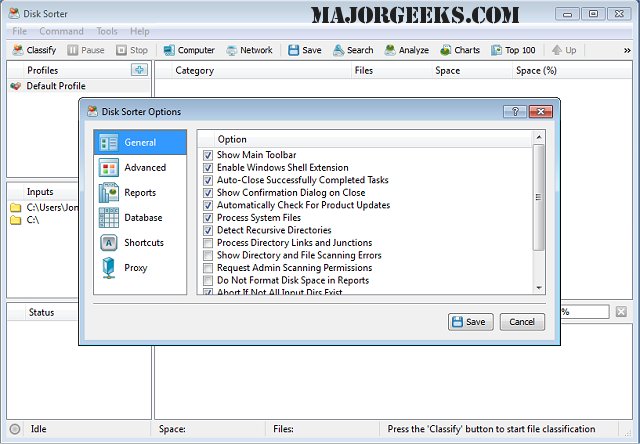
DiskSorter Pro/Free version 18.2.26 has been released, offering enhanced functionality for scanning and classifying files on hard drives. This powerful tool allows users to categorize files based on various criteria, including size, file extension, type, access time, and other predefined rules. It is capable of scanning files across various storage solutions, such as disks, network shares, directories, and NAS devices, and can export detailed classification reports to SQL databases.
Key features of DiskSorter Pro include support for a massive 10 TB of disk space and the ability to process up to 10 million files in a single operation. Users can create up to 10 analysis profiles and classify over 3,500 file categories. The software supports long and Unicode file names, UNC network paths, and maintains compatibility with ACLs and security attributes. Additionally, it includes built-in file management operations and provides options for specific file type classification. Reports can be generated in various formats, including HTML, PDF, XML, CSV, and Text. Multi-threaded file classification allows for efficient processing.
In summary, DiskSorter Pro is a comprehensive file management solution that not only simplifies file classification but also enhances data management through advanced reporting and analysis features. Its support for large volumes of data, extensive file categories, and robust classification capabilities makes it an essential tool for users looking to optimize their file storage and management.
Extension: The release of DiskSorter Pro/Free 18.2.26 marks a significant advancement in file management software, catering to both individual users and organizations with extensive data handling needs. As data continues to grow exponentially, tools like DiskSorter Pro are increasingly critical for maintaining order and accessibility in file systems. Future updates could potentially include even more intuitive user interfaces, integration with cloud storage solutions, and enhanced machine learning capabilities to automate classification based on user behavior and preferences. This would allow for even greater efficiency and customization, making file management a more seamless experience
Key features of DiskSorter Pro include support for a massive 10 TB of disk space and the ability to process up to 10 million files in a single operation. Users can create up to 10 analysis profiles and classify over 3,500 file categories. The software supports long and Unicode file names, UNC network paths, and maintains compatibility with ACLs and security attributes. Additionally, it includes built-in file management operations and provides options for specific file type classification. Reports can be generated in various formats, including HTML, PDF, XML, CSV, and Text. Multi-threaded file classification allows for efficient processing.
In summary, DiskSorter Pro is a comprehensive file management solution that not only simplifies file classification but also enhances data management through advanced reporting and analysis features. Its support for large volumes of data, extensive file categories, and robust classification capabilities makes it an essential tool for users looking to optimize their file storage and management.
Extension: The release of DiskSorter Pro/Free 18.2.26 marks a significant advancement in file management software, catering to both individual users and organizations with extensive data handling needs. As data continues to grow exponentially, tools like DiskSorter Pro are increasingly critical for maintaining order and accessibility in file systems. Future updates could potentially include even more intuitive user interfaces, integration with cloud storage solutions, and enhanced machine learning capabilities to automate classification based on user behavior and preferences. This would allow for even greater efficiency and customization, making file management a more seamless experience
DiskSorter Pro/Free 18.2.26 released
DiskSorter Pro provides you with a powerful option designed to scan your hard drive and classify the files found based on specific criteria.