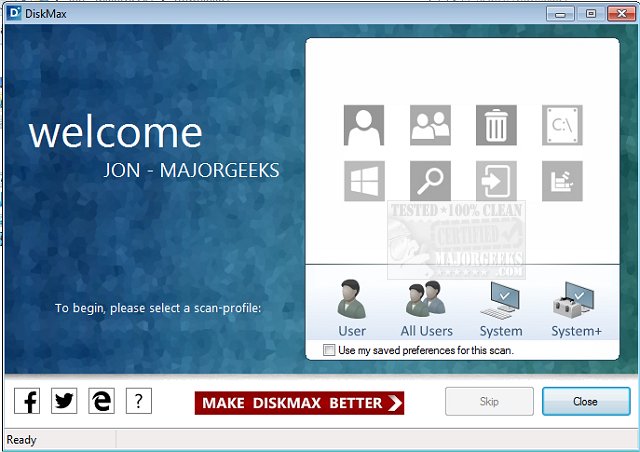
DiskMax 7.33 has been released, providing users with a powerful tool for maintaining their PC’s performance through regular disk cleanups and optimizations. This software is designed to enhance system speed, making applications launch quicker, files open faster, and games run more smoothly. By utilizing DiskMax periodically, users can ensure their systems remain in optimal condition without extensive manual effort.
The tool is beneficial for all user levels, including advanced users, as it automates various essential maintenance tasks. Some of the key features of DiskMax include:
- Automated emptying of the recycle bin, removal of installation remnants, and debugging information.
- Comprehensive cleaning of user histories, temporary files, cookies, and Windows error reporting logs.
- Clearing of Windows cache, unused legacy cursors, internet logs, help center caches, and more.
- Removal of registry entries related to Most Recently Used lists and clearing Windows event logs—offering a unique capability that many applications lack.
- An option for advanced users to perform a deep scan to eliminate various file types, alongside file rearrangement for faster access.
With these features, DiskMax stands out as an effective solution for those looking to streamline their system performance. For users interested in alternative disk cleaning tools, comparisons with CCleaner, Wise Disk Cleaner, and PrivaZer can provide insights into the best options available. Additionally, resources are available for automating junk file deletion in Windows 10 using Storage Sense, securely deleting files with PowerShell, and managing the Windows Registry.
Overall, DiskMax serves as a valuable utility for ensuring a smooth and efficient computing experience, significantly benefiting users who prioritize system health and performance
The tool is beneficial for all user levels, including advanced users, as it automates various essential maintenance tasks. Some of the key features of DiskMax include:
- Automated emptying of the recycle bin, removal of installation remnants, and debugging information.
- Comprehensive cleaning of user histories, temporary files, cookies, and Windows error reporting logs.
- Clearing of Windows cache, unused legacy cursors, internet logs, help center caches, and more.
- Removal of registry entries related to Most Recently Used lists and clearing Windows event logs—offering a unique capability that many applications lack.
- An option for advanced users to perform a deep scan to eliminate various file types, alongside file rearrangement for faster access.
With these features, DiskMax stands out as an effective solution for those looking to streamline their system performance. For users interested in alternative disk cleaning tools, comparisons with CCleaner, Wise Disk Cleaner, and PrivaZer can provide insights into the best options available. Additionally, resources are available for automating junk file deletion in Windows 10 using Storage Sense, securely deleting files with PowerShell, and managing the Windows Registry.
Overall, DiskMax serves as a valuable utility for ensuring a smooth and efficient computing experience, significantly benefiting users who prioritize system health and performance
DiskMax 7.33 released
Use DiskMax to periodically perform powerful disk cleanups and performance optimizations in order to keep your PC healthy.