Cursor is an innovative integrated development environment (IDE) designed with a bottom-up approach to help developers create software more efficiently using artificial intelligence (AI). The latest version, Cursor 3.7.36, enhances its core capabilities, making it a potent tool for intermediate and professional coders.
AI-Powered Features for Enhanced Coding Experience
With Cursor, developers can break free from traditional coding routines. The platform offers a host of AI-driven functionalities that streamline the coding process:
1. Smart Code Suggestions and Auto-Completion: Utilizing advanced AI algorithms, Cursor comprehensively understands the context of your project. This feature provides intelligent code suggestions and auto-completions, allowing developers to write code more quickly and accurately.
2. Automatic Code Generation and Fixes: Cursor simplifies the coding journey by generating code from scratch and fixing lint errors with minimal input from the user. Just provide basic instructions, and the AI takes care of the rest.
3. In-Editor Chat: The real-time chat feature allows users to ask questions about their codebase, offering instant answers and references to specific files and documentation.
4. Seamless Integration with VSCode: For those accustomed to Visual Studio Code, Cursor supports its extensions, themes, and keybindings. This ensures a hassle-free transition for existing users.
5. Enhanced Debugging: Debugging becomes simpler as Cursor automatically analyzes stack traces and identifies errors, significantly reducing troubleshooting time.
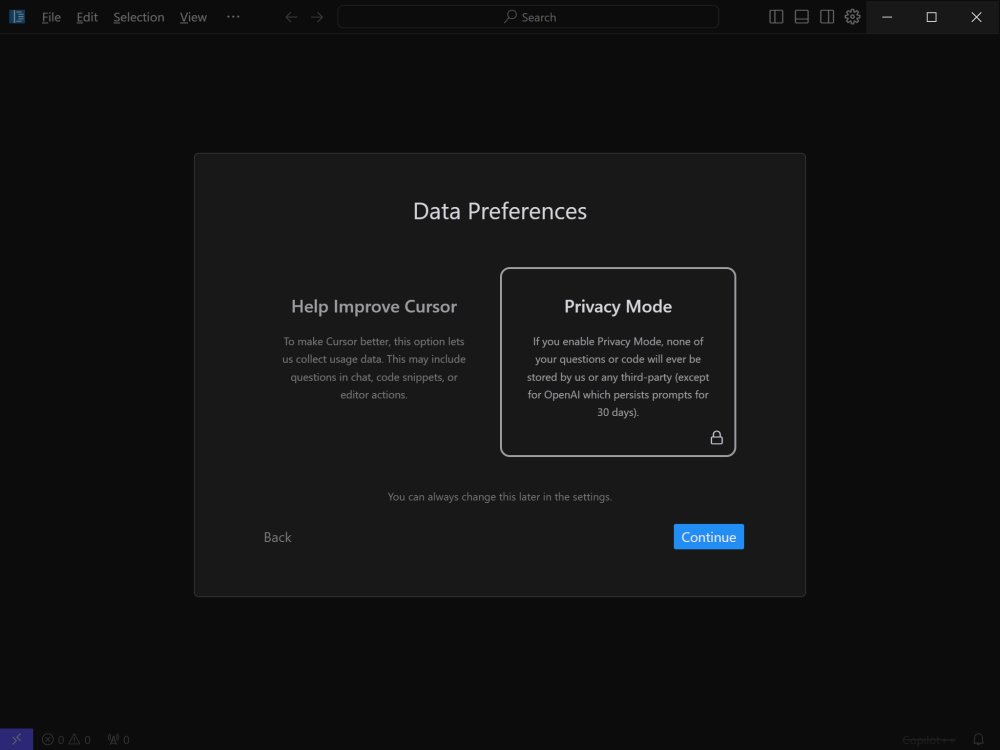
6. Local Mode for Privacy: Developers working on sensitive projects can benefit from Cursor's local mode, which ensures that code data is not stored on external servers, prioritizing user privacy.
7. Blazing-Fast Performance: Powered by GPT-4 technology, Cursor operates up to three times faster than using OpenAI's API directly, enhancing productivity.
8. Wide Language Support: Cursor accommodates various programming languages, including Python, JavaScript, TypeScript, Java, C++, Ruby, and Go.
Flexible Pricing Plans: Free vs. Pro
Cursor offers two plans: Free and Pro. The Free plan is ideal for hobbyists and mid-level developers, providing essential AI assistance with limitations on completions and request speeds. Conversely, the Pro plan, priced at $20 per month (or $16 with an annual subscription), unlocks unlimited completions, advanced AI models like GPT-4 and Claude 3.5 Opus, and additional features such as Copilot++ for context-aware code modifications.
Conclusion: A Game-Changer for Developers
Cursor stands out as a transformative tool for coders seeking an AI-powered IDE that goes beyond mere code autocompletion. With its deep understanding of codebases, smart suggestions, and seamless integration with existing tools, Cursor is poised to redefine coding workflows. Whether working on large-scale applications or optimizing personal projects, Cursor can significantly enhance coding efficiency and productivity. As development technology continues to evolve, Cursor represents a leap toward a more integrated and intelligent coding experience
AI-Powered Features for Enhanced Coding Experience
With Cursor, developers can break free from traditional coding routines. The platform offers a host of AI-driven functionalities that streamline the coding process:
1. Smart Code Suggestions and Auto-Completion: Utilizing advanced AI algorithms, Cursor comprehensively understands the context of your project. This feature provides intelligent code suggestions and auto-completions, allowing developers to write code more quickly and accurately.
2. Automatic Code Generation and Fixes: Cursor simplifies the coding journey by generating code from scratch and fixing lint errors with minimal input from the user. Just provide basic instructions, and the AI takes care of the rest.
3. In-Editor Chat: The real-time chat feature allows users to ask questions about their codebase, offering instant answers and references to specific files and documentation.
4. Seamless Integration with VSCode: For those accustomed to Visual Studio Code, Cursor supports its extensions, themes, and keybindings. This ensures a hassle-free transition for existing users.
5. Enhanced Debugging: Debugging becomes simpler as Cursor automatically analyzes stack traces and identifies errors, significantly reducing troubleshooting time.
6. Local Mode for Privacy: Developers working on sensitive projects can benefit from Cursor's local mode, which ensures that code data is not stored on external servers, prioritizing user privacy.
7. Blazing-Fast Performance: Powered by GPT-4 technology, Cursor operates up to three times faster than using OpenAI's API directly, enhancing productivity.
8. Wide Language Support: Cursor accommodates various programming languages, including Python, JavaScript, TypeScript, Java, C++, Ruby, and Go.
Flexible Pricing Plans: Free vs. Pro
Cursor offers two plans: Free and Pro. The Free plan is ideal for hobbyists and mid-level developers, providing essential AI assistance with limitations on completions and request speeds. Conversely, the Pro plan, priced at $20 per month (or $16 with an annual subscription), unlocks unlimited completions, advanced AI models like GPT-4 and Claude 3.5 Opus, and additional features such as Copilot++ for context-aware code modifications.
Conclusion: A Game-Changer for Developers
Cursor stands out as a transformative tool for coders seeking an AI-powered IDE that goes beyond mere code autocompletion. With its deep understanding of codebases, smart suggestions, and seamless integration with existing tools, Cursor is poised to redefine coding workflows. Whether working on large-scale applications or optimizing personal projects, Cursor can significantly enhance coding efficiency and productivity. As development technology continues to evolve, Cursor represents a leap toward a more integrated and intelligent coding experience
Cursor 3.7.36 released
Cursor is bottom-up designed with the goal of creating an integrated development environment to build software faster using AI.