Cursor is an innovative integrated development environment (IDE) designed with a bottom-up approach, aiming to expedite software development through artificial intelligence (AI). This AI-first code editor redefines coding efficiency by enabling developers to streamline their processes and enhance productivity.
Key Features of Cursor:
1. Smart Code Suggestions and Auto-Completion: Leveraging advanced AI algorithms, Cursor comprehends the context of your projects, providing intelligent code suggestions and auto-completions to minimize errors and accelerate coding speed.
2. Automatic Code Generation and Fixes: Cursor simplifies coding by allowing users to generate code from scratch or rectify lint errors with straightforward commands, making the coding experience more efficient.
3. In-Editor Chat: This feature facilitates real-time assistance, enabling developers to inquire about specific code aspects or repository elements, receiving instant feedback that references relevant files and documentation.
4. Seamless Integration with VSCode: Developers transitioning from Visual Studio Code will appreciate Cursor's compatibility with existing VSCode extensions, themes, and keybindings, ensuring an effortless user experience.
5. Enhanced Debugging: Debugging is made simpler as Cursor automatically processes stack traces to identify error sources, significantly reducing troubleshooting time.
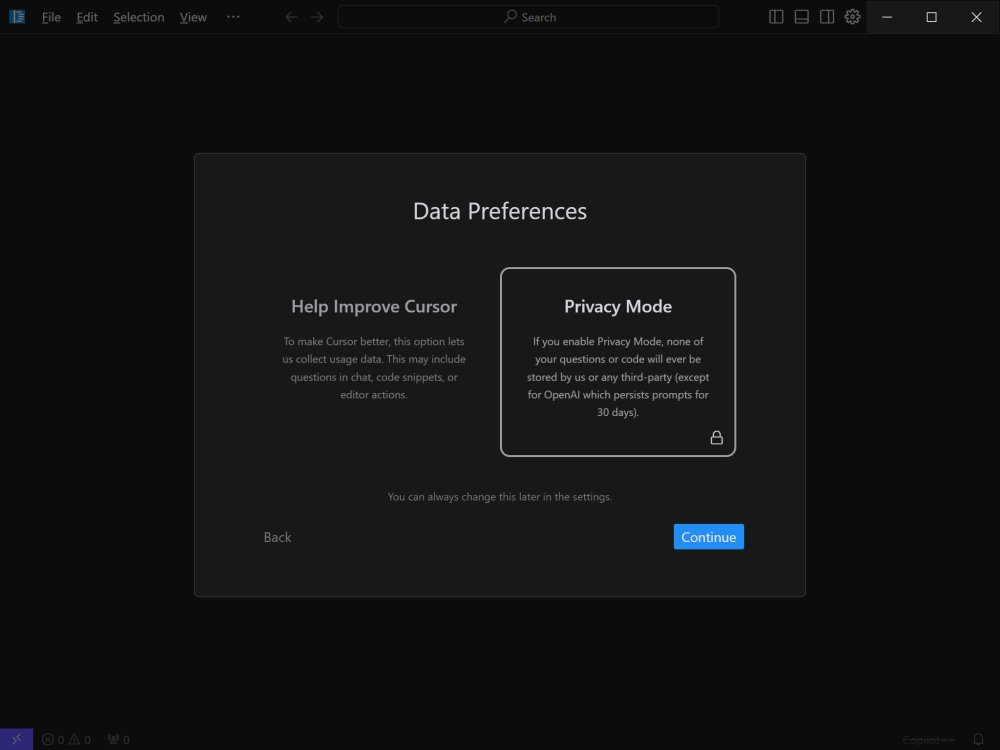
6. Local Mode for Privacy: For developers concerned about data privacy, Cursor offers a local mode that guarantees no data is stored on external servers, safeguarding sensitive project information.
7. Blazing-Fast Performance: Powered by GPT-4, Cursor boasts speeds up to three times faster than direct usage of OpenAI's API, allowing developers to maintain productivity without interruptions.
8. Supported Languages: Cursor is versatile, supporting a wide array of programming languages, including Python, JavaScript, TypeScript, Java, C++, Ruby, and Go.
Free vs. Pro Plans: Cursor provides both free and pro subscription options. The free plan caters to hobbyists and intermediate developers with basic AI assistance, offering 2,000 monthly completions and limited premium requests, utilizing GPT-3.5 for suggestions. In contrast, the Pro Plan, available at $20 per month (or $16/month with an annual commitment), unlocks unlimited completions and advanced features such as Copilot++, which refines code based on context, and deeper codebase analysis through inline chat capabilities. This plan is ideal for professional developers seeking enhanced AI-driven coding efficiency.
Conclusion: Cursor is a game-changer for developers looking for more than mere code completion. With its profound AI understanding of codebases, intelligent rewrites, and comprehensive integration with VSCode extensions, it offers a near-AI coding partner experience. Whether you are developing large-scale applications or simply want to boost your coding workflow, Cursor has the potential to transform your coding practices, making it a tool worth exploring for any serious developer.
Future Prospects: As Cursor continues to evolve, further enhancements could include expanded language support, collaborative features for team coding, and more sophisticated AI capabilities, positioning it as a leader in the coding environment landscape and potentially influencing the future of software development practices
Key Features of Cursor:
1. Smart Code Suggestions and Auto-Completion: Leveraging advanced AI algorithms, Cursor comprehends the context of your projects, providing intelligent code suggestions and auto-completions to minimize errors and accelerate coding speed.
2. Automatic Code Generation and Fixes: Cursor simplifies coding by allowing users to generate code from scratch or rectify lint errors with straightforward commands, making the coding experience more efficient.
3. In-Editor Chat: This feature facilitates real-time assistance, enabling developers to inquire about specific code aspects or repository elements, receiving instant feedback that references relevant files and documentation.
4. Seamless Integration with VSCode: Developers transitioning from Visual Studio Code will appreciate Cursor's compatibility with existing VSCode extensions, themes, and keybindings, ensuring an effortless user experience.
5. Enhanced Debugging: Debugging is made simpler as Cursor automatically processes stack traces to identify error sources, significantly reducing troubleshooting time.
6. Local Mode for Privacy: For developers concerned about data privacy, Cursor offers a local mode that guarantees no data is stored on external servers, safeguarding sensitive project information.
7. Blazing-Fast Performance: Powered by GPT-4, Cursor boasts speeds up to three times faster than direct usage of OpenAI's API, allowing developers to maintain productivity without interruptions.
8. Supported Languages: Cursor is versatile, supporting a wide array of programming languages, including Python, JavaScript, TypeScript, Java, C++, Ruby, and Go.
Free vs. Pro Plans: Cursor provides both free and pro subscription options. The free plan caters to hobbyists and intermediate developers with basic AI assistance, offering 2,000 monthly completions and limited premium requests, utilizing GPT-3.5 for suggestions. In contrast, the Pro Plan, available at $20 per month (or $16/month with an annual commitment), unlocks unlimited completions and advanced features such as Copilot++, which refines code based on context, and deeper codebase analysis through inline chat capabilities. This plan is ideal for professional developers seeking enhanced AI-driven coding efficiency.
Conclusion: Cursor is a game-changer for developers looking for more than mere code completion. With its profound AI understanding of codebases, intelligent rewrites, and comprehensive integration with VSCode extensions, it offers a near-AI coding partner experience. Whether you are developing large-scale applications or simply want to boost your coding workflow, Cursor has the potential to transform your coding practices, making it a tool worth exploring for any serious developer.
Future Prospects: As Cursor continues to evolve, further enhancements could include expanded language support, collaborative features for team coding, and more sophisticated AI capabilities, positioning it as a leader in the coding environment landscape and potentially influencing the future of software development practices
Cursor 3.27.22 released
Cursor is bottom-up designed with the goal of creating an integrated development environment to build software faster using AI.