Cursor version 3.12.30 has been released, showcasing its innovative approach as an AI-first integrated development environment (IDE) aimed at accelerating software development. Designed with a bottom-up philosophy, Cursor redefines traditional coding practices by leveraging advanced AI capabilities to enhance productivity.
1. Smart Code Suggestions and Auto-Completion: Cursor utilizes sophisticated AI algorithms to comprehend project context, providing intelligent code completions that help streamline the coding process and reduce errors.
2. Automatic Code Generation and Fixes: Whether you need to create code from scratch or rectify lint errors, Cursor can handle these tasks with simple instructions, significantly easing the development burden.
3. In-Editor Chat: A real-time chat feature allows users to query their codebase, receive explanations, and access documentation, making it easier to navigate complex projects.
4. Seamless Integration: For those transitioning from Visual Studio Code (VSCode), Cursor maintains compatibility with existing extensions, themes, and keybindings, facilitating a smooth user experience.
5. Enhanced Debugging: The IDE automatically analyzes stack traces to identify root causes of errors, thereby simplifying the debugging process.
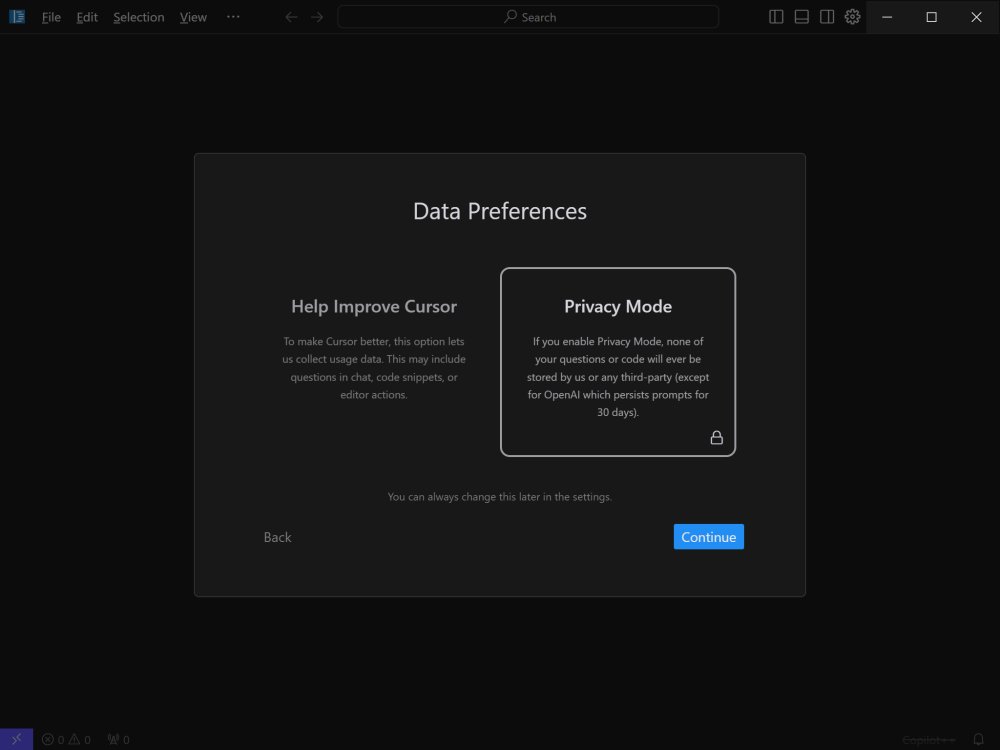
6. Local Mode for Privacy: Users concerned about code confidentiality can utilize Cursor’s local mode, which prevents their data from being stored on external servers.
7. Blazing-Fast Performance: Utilizing GPT-4 technology, Cursor operates up to three times faster than using OpenAI's API directly, ensuring efficient coding without interruptions.
8. Supported Languages: Cursor supports a multitude of programming languages including Python, JavaScript, TypeScript, Java, C++, Ruby, and Go, making it versatile for various coding projects.
Key Features of Cursor:
1. Smart Code Suggestions and Auto-Completion: Cursor utilizes sophisticated AI algorithms to comprehend project context, providing intelligent code completions that help streamline the coding process and reduce errors.
2. Automatic Code Generation and Fixes: Whether you need to create code from scratch or rectify lint errors, Cursor can handle these tasks with simple instructions, significantly easing the development burden.
3. In-Editor Chat: A real-time chat feature allows users to query their codebase, receive explanations, and access documentation, making it easier to navigate complex projects.
4. Seamless Integration: For those transitioning from Visual Studio Code (VSCode), Cursor maintains compatibility with existing extensions, themes, and keybindings, facilitating a smooth user experience.
5. Enhanced Debugging: The IDE automatically analyzes stack traces to identify root causes of errors, thereby simplifying the debugging process.
6. Local Mode for Privacy: Users concerned about code confidentiality can utilize Cursor’s local mode, which prevents their data from being stored on external servers.
7. Blazing-Fast Performance: Utilizing GPT-4 technology, Cursor operates up to three times faster than using OpenAI's API directly, ensuring efficient coding without interruptions.
8. Supported Languages: Cursor supports a multitude of programming languages including Python, JavaScript, TypeScript, Java, C++, Ruby, and Go, making it versatile for various coding projects.
Pricing Plans:
Cursor offers two plans: a Free version suitable for hobbyists and mid-level developers, and a Pro version priced at $20/month (or $16/month with an annual subscription). The Free plan provides basic AI assistance limited to 2,000 monthly completions and basic GPT-3.5 capabilities. The Pro plan unlocks unlimited completions, advanced AI models like GPT-4, and additional features such as Copilot++ for smarter code modifications.Conclusion:
Cursor stands out as an AI-powered IDE that transcends basic code completion. With its deep understanding of codebases, real-time assistance, and extensive integration capabilities, it positions itself as a transformative tool for developers. Whether you're working on complex applications or simply aiming to optimize your coding workflow, Cursor promises to revolutionize your programming experience.Future Enhancements:
As Cursor continues to evolve, potential future enhancements could include broader language support, integration with more collaborative tools, and additional AI-driven features that further streamline the development process. The ongoing development could also focus on improving user feedback mechanisms to enhance the overall user experience based on real-world usage scenariosCursor 3.12.30 released
Cursor is bottom-up designed with the goal of creating an integrated development environment to build software faster using AI.