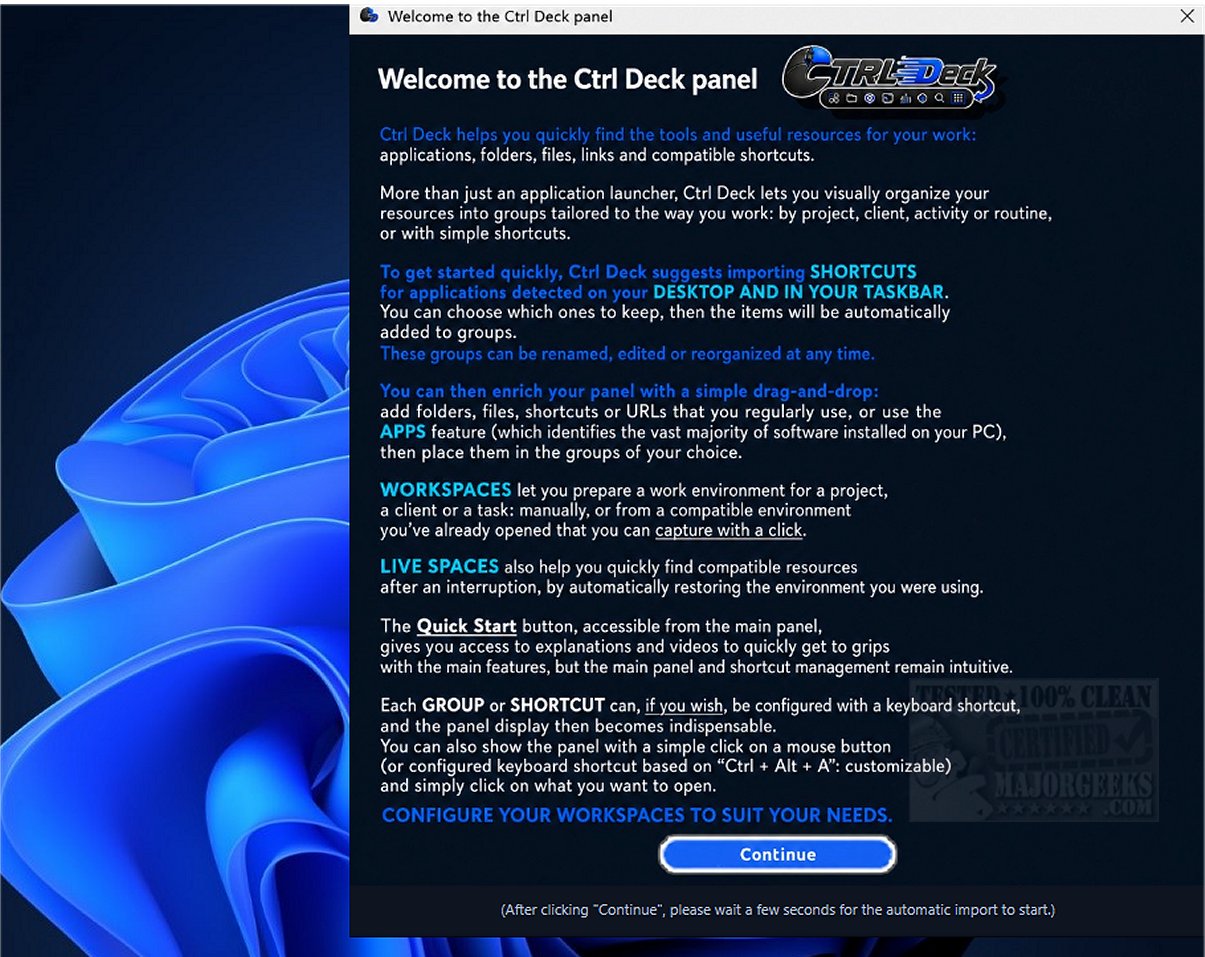
Ctrl Deck 1.7 has been released, introducing an innovative tool tailored for users who often juggle multiple applications, windows, and folders on their computers. Unlike conventional methods such as searching the taskbar or using Alt+Tab, Ctrl Deck streamlines navigation with customizable keyboard shortcuts, allowing for rapid access and switching between various elements.
Purpose of Ctrl Deck:
Ctrl Deck acts as a versatile launcher, enabling users to assign specific keys or buttons to frequently used applications, Windows shortcuts, files, and folders. This functionality significantly boosts productivity by allowing quicker access to essential resources, thereby creating a more efficient workflow. Users can easily transition between their most important tools, ultimately saving time on daily tasks.
Key Features of Ctrl Deck:
- Import desktop and taskbar shortcuts, as well as Chrome URLs.
- Create and customize suggested groups for better organization.
- Add files, folders, URLs, and shortcuts with drag-and-drop functionality.
- Scan your PC for applications and useful Windows utilities.
- Utilize integrated search fields to find applications quickly.
- Organize apps into groups or create dedicated Workspaces for projects or routines.
- Capture your open work environment with one click for quick reopening.
- Transform a Live Space into a Workspace for ongoing use.
- Use keyboard shortcuts for groups, individual apps, or entire Workspaces.
- Hide or show the panel as needed, based on your preferences.
- Access Quick Start for setup guidance and demo videos.
Getting Started with Ctrl Deck:
Setting up Ctrl Deck is simple. Users begin by configuring their preferred keyboard shortcuts for commonly accessed programs. Keeping the app open provides quick access to any assigned application or window, allowing for a smoother workflow without the distraction of searching for specific programs. The primary objective of Ctrl Deck is to enhance the user experience by minimizing time spent locating applications, enabling instant access through dedicated shortcuts.
Reducing Desktop Clutter:
Ctrl Deck also empowers users to manage their computing environment more effectively by diminishing screen clutter. Many users keep multiple programs open simultaneously, which can hinder efficiency when trying to locate the right window. Ctrl Deck resolves this issue by allowing users to jump directly to a specific application or window with a single keystroke, making multitasking more organized and efficient.
Geek Verdict:
Experience the simplicity of Ctrl Deck, which removes the complexities of navigating through multiple steps. With just one intuitive visual panel, all necessary functions are accessible at the touch of a button. Say goodbye to endlessly searching through windows and menus; with Ctrl Deck, you can execute actions instantly with a single click.
Further Extensions:
As Ctrl Deck continues to evolve, future updates may include enhanced customization options, integration with more third-party applications, and improved user interface aesthetics. Additionally, potential features could involve AI-driven recommendations for frequently used applications or improved collaboration tools for teams working on shared projects. This would further solidify Ctrl Deck's role as an indispensable tool for enhancing productivity and streamlining workflows in increasingly complex digital environments
Purpose of Ctrl Deck:
Ctrl Deck acts as a versatile launcher, enabling users to assign specific keys or buttons to frequently used applications, Windows shortcuts, files, and folders. This functionality significantly boosts productivity by allowing quicker access to essential resources, thereby creating a more efficient workflow. Users can easily transition between their most important tools, ultimately saving time on daily tasks.
Key Features of Ctrl Deck:
- Import desktop and taskbar shortcuts, as well as Chrome URLs.
- Create and customize suggested groups for better organization.
- Add files, folders, URLs, and shortcuts with drag-and-drop functionality.
- Scan your PC for applications and useful Windows utilities.
- Utilize integrated search fields to find applications quickly.
- Organize apps into groups or create dedicated Workspaces for projects or routines.
- Capture your open work environment with one click for quick reopening.
- Transform a Live Space into a Workspace for ongoing use.
- Use keyboard shortcuts for groups, individual apps, or entire Workspaces.
- Hide or show the panel as needed, based on your preferences.
- Access Quick Start for setup guidance and demo videos.
Getting Started with Ctrl Deck:
Setting up Ctrl Deck is simple. Users begin by configuring their preferred keyboard shortcuts for commonly accessed programs. Keeping the app open provides quick access to any assigned application or window, allowing for a smoother workflow without the distraction of searching for specific programs. The primary objective of Ctrl Deck is to enhance the user experience by minimizing time spent locating applications, enabling instant access through dedicated shortcuts.
Reducing Desktop Clutter:
Ctrl Deck also empowers users to manage their computing environment more effectively by diminishing screen clutter. Many users keep multiple programs open simultaneously, which can hinder efficiency when trying to locate the right window. Ctrl Deck resolves this issue by allowing users to jump directly to a specific application or window with a single keystroke, making multitasking more organized and efficient.
Geek Verdict:
Experience the simplicity of Ctrl Deck, which removes the complexities of navigating through multiple steps. With just one intuitive visual panel, all necessary functions are accessible at the touch of a button. Say goodbye to endlessly searching through windows and menus; with Ctrl Deck, you can execute actions instantly with a single click.
Further Extensions:
As Ctrl Deck continues to evolve, future updates may include enhanced customization options, integration with more third-party applications, and improved user interface aesthetics. Additionally, potential features could involve AI-driven recommendations for frequently used applications or improved collaboration tools for teams working on shared projects. This would further solidify Ctrl Deck's role as an indispensable tool for enhancing productivity and streamlining workflows in increasingly complex digital environments
Ctrl Deck 1.7 released
Ctrl Deck is an innovative tool designed for those who frequently navigate between numerous applications, windows, and folders on their computers. Instead of traditional methods like searching the taskbar or using Alt+Tab, Ctrl Deck lets you quickly open and switch between these elements with customizable keyboard shortcuts.