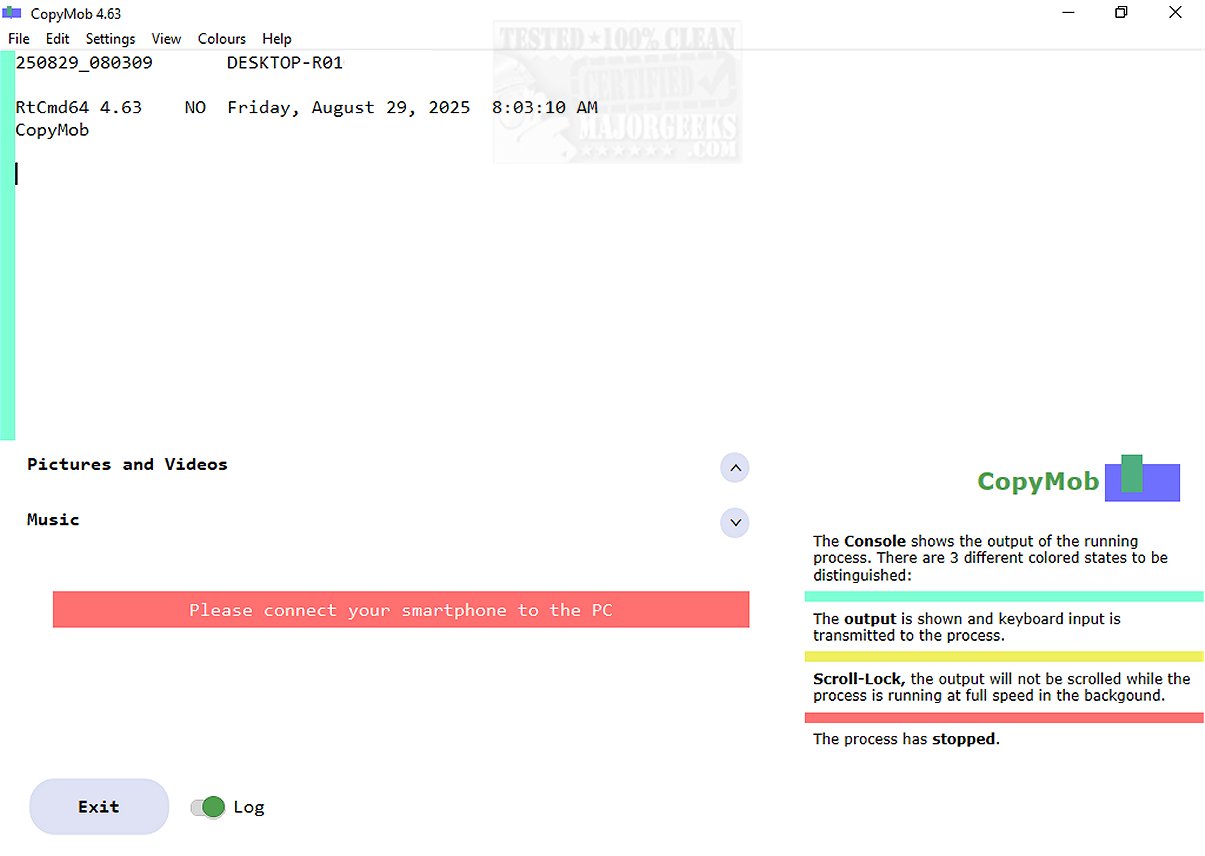
CopyMob has recently launched version 4.77, a specialized application designed to facilitate the seamless mirroring of photos and music between smartphones and PCs. With its user-centric approach, CopyMob streamlines the management of multimedia content, making it accessible across devices.
Purpose and Functionality of CopyMob
CopyMob is particularly useful for users looking to transfer media files, as it simplifies the process of mirroring content between a mobile device and a personal computer. Unlike the proprietary solutions offered by various mobile manufacturers, which often suffer from reliability and usability issues, CopyMob provides a dedicated tool that excels in both design and performance.
User-Friendly Design
The application employs a USB interface to ensure fast and stable data transfers. Once connected, users can select the types of media they wish to transfer—ranging from photos to music files. However, it's worth noting that the application does not allow for the selection of individual files; instead, it facilitates a batch transfer of all chosen content.
The intuitive controls enable users to determine the direction of the transfer, whether they are moving files from their mobile device to the PC or vice versa. This flexibility is particularly advantageous for users aiming to back up their files or synchronize data effectively. Additionally, CopyMob includes a declutter option, allowing users to choose whether to remove copied content from their mobile devices post-transfer, making it easier to manage storage.
Conclusion: Elevating Digital Experience
In summary, CopyMob is more than just a data migration tool; it is a powerful solution that enhances the way users manage their device storage. By simplifying the transfer process and improving storage efficiency, CopyMob significantly elevates the digital experience, making data management seamless and effortless.
Future Developments
Looking ahead, it would be beneficial for CopyMob to consider incorporating features such as selective file transfers, cloud integration for backup, and enhanced user customization options. These additions could further improve usability and broaden its appeal to a wider audience, solidifying CopyMob's position as a leading tool in media management
Purpose and Functionality of CopyMob
CopyMob is particularly useful for users looking to transfer media files, as it simplifies the process of mirroring content between a mobile device and a personal computer. Unlike the proprietary solutions offered by various mobile manufacturers, which often suffer from reliability and usability issues, CopyMob provides a dedicated tool that excels in both design and performance.
User-Friendly Design
The application employs a USB interface to ensure fast and stable data transfers. Once connected, users can select the types of media they wish to transfer—ranging from photos to music files. However, it's worth noting that the application does not allow for the selection of individual files; instead, it facilitates a batch transfer of all chosen content.
The intuitive controls enable users to determine the direction of the transfer, whether they are moving files from their mobile device to the PC or vice versa. This flexibility is particularly advantageous for users aiming to back up their files or synchronize data effectively. Additionally, CopyMob includes a declutter option, allowing users to choose whether to remove copied content from their mobile devices post-transfer, making it easier to manage storage.
Conclusion: Elevating Digital Experience
In summary, CopyMob is more than just a data migration tool; it is a powerful solution that enhances the way users manage their device storage. By simplifying the transfer process and improving storage efficiency, CopyMob significantly elevates the digital experience, making data management seamless and effortless.
Future Developments
Looking ahead, it would be beneficial for CopyMob to consider incorporating features such as selective file transfers, cloud integration for backup, and enhanced user customization options. These additions could further improve usability and broaden its appeal to a wider audience, solidifying CopyMob's position as a leading tool in media management
CopyMob 4.77 released
CopyMob allows you to seamlessly mirror photos and music between your smartphone and PC.