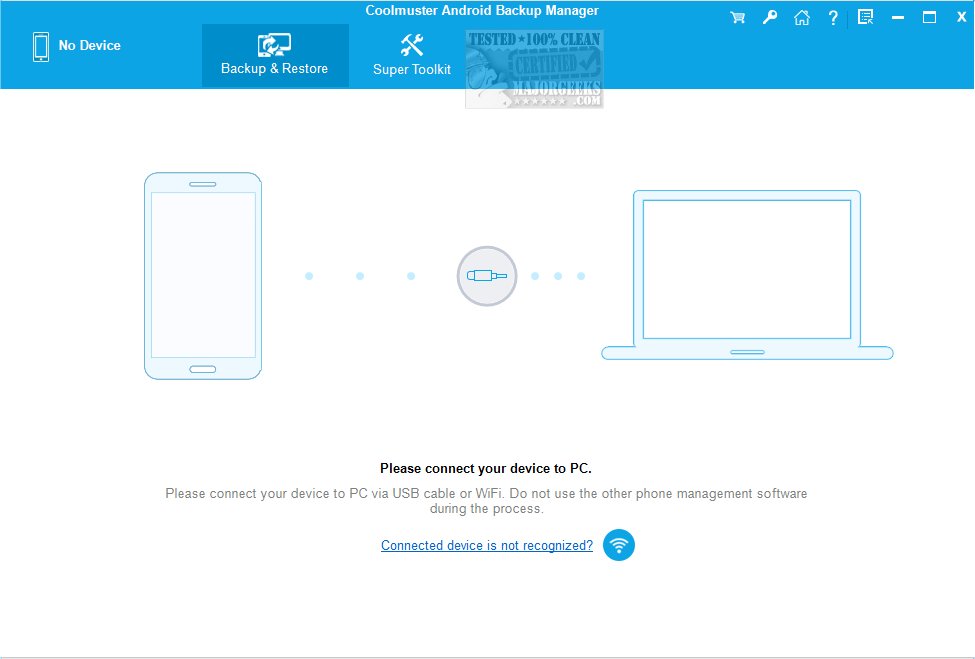
Coolmuster has released version 3.5.33 of its Android Backup Manager, a highly user-friendly software designed to simplify the process of backing up and restoring Android data with just one click. This efficient tool is crucial for safeguarding important files and ensures they can be easily recovered in the event of data loss or device malfunctions. Regular backups are vital for anyone storing significant information on their Android devices, and Coolmuster provides a reliable solution for this essential task.
The interface of Coolmuster Android Backup Manager is thoughtfully designed to accommodate users of all technical backgrounds, making it easy for even those with limited computer skills to navigate. The main window offers two clear options: creating a backup or restoring data from a previous backup. This straightforward layout empowers users to manage their Android data confidently.
When backing up data, users can choose from a variety of categories, including contacts, messages, call logs, photos, music, videos, documents, and applications. The application also displays the total number of items and the storage space each category occupies, helping users determine how much space to allocate on their computer for backups. Additionally, users can specify the destination folder for their backups, allowing them to save data to a hard drive or partition with ample free space.
In the event of data loss, the restoration process is equally user-friendly. Users can browse their list of backups and select the specific backup that contains the information they need to recover, streamlining the data recovery process.
Overall, Coolmuster Android Backup Manager is an excellent tool for securely backing up a wide range of Android data, including contacts, messages, call logs, photos, videos, and music, directly to a computer. For anyone looking to safeguard their essential data conveniently and reliably, trying Coolmuster Android Backup Manager is highly recommended.
As technology continues to evolve, the need for effective data management and backup solutions becomes increasingly critical. Future updates to Coolmuster may include enhanced features like cloud integration, automated scheduled backups, and improved security measures to further protect users' data. With these advancements, users can expect even more convenience and peace of mind in managing their valuable information
The interface of Coolmuster Android Backup Manager is thoughtfully designed to accommodate users of all technical backgrounds, making it easy for even those with limited computer skills to navigate. The main window offers two clear options: creating a backup or restoring data from a previous backup. This straightforward layout empowers users to manage their Android data confidently.
When backing up data, users can choose from a variety of categories, including contacts, messages, call logs, photos, music, videos, documents, and applications. The application also displays the total number of items and the storage space each category occupies, helping users determine how much space to allocate on their computer for backups. Additionally, users can specify the destination folder for their backups, allowing them to save data to a hard drive or partition with ample free space.
In the event of data loss, the restoration process is equally user-friendly. Users can browse their list of backups and select the specific backup that contains the information they need to recover, streamlining the data recovery process.
Overall, Coolmuster Android Backup Manager is an excellent tool for securely backing up a wide range of Android data, including contacts, messages, call logs, photos, videos, and music, directly to a computer. For anyone looking to safeguard their essential data conveniently and reliably, trying Coolmuster Android Backup Manager is highly recommended.
As technology continues to evolve, the need for effective data management and backup solutions becomes increasingly critical. Future updates to Coolmuster may include enhanced features like cloud integration, automated scheduled backups, and improved security measures to further protect users' data. With these advancements, users can expect even more convenience and peace of mind in managing their valuable information
Coolmuster Android Backup Manager 3.5.33 released
Coolmuster Android Backup Manager is a user-friendly backup option that provides a seamless solution for backing up and restoring Android data with just one click.
Coolmuster Android Backup Manager 3.5.33 released @ MajorGeeks