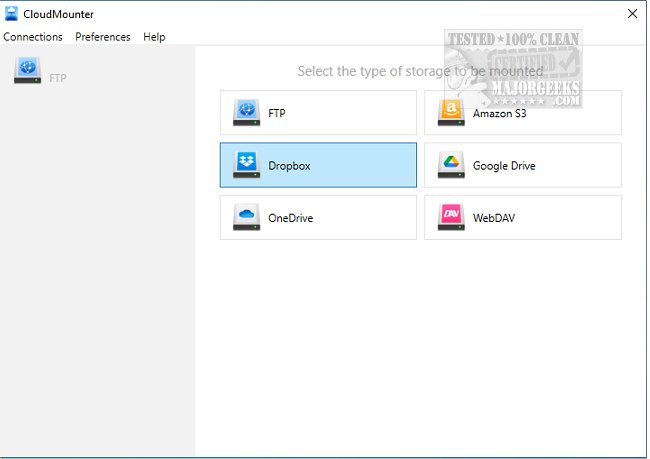
CloudMounter has recently released version 3.7.2137, a powerful tool that allows users to mount various cloud storage services and web servers directly to their PC as if they were local disks. This feature is particularly beneficial for users with low-capacity SSD laptops, as it facilitates easy access to cloud storage without occupying local disk space.
With CloudMounter, you can seamlessly connect to popular cloud services like Microsoft OneDrive, Google Drive, and Dropbox, enabling you to treat your online files as if they were stored locally on your computer. This means you can easily manage, edit, and work with your documents and files in the same way you would with files saved on your hard drive, enhancing productivity and streamlining workflows.
Additionally, CloudMounter allows you to manage one account from each of the supported cloud services—Dropbox, Google Drive, and Microsoft OneDrive—at no cost. Its user-friendly, minimalistic interface and integration with Windows Explorer make it easy to set up and navigate, ensuring a smooth user experience.
In summary, CloudMounter is an ideal solution for individuals looking to optimize their storage capabilities while leveraging cloud services, providing a convenient way to access and manage files without the constraints of physical storage limitations. The latest update promises to enhance functionality and usability, making it a valuable addition to any user's toolkit. Future updates could focus on expanding the compatibility with more cloud services, improving security features, and introducing advanced file management options
With CloudMounter, you can seamlessly connect to popular cloud services like Microsoft OneDrive, Google Drive, and Dropbox, enabling you to treat your online files as if they were stored locally on your computer. This means you can easily manage, edit, and work with your documents and files in the same way you would with files saved on your hard drive, enhancing productivity and streamlining workflows.
Additionally, CloudMounter allows you to manage one account from each of the supported cloud services—Dropbox, Google Drive, and Microsoft OneDrive—at no cost. Its user-friendly, minimalistic interface and integration with Windows Explorer make it easy to set up and navigate, ensuring a smooth user experience.
In summary, CloudMounter is an ideal solution for individuals looking to optimize their storage capabilities while leveraging cloud services, providing a convenient way to access and manage files without the constraints of physical storage limitations. The latest update promises to enhance functionality and usability, making it a valuable addition to any user's toolkit. Future updates could focus on expanding the compatibility with more cloud services, improving security features, and introducing advanced file management options
CloudMounter 3.7.2137 released
CloudMounter permits mounting different cloud storage and web servers to your PC as local disks and can be quite valuable for a low-capacity SSD laptop.