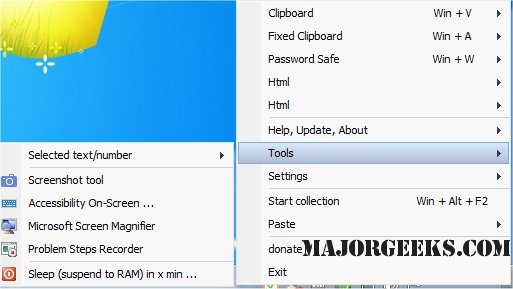
Clipboard Master 6.0.0 Beta has been released, enhancing its capabilities as a robust clipboard manager for Windows users. This free tool allows users to efficiently copy, paste, organize, and store various items such as images, files, and folders across any Windows application. Unlike the default clipboard functionality in Windows, Clipboard Master offers a multi-clipboard feature, enabling users to access past clipboard entries and store up to an impressive 10,000 items.
Users can easily manage their clipboard history, organizing entries for quick retrieval when needed. The software also supports copying and pasting text while preserving or removing formatting as desired. Furthermore, users can define custom hotkeys for frequently used programs and actions, streamlining their workflow. The program also allows for mouse configuration to enhance access to pasting options, further improving productivity.
In addition to its core features, Clipboard Master offers various functionalities, including the ability to clear clipboard history and disable clipboard history tracking in Windows 10 and 11. This versatility makes it a valuable tool for anyone looking to enhance their clipboard management and overall efficiency on Windows.
In future updates, it would be beneficial for Clipboard Master to consider integrating cloud synchronization features, allowing users to access their clipboard history across multiple devices. Enhancements to the user interface could also be made to ensure an even more intuitive experience, catering to both novice and advanced users alike
Users can easily manage their clipboard history, organizing entries for quick retrieval when needed. The software also supports copying and pasting text while preserving or removing formatting as desired. Furthermore, users can define custom hotkeys for frequently used programs and actions, streamlining their workflow. The program also allows for mouse configuration to enhance access to pasting options, further improving productivity.
In addition to its core features, Clipboard Master offers various functionalities, including the ability to clear clipboard history and disable clipboard history tracking in Windows 10 and 11. This versatility makes it a valuable tool for anyone looking to enhance their clipboard management and overall efficiency on Windows.
In future updates, it would be beneficial for Clipboard Master to consider integrating cloud synchronization features, allowing users to access their clipboard history across multiple devices. Enhancements to the user interface could also be made to ensure an even more intuitive experience, catering to both novice and advanced users alike
Clipboard Master 6.0.0 Beta released
Clipboard Master is a feature-rich free clipboard manager for copying, pasting, organizing, and storing images, files, or folders from within any Windows program.