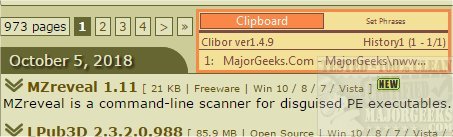
Clibor 2.3.5E has been released as an advanced portable clipboard management tool that enhances the functionality of the default Windows clipboard. This tool can store up to 1000 items and allows users to manage their clipboard data more effectively. With Clibor, you can register frequently used phrases for quick access, organize items into groups, and automatically capture copied content, all while residing conveniently in the system tray.
The application features a settings panel where users can customize various aspects, including changing the program's font, enabling data encryption, setting password protection, saving clipboard history, and adjusting sound notifications. Although the interface is straightforward, it offers options for color customization, hotkey selection, and search functionalities, allowing for a tailored user experience.
Clibor is lightweight, making it an excellent option for users looking to expand their clipboard capabilities without straining system resources. Its intuitive design and comprehensive features make it a valuable tool for anyone who frequently uses the clipboard for productivity.
To further enhance user experience, Clibor could consider integrating cloud synchronization for clipboard history, enabling users to access their clipboard data across multiple devices. Additionally, incorporating advanced search features using AI could improve the efficiency of finding specific items in the clipboard history. As Clibor continues to evolve, these enhancements could solidify its position as a leading clipboard management solution
The application features a settings panel where users can customize various aspects, including changing the program's font, enabling data encryption, setting password protection, saving clipboard history, and adjusting sound notifications. Although the interface is straightforward, it offers options for color customization, hotkey selection, and search functionalities, allowing for a tailored user experience.
Clibor is lightweight, making it an excellent option for users looking to expand their clipboard capabilities without straining system resources. Its intuitive design and comprehensive features make it a valuable tool for anyone who frequently uses the clipboard for productivity.
To further enhance user experience, Clibor could consider integrating cloud synchronization for clipboard history, enabling users to access their clipboard data across multiple devices. Additionally, incorporating advanced search features using AI could improve the efficiency of finding specific items in the clipboard history. As Clibor continues to evolve, these enhancements could solidify its position as a leading clipboard management solution
Clibor 2.3.5E released
Clibor is a portable clipboard management tool capable of storing up to 1000 items and more.