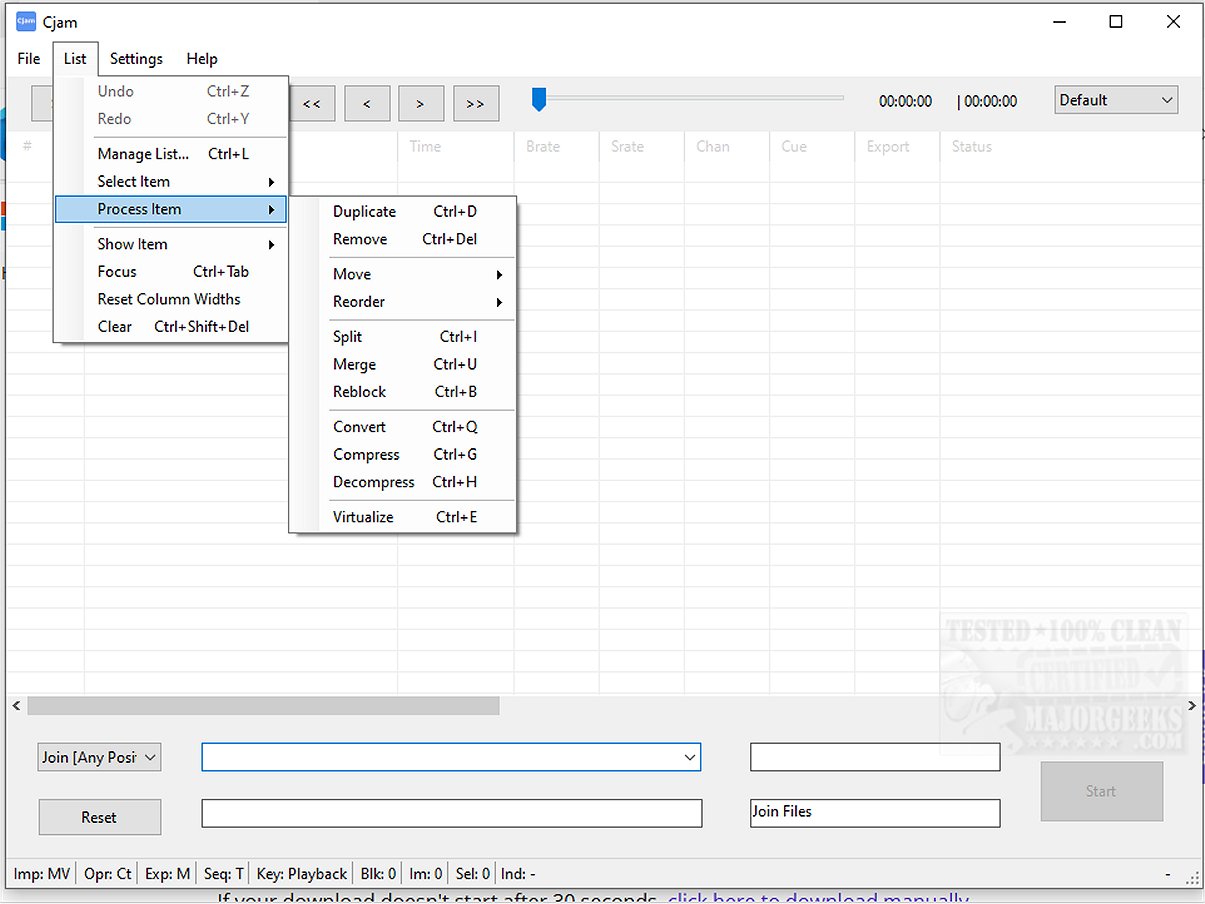
Cjam 2.4.6.0 has been released, providing an efficient and user-friendly MP3 editing solution specifically designed for Windows 10 and 11 users. This software is characterized by its lightweight design and straightforward interface, making it accessible for anyone needing to edit audio files without unnecessary complexity.
Overview of Cjam
Cjam is a practical MP3 file editing tool that prioritizes ease of use, enabling users to perform tasks like cutting, joining, and modifying MP3 files quickly. A key feature is its commitment to lossless editing, ensuring that the audio quality remains unaltered during the editing process. This makes Cjam an excellent choice for users looking to trim music tracks, combine audio files, or prepare content for podcasts and educational purposes.
Importing and Supported Formats
The software simplifies the import process, allowing users to drag and drop audio files directly into the interface. Cjam supports various file formats, including:
- MP3 (*.mp3)
- CUE (*.cue)
- M3U (*.m3u)
- CJAMC (*.cjc) - Cjam's custom format
- CJAMJ (*.cjj) - Cjam's custom format
- CJAM (*.cjm) - Cjam's custom format
Additionally, Cjam features batch processing and scripting support, enabling users to manage multiple files efficiently while handling cue and playlist files seamlessly.
Core Features of Cjam
- Cut and join MP3 files
- Add fade effects and silent intervals
- Play MP3 files directly within the software
- Execute operations using text commands
- Save user-defined settings for future use
Highlighted Feature
One of Cjam's standout capabilities is its text input feature, which allows users to define multiple editing operations in a sequential manner. This functionality streamlines the editing process, enabling quick changes without the need for decoding and re-encoding files, further preserving audio quality.
Conclusion
With its intuitive design and essential features, Cjam stands out as a powerful tool for audio editing, catering to both novices and experienced users. Whether you're just beginning your audio editing journey or have advanced skills, Cjam offers versatile features that enhance the editing experience. Note that Cjam requires Microsoft .NET to function effectively.
Further Resources
Cjam users might also find interest in related tutorials, such as enabling Windows Sonic Surround Sound or troubleshooting low computer sound volume on Windows 10 and 11
Overview of Cjam
Cjam is a practical MP3 file editing tool that prioritizes ease of use, enabling users to perform tasks like cutting, joining, and modifying MP3 files quickly. A key feature is its commitment to lossless editing, ensuring that the audio quality remains unaltered during the editing process. This makes Cjam an excellent choice for users looking to trim music tracks, combine audio files, or prepare content for podcasts and educational purposes.
Importing and Supported Formats
The software simplifies the import process, allowing users to drag and drop audio files directly into the interface. Cjam supports various file formats, including:
- MP3 (*.mp3)
- CUE (*.cue)
- M3U (*.m3u)
- CJAMC (*.cjc) - Cjam's custom format
- CJAMJ (*.cjj) - Cjam's custom format
- CJAM (*.cjm) - Cjam's custom format
Additionally, Cjam features batch processing and scripting support, enabling users to manage multiple files efficiently while handling cue and playlist files seamlessly.
Core Features of Cjam
- Cut and join MP3 files
- Add fade effects and silent intervals
- Play MP3 files directly within the software
- Execute operations using text commands
- Save user-defined settings for future use
Highlighted Feature
One of Cjam's standout capabilities is its text input feature, which allows users to define multiple editing operations in a sequential manner. This functionality streamlines the editing process, enabling quick changes without the need for decoding and re-encoding files, further preserving audio quality.
Conclusion
With its intuitive design and essential features, Cjam stands out as a powerful tool for audio editing, catering to both novices and experienced users. Whether you're just beginning your audio editing journey or have advanced skills, Cjam offers versatile features that enhance the editing experience. Note that Cjam requires Microsoft .NET to function effectively.
Further Resources
Cjam users might also find interest in related tutorials, such as enabling Windows Sonic Surround Sound or troubleshooting low computer sound volume on Windows 10 and 11
Cjam 2.4.6.0 released
Cjam is an easy-to-use MP3 file editing software tailored for Windows 10 and 11 users. It offers a simple interface and essential features, making it usable for anyone looking to edit their audio files efficiently.