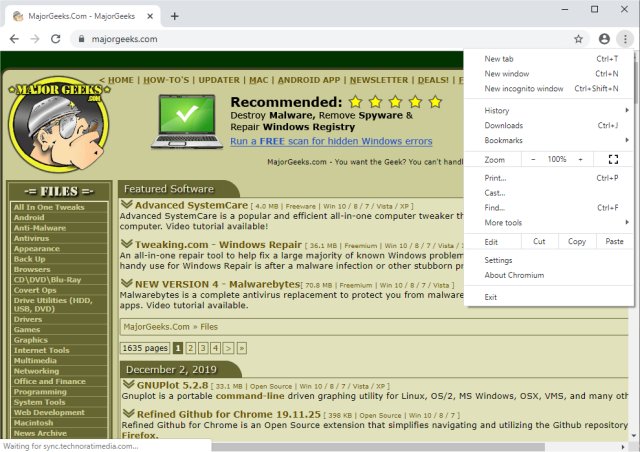
The latest release of Chromium, version 156.0.8067.0, enhances this Open Source web browser project that serves as the foundation for Google Chrome. Available for multiple operating systems including Windows, Linux, and Mac, Chromium aims to deliver a safer, faster, and more reliable web experience for all users.
Designed as a tabbed window manager or shell for the internet, Chromium prioritizes a streamlined user interface, avoiding unnecessary elements to create a more intuitive browsing experience. The tab functionality acts as a desktop application's title bar, allowing users to manage groups of applications conveniently. Future developments may introduce new types of tabs that will not include the traditional browser toolbar, further evolving the user experience.
Chromium stands out for its speed and efficiency, utilizing search as the primary navigation method, which simplifies access to personal content and web resources. It also incorporates advanced features such as HTML 5 support, offline modes, background processing, and notifications, enriching the user experience.
To complement this, users might find guides useful, such as how to edit or change personal information in Google Chrome, manage saved credit card details across various browsers, or delete autofill entries. These tips can help users optimize their browsing experience across multiple platforms.
In summary, the Chromium project continues to innovate and improve, promising users a cutting-edge and user-friendly web browsing experience while remaining at the forefront of web technology. As it evolves, we can anticipate exciting new features and improvements that prioritize usability and performance
Designed as a tabbed window manager or shell for the internet, Chromium prioritizes a streamlined user interface, avoiding unnecessary elements to create a more intuitive browsing experience. The tab functionality acts as a desktop application's title bar, allowing users to manage groups of applications conveniently. Future developments may introduce new types of tabs that will not include the traditional browser toolbar, further evolving the user experience.
Chromium stands out for its speed and efficiency, utilizing search as the primary navigation method, which simplifies access to personal content and web resources. It also incorporates advanced features such as HTML 5 support, offline modes, background processing, and notifications, enriching the user experience.
To complement this, users might find guides useful, such as how to edit or change personal information in Google Chrome, manage saved credit card details across various browsers, or delete autofill entries. These tips can help users optimize their browsing experience across multiple platforms.
In summary, the Chromium project continues to innovate and improve, promising users a cutting-edge and user-friendly web browsing experience while remaining at the forefront of web technology. As it evolves, we can anticipate exciting new features and improvements that prioritize usability and performance
Chromium 156.0.8067.0 released
Chromium is an Open Source web browser project from which Google Chrome draws its source code. Available for Windows, Linux, and Mac.