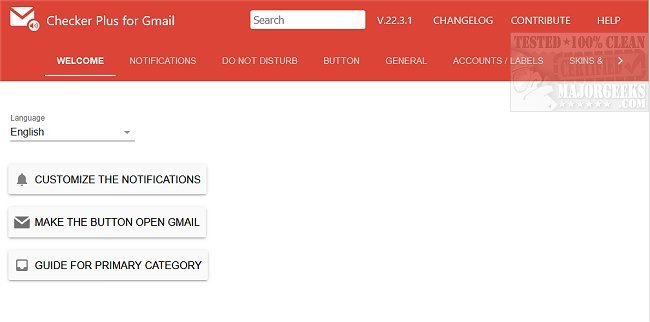
Checker Plus for Gmail is a versatile browser extension available for Chrome, Firefox, and Edge that enhances your email management experience. With this tool, users can view notifications and manage their emails without needing to open Gmail directly. It supports multiple accounts, allowing seamless browsing while keeping track of email communications.
Key Features of Checker Plus for Gmail:
- Push Notifications: Receive instant alerts for new emails.
- Contact Display: View who is emailing you, similar to Gmail chat notifications, with the option to display their contact photos.
- Voice Notifications: The extension can read emails aloud, benefiting those who are visually impaired or busy with other tasks.
- Custom Label Monitoring: Users can set up notifications for specific Gmail or custom labels.
- Background Running: Stay updated with new email alerts even when Google Chrome is closed.
- Popup Mail Preview: Quickly read, archive, mark as read, or delete emails without leaving your current tab.
- Offline Support: Access emails even when not connected to the internet.
- Custom Sounds: Set desktop sounds or voice notifications for incoming emails.
- Multiple Account Support: Manage multiple Gmail and Google Apps accounts efficiently.
- Voice Customization: Add different voice options for notifications.
Additional Information:
For users interested in enhancing their Gmail experience further, the extension provides helpful links to guides on various functionalities such as undoing or scheduling emails, sending confidential messages, enabling offline access, creating signatures, and downloading Google account data.
Conclusion:
Checker Plus for Gmail is a powerful tool for anyone looking to streamline their email management while maintaining productivity. Its rich feature set caters to diverse user needs, making email management easier and more efficient
Key Features of Checker Plus for Gmail:
- Push Notifications: Receive instant alerts for new emails.
- Contact Display: View who is emailing you, similar to Gmail chat notifications, with the option to display their contact photos.
- Voice Notifications: The extension can read emails aloud, benefiting those who are visually impaired or busy with other tasks.
- Custom Label Monitoring: Users can set up notifications for specific Gmail or custom labels.
- Background Running: Stay updated with new email alerts even when Google Chrome is closed.
- Popup Mail Preview: Quickly read, archive, mark as read, or delete emails without leaving your current tab.
- Offline Support: Access emails even when not connected to the internet.
- Custom Sounds: Set desktop sounds or voice notifications for incoming emails.
- Multiple Account Support: Manage multiple Gmail and Google Apps accounts efficiently.
- Voice Customization: Add different voice options for notifications.
Additional Information:
For users interested in enhancing their Gmail experience further, the extension provides helpful links to guides on various functionalities such as undoing or scheduling emails, sending confidential messages, enabling offline access, creating signatures, and downloading Google account data.
Conclusion:
Checker Plus for Gmail is a powerful tool for anyone looking to streamline their email management while maintaining productivity. Its rich feature set caters to diverse user needs, making email management easier and more efficient
Checker Plus for Gmail (Chrome, Firefox, and Edge) 36.1.5 released
Checker Plus for Gmail (Chrome, Firefox, and Edge) allows you to see notifications and read, listen to, or delete emails.
Checker Plus for Gmail (Chrome, Firefox, and Edge) 36.1.5 released @ MajorGeeks