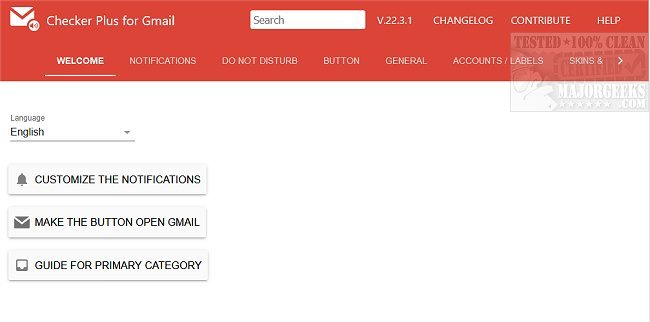
Checker Plus for Gmail has released version 36.1 for Chrome, Firefox, and Edge, enhancing the email management experience. This extension allows users to receive notifications and interact with their emails—reading, listening to, or deleting them—without having to open Gmail. It efficiently supports the management of multiple accounts, making it easy for users to stay engaged with their emails while continuing their browsing activities.
Key features of Checker Plus for Gmail include:
- Push Notifications: Stay informed with real-time alerts for new emails.
- Email Sender Identification: View the senders' names and photos, similar to Gmail's chat notifications.
- Voice Notifications: Get emails read aloud, which is particularly beneficial for visually impaired users or when multitasking.
- Label Monitoring: Track emails from any Gmail or custom labels.
- Background Operation: Receive alerts even when Google Chrome is closed.
- Popup Mail Preview: Quickly read or manage emails without switching tabs.
- Offline Access: View emails without an internet connection.
- Custom Notifications: Use desktop sounds or voice alerts to customize your experience.
- Support for Multiple Accounts: Manage various Gmail and Google Apps accounts seamlessly.
In addition to these features, users can also explore related functionalities such as undoing or scheduling an email, sending confidential emails, enabling offline access, creating signatures, and downloading their Google account data.
As Checker Plus continues to evolve, users can anticipate further enhancements that will streamline and improve their email management experience across different browsers
Key features of Checker Plus for Gmail include:
- Push Notifications: Stay informed with real-time alerts for new emails.
- Email Sender Identification: View the senders' names and photos, similar to Gmail's chat notifications.
- Voice Notifications: Get emails read aloud, which is particularly beneficial for visually impaired users or when multitasking.
- Label Monitoring: Track emails from any Gmail or custom labels.
- Background Operation: Receive alerts even when Google Chrome is closed.
- Popup Mail Preview: Quickly read or manage emails without switching tabs.
- Offline Access: View emails without an internet connection.
- Custom Notifications: Use desktop sounds or voice alerts to customize your experience.
- Support for Multiple Accounts: Manage various Gmail and Google Apps accounts seamlessly.
In addition to these features, users can also explore related functionalities such as undoing or scheduling an email, sending confidential emails, enabling offline access, creating signatures, and downloading their Google account data.
As Checker Plus continues to evolve, users can anticipate further enhancements that will streamline and improve their email management experience across different browsers
Checker Plus for Gmail (Chrome, Firefox, and Edge) 36.1 released
Checker Plus for Gmail (Chrome, Firefox, and Edge) allows you to see notifications and read, listen to, or delete emails.
Checker Plus for Gmail (Chrome, Firefox, and Edge) 36.1 released @ MajorGeeks