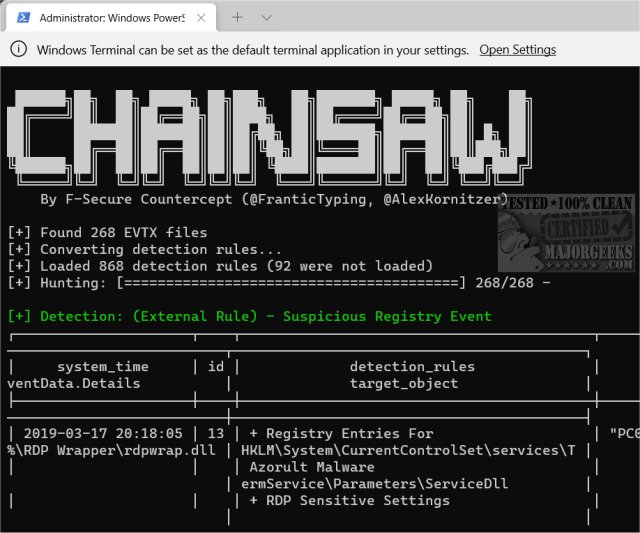
Chainsaw version 2.16.2 has been released, enhancing its functionality as a tool for advanced users to efficiently search and analyze Windows Event Logs. This powerful application is particularly useful for quickly identifying potential threats through its robust first-response capabilities. Chainsaw employs built-in detection logic and supports Sigma detection rules, making it a valuable resource for security professionals.
Key features of Chainsaw include:
- The ability to search and extract event log records using event IDs, string matching, and regex patterns.
- Capability to hunt for threats utilizing both Sigma detection rules and custom detection logic.
- High-speed performance, as it is written in Rust and utilizes the EVTX parser library by OBenamram.
- Document tagging based on detection logic, courtesy of the TAU Engine Library.
- Output options available in ASCII table format, CSV, or JSON for easy data manipulation and reporting.
Chainsaw is tailored for advanced users who are proficient with the Command Prompt, making it an ideal tool for technicians, administrators, and IT professionals. To experience Chainsaw in action, users can execute a command in the terminal, such as: `./chainsaw hunt evtx_attack_samples/ --rules sigma_rules/ --mapping mapping_files/sigma-mapping.yml`.
In addition to Chainsaw, users may also find the following resources helpful:
- Instructions on how to clear all event logs in Event Viewer in Windows.
- Guidance on reading the Event Viewer log for Check Disk operations.
As cybersecurity threats continue to evolve, tools like Chainsaw become increasingly vital for the rapid detection and response to potential security incidents within Windows environments
Key features of Chainsaw include:
- The ability to search and extract event log records using event IDs, string matching, and regex patterns.
- Capability to hunt for threats utilizing both Sigma detection rules and custom detection logic.
- High-speed performance, as it is written in Rust and utilizes the EVTX parser library by OBenamram.
- Document tagging based on detection logic, courtesy of the TAU Engine Library.
- Output options available in ASCII table format, CSV, or JSON for easy data manipulation and reporting.
Chainsaw is tailored for advanced users who are proficient with the Command Prompt, making it an ideal tool for technicians, administrators, and IT professionals. To experience Chainsaw in action, users can execute a command in the terminal, such as: `./chainsaw hunt evtx_attack_samples/ --rules sigma_rules/ --mapping mapping_files/sigma-mapping.yml`.
In addition to Chainsaw, users may also find the following resources helpful:
- Instructions on how to clear all event logs in Event Viewer in Windows.
- Guidance on reading the Event Viewer log for Check Disk operations.
As cybersecurity threats continue to evolve, tools like Chainsaw become increasingly vital for the rapid detection and response to potential security incidents within Windows environments
Chainsaw 2.16.2 released
Chainsaw allows advanced users to search and hunt through Windows Event Logs rapidly.