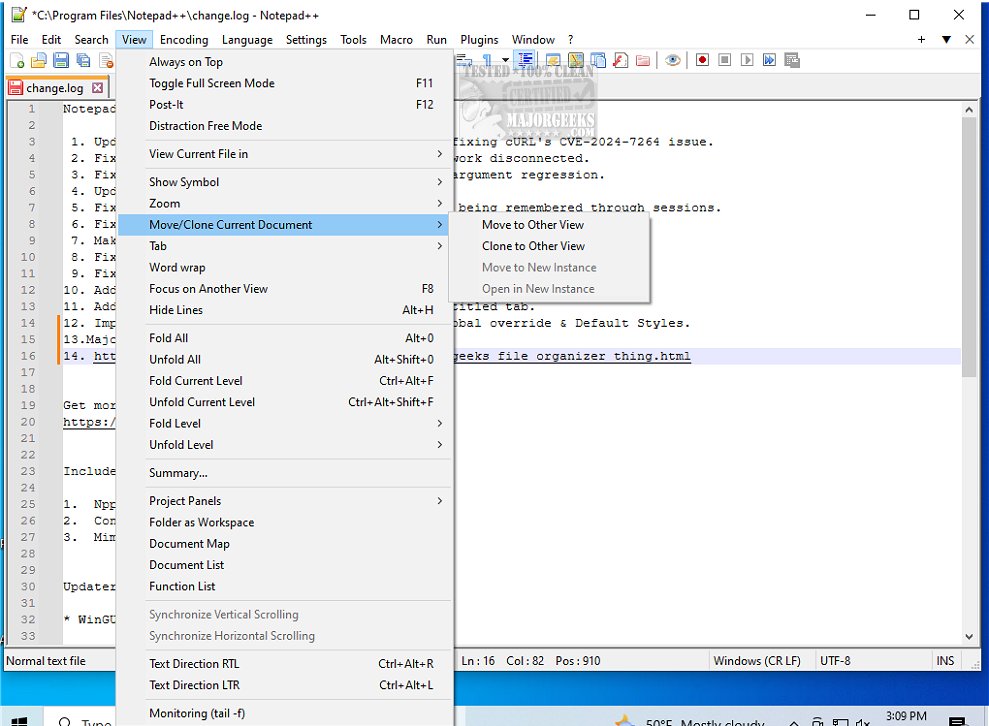
Notepad++ version 8.9.8 has recently been released, enhancing its reputation as a free, open-source source code editor that supports a wide range of programming languages. This powerful text editor is designed to overcome the limitations of the basic Windows Notepad, offering a multitude of features that cater not just to programmers but also to system administrators and everyday users who require more than basic text editing capabilities.
Why Upgrade to Notepad++?
While both Notepad and Notepad++ may appear similar, they serve distinct purposes. Notepad is a simple tool for quick notes or basic text editing, lacking features like syntax highlighting or customization. In contrast, Notepad++ is tailored for developers and power users, boasting support for over 70 programming languages, a tabbed interface, plugins, line numbering, auto-complete, and a macro recorder. This makes Notepad++ an efficient workspace for various tasks, whether it's coding, scripting, or organizing notes.
Who Can Benefit from Notepad++?
Notepad++ caters to a diverse audience—from developers working on complex projects to IT professionals making quick edits to configuration files. Its user-friendly interface and robust features also appeal to casual users who appreciate a powerful editor for daily text tasks.
Key Features of Notepad++:
- Syntax Highlighting & Folding: Supports many programming languages to enhance code readability and organization.
- Multi-Document Interface: Allows users to work on multiple files simultaneously with a tabbed layout, reducing clutter.
- Customizable Themes & Plugins: Tailor the editor to fit individual workflows with a wide selection of themes and plugins.
- Auto-Save & Session Restore: Ensures that unsaved work is not lost, enhancing productivity.
- Lightweight & Fast: Minimal resource use makes it suitable for both high-performance and older systems.
Final Thoughts
Notepad++ exemplifies how free software can be both powerful and user-friendly. It stands out as an essential tool for anyone needing a fast, versatile text editor without unnecessary bloat. If you haven't experienced Notepad++ yet, you’re missing out on one of the leading text editors available today.
Related Tips and Resources:
- How to Add 'Open With Notepad' to Context Menu
- Changing Font Size, Color, and Style in Notepad on Windows 10 & 11
- Clearing Recent Documents History in WordPad
- Finding or Replacing Text in Notepad or WordPad
In conclusion, Notepad++ not only enhances productivity for developers and IT professionals but also serves as a valuable tool for anyone who regularly interacts with text files, making it a must-have addition to your software toolkit
Why Upgrade to Notepad++?
While both Notepad and Notepad++ may appear similar, they serve distinct purposes. Notepad is a simple tool for quick notes or basic text editing, lacking features like syntax highlighting or customization. In contrast, Notepad++ is tailored for developers and power users, boasting support for over 70 programming languages, a tabbed interface, plugins, line numbering, auto-complete, and a macro recorder. This makes Notepad++ an efficient workspace for various tasks, whether it's coding, scripting, or organizing notes.
Who Can Benefit from Notepad++?
Notepad++ caters to a diverse audience—from developers working on complex projects to IT professionals making quick edits to configuration files. Its user-friendly interface and robust features also appeal to casual users who appreciate a powerful editor for daily text tasks.
Key Features of Notepad++:
- Syntax Highlighting & Folding: Supports many programming languages to enhance code readability and organization.
- Multi-Document Interface: Allows users to work on multiple files simultaneously with a tabbed layout, reducing clutter.
- Customizable Themes & Plugins: Tailor the editor to fit individual workflows with a wide selection of themes and plugins.
- Auto-Save & Session Restore: Ensures that unsaved work is not lost, enhancing productivity.
- Lightweight & Fast: Minimal resource use makes it suitable for both high-performance and older systems.
Final Thoughts
Notepad++ exemplifies how free software can be both powerful and user-friendly. It stands out as an essential tool for anyone needing a fast, versatile text editor without unnecessary bloat. If you haven't experienced Notepad++ yet, you’re missing out on one of the leading text editors available today.
Related Tips and Resources:
- How to Add 'Open With Notepad' to Context Menu
- Changing Font Size, Color, and Style in Notepad on Windows 10 & 11
- Clearing Recent Documents History in WordPad
- Finding or Replacing Text in Notepad or WordPad
In conclusion, Notepad++ not only enhances productivity for developers and IT professionals but also serves as a valuable tool for anyone who regularly interacts with text files, making it a must-have addition to your software toolkit
Notepad++ 8.9.8 released
Notepad++ is a free source code editor that includes support for several programming languages.