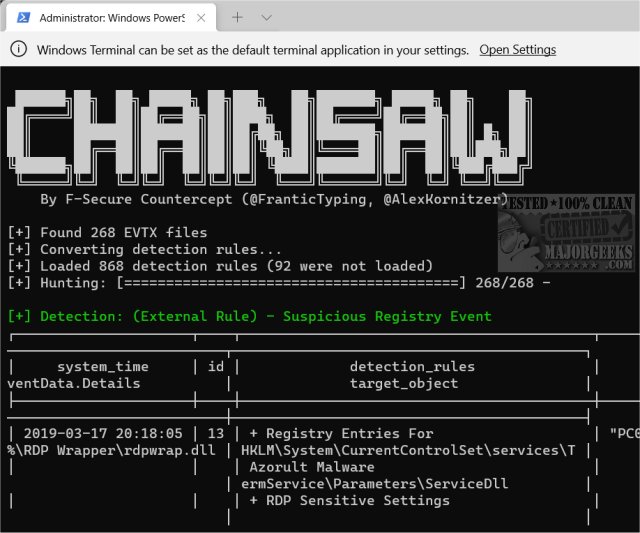
Chainsaw version 2.15.0 has been launched, providing advanced users with an efficient tool to swiftly search and analyze Windows Event Logs. This utility is particularly useful for identifying potential threats, making it a valuable resource for IT professionals, technicians, and administrators.
Chainsaw offers a variety of features aimed at enhancing the threat-hunting process, including:
- The ability to search and extract event log records based on event IDs, string matching, and regex patterns.
- Threat detection capabilities utilizing Sigma detection rules along with custom detection logic.
- High-speed performance due to its Rust programming foundation, which incorporates the EVTX parser library created by OBenamram.
- Document tagging for detection logic matching through the TAU Engine Library.
- Flexible output options, such as ASCII table format, CSV, and JSON.
The tool is command-line based, making it best suited for users who are comfortable with Command Prompt operations. To see Chainsaw in action, users can execute specific commands in the directory where the software is extracted.
In addition to its primary functionalities, Chainsaw can be compared to other tools and guides, such as those covering how to clear all event logs in Windows Event Viewer or how to read the Event Viewer logs for Check Disk, providing broader context and utility for users looking to manage Windows Event Logs effectively.
As cybersecurity threats continue to evolve, tools like Chainsaw are essential for empowering IT professionals to proactively hunt for and mitigate risks within their systems, ensuring a more secure computing environment. Future updates may include enhanced detection capabilities, user interface improvements, and broader integration with other cybersecurity tools and systems
Chainsaw offers a variety of features aimed at enhancing the threat-hunting process, including:
- The ability to search and extract event log records based on event IDs, string matching, and regex patterns.
- Threat detection capabilities utilizing Sigma detection rules along with custom detection logic.
- High-speed performance due to its Rust programming foundation, which incorporates the EVTX parser library created by OBenamram.
- Document tagging for detection logic matching through the TAU Engine Library.
- Flexible output options, such as ASCII table format, CSV, and JSON.
The tool is command-line based, making it best suited for users who are comfortable with Command Prompt operations. To see Chainsaw in action, users can execute specific commands in the directory where the software is extracted.
In addition to its primary functionalities, Chainsaw can be compared to other tools and guides, such as those covering how to clear all event logs in Windows Event Viewer or how to read the Event Viewer logs for Check Disk, providing broader context and utility for users looking to manage Windows Event Logs effectively.
As cybersecurity threats continue to evolve, tools like Chainsaw are essential for empowering IT professionals to proactively hunt for and mitigate risks within their systems, ensuring a more secure computing environment. Future updates may include enhanced detection capabilities, user interface improvements, and broader integration with other cybersecurity tools and systems
Chainsaw 2.15.0 released
Chainsaw allows advanced users to search and hunt through Windows Event Logs rapidly.