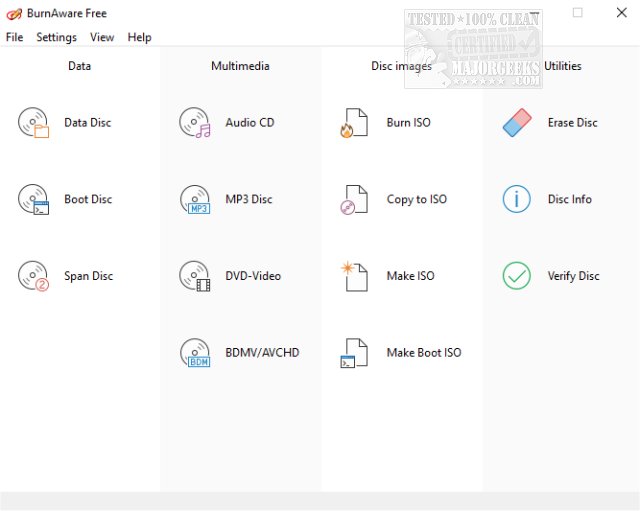
BurnAware Free has announced the release of version 19.1, a user-friendly software designed for burning CDs, DVDs, and Blu-ray Discs on Windows. This free version offers a range of capabilities that cater to most users' needs, allowing them to easily create and burn various types of discs, including audio CDs, MP3 CDs, data discs, and DVD-Video formats.
With BurnAware Free, users can also create and manage ISO images, erase or format rewritable discs, and even copy content from CDs or DVDs to ISO images. The software supports the creation of both standard and bootable data discs, and users can burn data across multiple discs, extract files from ISO images, and verify the integrity of burned discs. Additionally, it provides detailed information about discs and drives.
For those needing advanced features, BurnAware Pro or Premium versions are available at prices ranging from $19.95 to $39.95. These versions include functionalities such as direct disc-to-disc copying, audio track extraction in various formats, recovery of files from unreadable discs, and the ability to burn ISO images to multiple drives simultaneously.
Notable features of BurnAware Free include:
- Creation of data, bootable, and multisession discs for CD/DVD/Blu-ray
- Audio and MP3 disc creation
- DVD-Video recording
- Support for all current hardware interfaces (IDE, SCSI, USB, 1394, SATA)
- Compatibility with UDF, ISO9660, and Joliet Bridged file systems
- On-the-fly writing for all image types
- Auto-verification of written files
- Support for CD-Text and Unicode characters
In summary, BurnAware Free 19.1 is a robust burning tool that meets the essential needs of home users, while offering an upgrade path for those requiring more advanced features for professional or commercial use. As digital storage continues to evolve, tools like BurnAware remain relevant for users who still rely on physical media for data storage and sharing
With BurnAware Free, users can also create and manage ISO images, erase or format rewritable discs, and even copy content from CDs or DVDs to ISO images. The software supports the creation of both standard and bootable data discs, and users can burn data across multiple discs, extract files from ISO images, and verify the integrity of burned discs. Additionally, it provides detailed information about discs and drives.
For those needing advanced features, BurnAware Pro or Premium versions are available at prices ranging from $19.95 to $39.95. These versions include functionalities such as direct disc-to-disc copying, audio track extraction in various formats, recovery of files from unreadable discs, and the ability to burn ISO images to multiple drives simultaneously.
Notable features of BurnAware Free include:
- Creation of data, bootable, and multisession discs for CD/DVD/Blu-ray
- Audio and MP3 disc creation
- DVD-Video recording
- Support for all current hardware interfaces (IDE, SCSI, USB, 1394, SATA)
- Compatibility with UDF, ISO9660, and Joliet Bridged file systems
- On-the-fly writing for all image types
- Auto-verification of written files
- Support for CD-Text and Unicode characters
In summary, BurnAware Free 19.1 is a robust burning tool that meets the essential needs of home users, while offering an upgrade path for those requiring more advanced features for professional or commercial use. As digital storage continues to evolve, tools like BurnAware remain relevant for users who still rely on physical media for data storage and sharing
BurnAware Free 19.1 released
BurnAware Free is the free version of BurnAware Premium, an easy to use CD, DVD, Blu-ray Disc burning tool available for Windows.