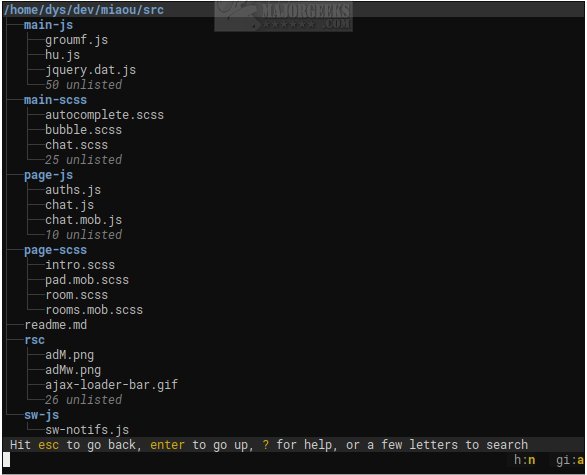
Broot version 1.56.3 has been released, enhancing the experience of navigating and managing directory trees via the command line. As an open-source tool, Broot transforms terminal navigation into a more enjoyable and efficient process, allowing users to avoid the tedious cycle of commands such as ls, cd, and find. Instead, Broot offers a dynamic, searchable tree view that refreshes in real time as users type, catering to those who spend significant time in the terminal and seek to minimize cognitive load.
Designed with simplicity and speed in mind, Broot stands out from other terminal user interfaces (TUIs) by avoiding unnecessary complexity. Users can see the entire folder structure upon opening the application and can quickly navigate to their desired location. Broot's features include file searching, custom shortcut attachments, and manipulation of files without disrupting the hierarchical organization of the target folder.
To use Broot, users need to set up a shell function called 'br,' which requires administrative privileges. Its design ensures that even when working with large and slow disks, users can continue searching without interruptions, as each keystroke can halt the current search and initiate a new one. For optimal use, it is recommended to consult the usage guide available on the author's website.
In addition to Broot, users may also find valuable resources such as comprehensive lists of command prompt and PowerShell commands, as well as guides for resetting folder view settings in Windows 10 and 11.
Moving forward, Broot could continue to evolve with features that enhance user experience, such as improved integration with version control systems, support for cloud storage services, or expanded customization options for advanced users. This would not only further streamline file management tasks but also cater to a broader range of use cases for developers and system administrators alike
Designed with simplicity and speed in mind, Broot stands out from other terminal user interfaces (TUIs) by avoiding unnecessary complexity. Users can see the entire folder structure upon opening the application and can quickly navigate to their desired location. Broot's features include file searching, custom shortcut attachments, and manipulation of files without disrupting the hierarchical organization of the target folder.
To use Broot, users need to set up a shell function called 'br,' which requires administrative privileges. Its design ensures that even when working with large and slow disks, users can continue searching without interruptions, as each keystroke can halt the current search and initiate a new one. For optimal use, it is recommended to consult the usage guide available on the author's website.
In addition to Broot, users may also find valuable resources such as comprehensive lists of command prompt and PowerShell commands, as well as guides for resetting folder view settings in Windows 10 and 11.
Moving forward, Broot could continue to evolve with features that enhance user experience, such as improved integration with version control systems, support for cloud storage services, or expanded customization options for advanced users. This would not only further streamline file management tasks but also cater to a broader range of use cases for developers and system administrators alike
Broot 1.56.3 released
Broot is an Open Source way to view and navigate any size directory trees through the command line.