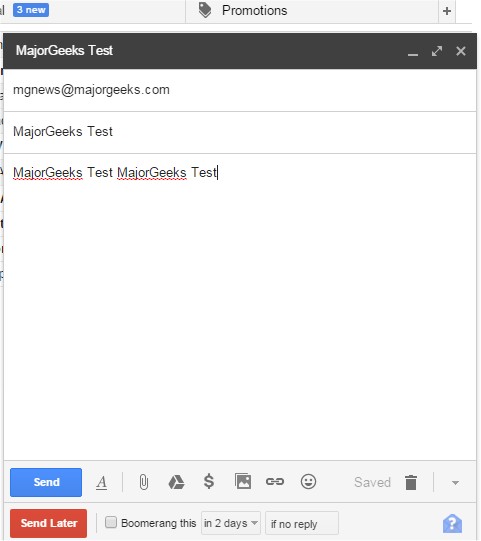
Boomerang for Gmail has recently released version 1.9.2, compatible with various browsers including Chrome, Firefox, Edge, Safari, and Opera. This productivity tool is designed to enhance the email management experience by allowing users to schedule when their emails are sent. With an intuitive interface, users can compose their messages and easily click the "send later" button. They can then choose a specific time using a calendar picker or by typing common phrases like "next Friday" to set the desired delivery time.
In addition to scheduling, Boomerang helps users maintain an organized inbox. By simply clicking the Boomerang button on an open email, users can set reminders for when they need the email returned to their inbox. This feature archives the message and automatically restores it as unread at the specified time.
Boomerang for Gmail is particularly useful for various scenarios, including scheduling birthday greetings, managing projects, remembering bill payments, following up with sales leads, coordinating communications across different time zones, and handling travel confirmation emails.
As a further extension of the functionalities, users can explore additional tips to enhance their browsing experience, such as optimizing Google Chrome with specific flags, refreshing browser performance, managing autofill entries, and handling saved credit card information. Additionally, users can discover entertaining hidden games within Google that can provide a fun break during their online activities.
Overall, Boomerang for Gmail is a versatile tool that significantly improves email efficiency and organization, serving a wide range of personal and professional needs
In addition to scheduling, Boomerang helps users maintain an organized inbox. By simply clicking the Boomerang button on an open email, users can set reminders for when they need the email returned to their inbox. This feature archives the message and automatically restores it as unread at the specified time.
Boomerang for Gmail is particularly useful for various scenarios, including scheduling birthday greetings, managing projects, remembering bill payments, following up with sales leads, coordinating communications across different time zones, and handling travel confirmation emails.
As a further extension of the functionalities, users can explore additional tips to enhance their browsing experience, such as optimizing Google Chrome with specific flags, refreshing browser performance, managing autofill entries, and handling saved credit card information. Additionally, users can discover entertaining hidden games within Google that can provide a fun break during their online activities.
Overall, Boomerang for Gmail is a versatile tool that significantly improves email efficiency and organization, serving a wide range of personal and professional needs
Boomerang Gmail for Chrome, Firefox, Edge, Safari, and Opera 1.9.2 released
Boomerang for Gmail allows you to schedule the time when your emails are sent and more.
Boomerang Gmail for Chrome, Firefox, Edge, Safari, and Opera 1.9.2 released @ MajorGeeks