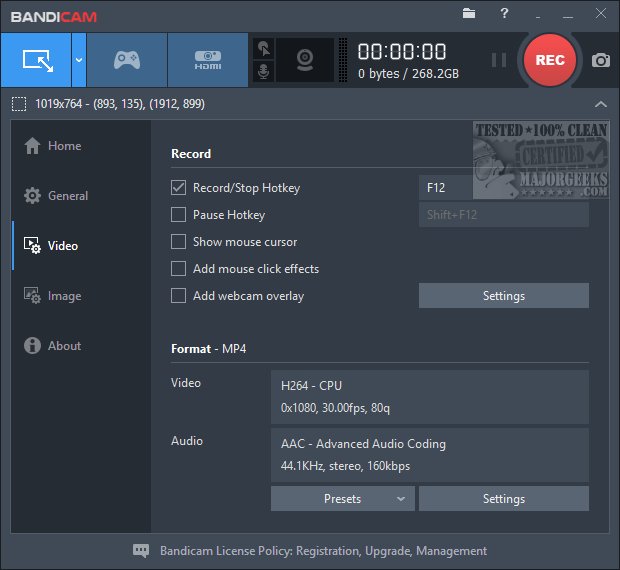
BandiCam version 8.3.1 has been released, and it serves as a crucial tool for MajorGeeks in recording videos for their YouTube channel. The app is designed with user-friendliness in mind, featuring an intuitive main window that allows access to various video and audio settings. Users can easily record a specific window, select a predefined size, or even track their mouse movements during recording. A key recommendation is to adjust the video settings to high definition to avoid the embarrassment of posting low-resolution videos, something that the team learned from experience. BandiCam offers numerous presets tailored for gamers, enhancing its functionality for that audience.
Starting and stopping recordings is straightforward, either by pressing a button or utilizing hotkeys. The software is actively maintained, with updates released approximately every two months. The choice of BandiCam was primarily due to its ease of use, especially for MajorGeeks, where most videos are recorded in single takes, despite occasional retakes. For simple video editing, BandiCut is available, though professionals seeking advanced features might prefer more comprehensive and pricier software like Camtasia.
In summary, BandiCam is an excellent option for anyone in need of a straightforward and effective screen recording tool, particularly for content creators and gamers. It balances functionality with affordability, making it a top choice for those wanting to capture high-quality video content without the need for complex software.
For additional resources, you might find articles on video editing with the Microsoft Photo App, tips to disable video tips in Windows 10 & 11, or solutions for missing or duplicate video folders in Windows useful
Starting and stopping recordings is straightforward, either by pressing a button or utilizing hotkeys. The software is actively maintained, with updates released approximately every two months. The choice of BandiCam was primarily due to its ease of use, especially for MajorGeeks, where most videos are recorded in single takes, despite occasional retakes. For simple video editing, BandiCut is available, though professionals seeking advanced features might prefer more comprehensive and pricier software like Camtasia.
In summary, BandiCam is an excellent option for anyone in need of a straightforward and effective screen recording tool, particularly for content creators and gamers. It balances functionality with affordability, making it a top choice for those wanting to capture high-quality video content without the need for complex software.
For additional resources, you might find articles on video editing with the Microsoft Photo App, tips to disable video tips in Windows 10 & 11, or solutions for missing or duplicate video folders in Windows useful
BandiCam 8.3.1 released
Bandicam is the app used by MajorGeeks to record videos for our YouTube Channel.