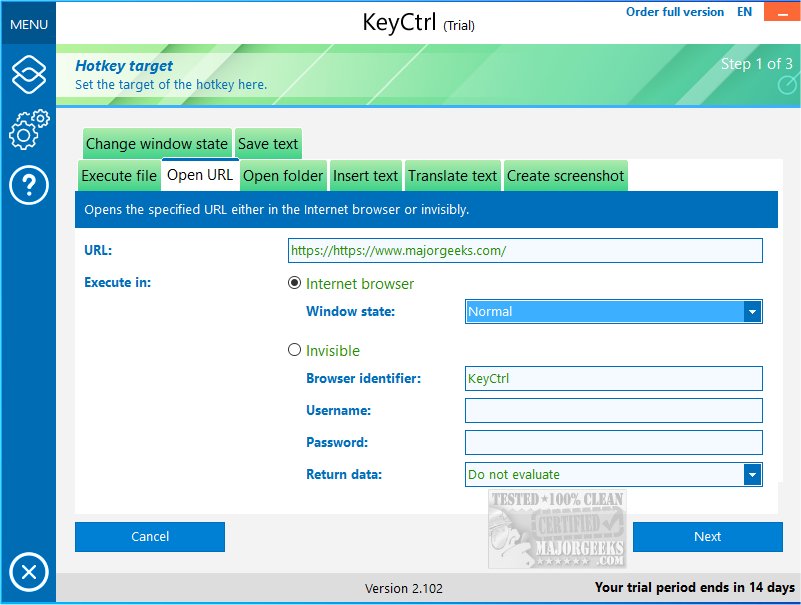
ASCOMP KeyCtrl 2.200 has been released, introducing a tool that enhances daily productivity by allowing users to create customized hotkeys tailored to their specific needs. This software goes beyond the traditional keyboard shortcuts like Ctrl + C and Ctrl + V, which are essential for copying and pasting, to offer a wider range of applications that can significantly optimize workflow.
Imagine the efficiency gained from using personalized shortcuts to automatically insert frequently used phrases in emails or documents, or translating content from websites with a simple key combination. The time saved from quickly capturing screenshots or accessing commonly used folders in Windows Explorer can be substantial, allowing users to focus on more critical tasks rather than navigating through menus.
ASCOMP KeyCtrl is designed with both casual and professional users in mind, combining an intuitive interface with advanced features. One notable capability is the ability to activate specific hotkeys only when certain windows or processes are active, which adds a layer of control and versatility for more complex tasks.
In summary, ASCOMP KeyCtrl 2.200 is an effective productivity tool that simplifies routine activities through custom hotkeys, helping users streamline their daily computing experience. By automating repetitive actions, it allows for greater efficiency and a smoother workflow.
To further enhance productivity, users can explore additional resources such as comprehensive lists of keyboard shortcuts for Windows, tips on dismissing notifications using hotkeys, and insights into the functions of lesser-known keys like the Pause and Break key. The goal is to empower users to maximize their efficiency and make the most out of their computing experience
Imagine the efficiency gained from using personalized shortcuts to automatically insert frequently used phrases in emails or documents, or translating content from websites with a simple key combination. The time saved from quickly capturing screenshots or accessing commonly used folders in Windows Explorer can be substantial, allowing users to focus on more critical tasks rather than navigating through menus.
ASCOMP KeyCtrl is designed with both casual and professional users in mind, combining an intuitive interface with advanced features. One notable capability is the ability to activate specific hotkeys only when certain windows or processes are active, which adds a layer of control and versatility for more complex tasks.
In summary, ASCOMP KeyCtrl 2.200 is an effective productivity tool that simplifies routine activities through custom hotkeys, helping users streamline their daily computing experience. By automating repetitive actions, it allows for greater efficiency and a smoother workflow.
To further enhance productivity, users can explore additional resources such as comprehensive lists of keyboard shortcuts for Windows, tips on dismissing notifications using hotkeys, and insights into the functions of lesser-known keys like the Pause and Break key. The goal is to empower users to maximize their efficiency and make the most out of their computing experience
ASCOMP KeyCtrl 2.200 released
ASCOMP KeyCtrl streamlines your daily tasks by allowing you to create personalized hotkeys tailored to your needs.