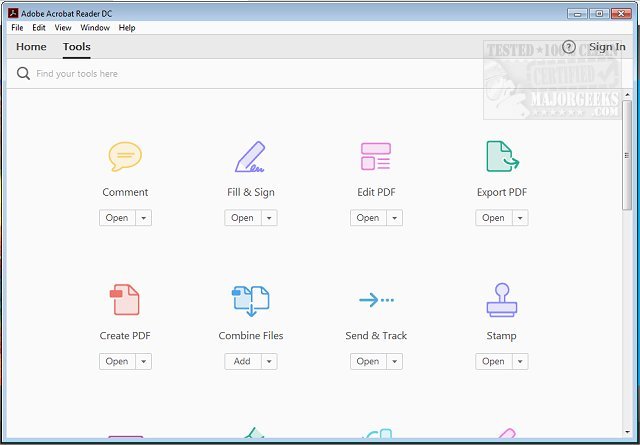
Adobe Acrobat Reader DC has released version 26.001.21651, enhancing its status as a leading solution for viewing and managing Portable Document Format (PDF) files. This free software is essential for a wide range of users, from students handling school assignments to professionals managing business documents.
Key Features of Adobe Acrobat Reader DC:
1. User-Friendly Viewing and Navigation: The software allows for quick access to multi-page documents. Users can easily jump between pages or search for specific terms using the built-in search feature, making it practical for handling everything from textbooks to simple menus.
2. Advanced Annotation Tools: Users can highlight, underline, and add sticky notes directly on PDFs. The intuitive interface includes a brush tool for doodling and text boxes for detailed comments, catering to all levels of tech proficiency.
3. Effortless Digital Signatures: The "Fill & Sign" feature enables users to electronically sign documents without the need for printing. This is ideal for contracts, permission slips, and other forms, streamlining the signing process significantly.
4. Integration with Adobe Document Cloud: This feature provides seamless syncing across devices. Users can start editing on one device and easily access and share the document on another, eliminating the hassle of managing multiple file versions.
5. Premium Features Available: While the free version is robust, a premium subscription unlocks additional capabilities like creating PDFs, converting files to other formats, merging multiple PDFs, and advanced editing options. This makes it easier to customize and repurpose documents.
6. Enhanced Security Measures: Adobe Acrobat Reader DC prioritizes user safety with its Protected Mode, which protects against potentially harmful files. This feature is especially crucial when handling sensitive information.
Conclusion: Adobe Acrobat Reader DC is not just a PDF viewer; it’s a comprehensive tool for anyone who interacts with PDF files regularly. Its combination of free and premium features, cross-platform capabilities, and focus on security make it a must-have for both casual users and professionals alike.
Whether you're reviewing documents, filling out forms, or reading ebooks, Adobe Acrobat Reader DC is designed to enhance your productivity and simplify your PDF experience. So, don’t hesitate—download it today and elevate your PDF management.
Additionally, for those looking to expand their PDF skills, consider exploring tutorials on creating PDFs in Windows or understanding Adobe Acrobat's update service for ongoing enhancements
Key Features of Adobe Acrobat Reader DC:
1. User-Friendly Viewing and Navigation: The software allows for quick access to multi-page documents. Users can easily jump between pages or search for specific terms using the built-in search feature, making it practical for handling everything from textbooks to simple menus.
2. Advanced Annotation Tools: Users can highlight, underline, and add sticky notes directly on PDFs. The intuitive interface includes a brush tool for doodling and text boxes for detailed comments, catering to all levels of tech proficiency.
3. Effortless Digital Signatures: The "Fill & Sign" feature enables users to electronically sign documents without the need for printing. This is ideal for contracts, permission slips, and other forms, streamlining the signing process significantly.
4. Integration with Adobe Document Cloud: This feature provides seamless syncing across devices. Users can start editing on one device and easily access and share the document on another, eliminating the hassle of managing multiple file versions.
5. Premium Features Available: While the free version is robust, a premium subscription unlocks additional capabilities like creating PDFs, converting files to other formats, merging multiple PDFs, and advanced editing options. This makes it easier to customize and repurpose documents.
6. Enhanced Security Measures: Adobe Acrobat Reader DC prioritizes user safety with its Protected Mode, which protects against potentially harmful files. This feature is especially crucial when handling sensitive information.
Conclusion: Adobe Acrobat Reader DC is not just a PDF viewer; it’s a comprehensive tool for anyone who interacts with PDF files regularly. Its combination of free and premium features, cross-platform capabilities, and focus on security make it a must-have for both casual users and professionals alike.
Whether you're reviewing documents, filling out forms, or reading ebooks, Adobe Acrobat Reader DC is designed to enhance your productivity and simplify your PDF experience. So, don’t hesitate—download it today and elevate your PDF management.
Additionally, for those looking to expand their PDF skills, consider exploring tutorials on creating PDFs in Windows or understanding Adobe Acrobat's update service for ongoing enhancements
Adobe Acrobat Reader DC 26.001.21651 released
Adobe Acrobat Reader DC is free and freely distributable software that lets you view and print Portable Document Format (PDF) files.