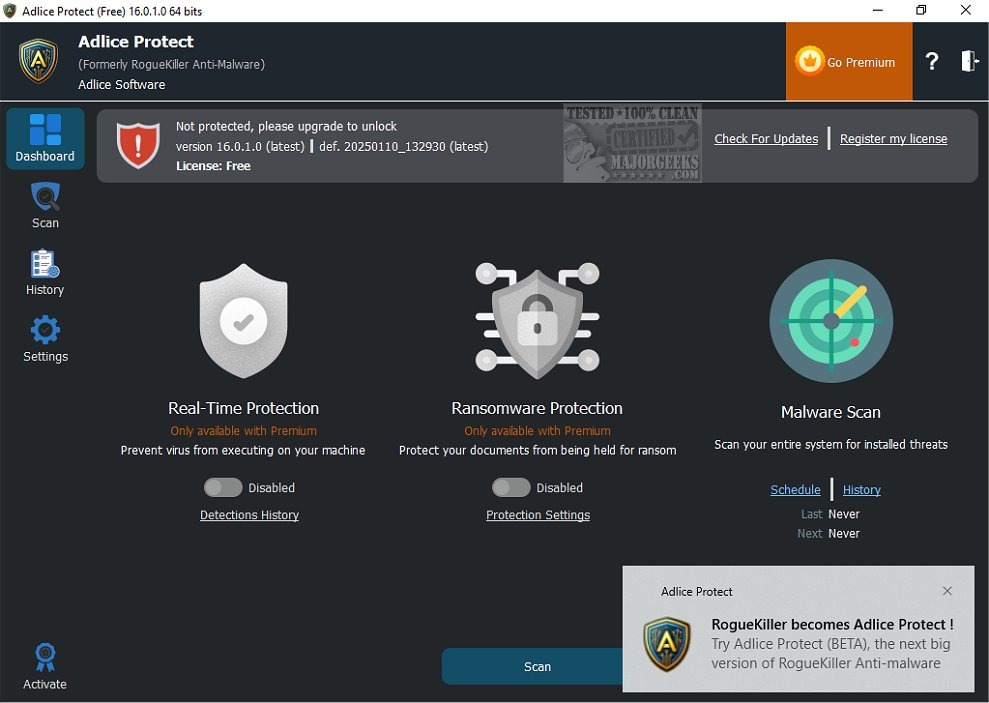
Adlice Protect, previously known as RogueKiller, has released version 16.8.2.0, enhancing its capabilities as a robust anti-malware application tailored for advanced users. This software effectively targets and eliminates persistent malware through a combination of signature-based detection and heuristic analysis, making it adept at addressing a wide array of known and unknown threats, including difficult-to-remove rootkits.
The application also features a command line version, catering to users who prefer or require a more technical approach. Adlice Protect is particularly recommended for those looking to ensure their operating system's integrity, as it operates without conflicting with existing antivirus solutions, making it a complementary tool rather than a replacement.
However, users should exercise caution: Adlice Protect is designed for individuals with a solid understanding of malware removal. Unlike more user-friendly alternatives like Malwarebytes, which automatically identify and delete threats, Adlice Protect presents users with detailed findings, requiring them to discern what to remove and what to keep. This level of detail can be beneficial for knowledgeable users but may pose risks for those less experienced, as improper deletions could harm system functionality.
For users seeking a straightforward scanning and removal experience, there are numerous free alternatives available, such as Malwarebytes, which may be better suited for general home use. In summary, while Adlice Protect is a powerful tool for advanced users and technicians, caution and knowledge are paramount when utilizing its features.
Extension: As cyber threats continue to evolve, tools like Adlice Protect are vital for maintaining system security. Users should stay informed about the latest malware trends and regularly update their security tools. Additionally, combining Adlice Protect with other preventive measures, such as regular system backups and safe browsing practices, can enhance overall security. For those who may find the command line version daunting, tutorials and community forums can provide valuable support and guidance, ensuring users can navigate the complexities of malware removal effectively
The application also features a command line version, catering to users who prefer or require a more technical approach. Adlice Protect is particularly recommended for those looking to ensure their operating system's integrity, as it operates without conflicting with existing antivirus solutions, making it a complementary tool rather than a replacement.
However, users should exercise caution: Adlice Protect is designed for individuals with a solid understanding of malware removal. Unlike more user-friendly alternatives like Malwarebytes, which automatically identify and delete threats, Adlice Protect presents users with detailed findings, requiring them to discern what to remove and what to keep. This level of detail can be beneficial for knowledgeable users but may pose risks for those less experienced, as improper deletions could harm system functionality.
For users seeking a straightforward scanning and removal experience, there are numerous free alternatives available, such as Malwarebytes, which may be better suited for general home use. In summary, while Adlice Protect is a powerful tool for advanced users and technicians, caution and knowledge are paramount when utilizing its features.
Extension: As cyber threats continue to evolve, tools like Adlice Protect are vital for maintaining system security. Users should stay informed about the latest malware trends and regularly update their security tools. Additionally, combining Adlice Protect with other preventive measures, such as regular system backups and safe browsing practices, can enhance overall security. For those who may find the command line version daunting, tutorials and community forums can provide valuable support and guidance, ensuring users can navigate the complexities of malware removal effectively
Adlice Protect 16.8.2.0 released
Adlice Protect (formerly RogueKiller) is an anti-malware app for advanced users capable of removing stubborn malware based on a list of signatures and heuristic analysis. Command line version available.