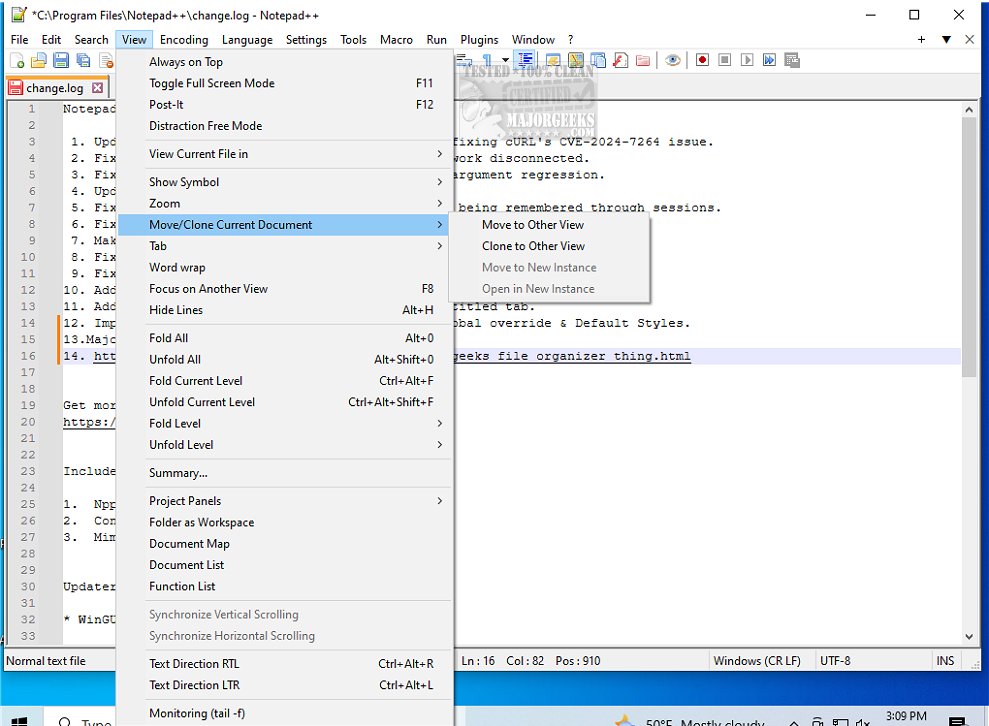
Notepad++ version 8.9.9 has been released, enhancing its status as a free source code editor that supports numerous programming languages. This lightweight yet robust text editor is ideal for programmers, system administrators, and everyday users who require more than the basic functionality of the default Windows Notepad.
Why Choose Notepad++?
Unlike Windows Notepad, which offers minimal features for quick note-taking and simple text editing, Notepad++ is designed for more complex tasks. It provides significant advantages such as:
- Syntax Highlighting & Folding: It supports over 70 programming languages, allowing for easier code readability and organization.
- Multi-Document Interface: Users can work on multiple files simultaneously thanks to its tabbed layout.
- Customizable Themes & Plugins: Notepad++ can be tailored to fit individual workflows, enhancing user experience with various plugins and themes.
- Auto-Save & Session Restore: This feature ensures that users do not lose unsaved work.
- Lightweight & Fast: It is optimized to use minimal system resources, making it suitable for both powerful and older computers.
Who Benefits from Notepad++?
Notepad++ caters to a wide audience:
- Developers appreciate the extensive programming support.
- IT professionals utilize it for quick configuration edits.
- Power users enjoy its customization options and automation capabilities.
- Even casual users find value in its straightforward interface and efficiency.
Conclusion
Notepad++ stands out as a versatile and user-friendly tool, proving that free software can be both powerful and efficient. It is essential for anyone engaged in text editing, coding, or scripting. If you haven't explored Notepad++ yet, you're missing out on one of the top text editors available today.
Further Reading
- How to Add 'Open With Notepad' Context Menu
- How to Change Font Size, Color, and Style in Notepad on Windows 10 & 11
- How to Clear Recent Documents History in WordPad
- How to Find or Replace Text in Notepad or WordPad
As Notepad++ continues to evolve, users can expect ongoing improvements and new features that further enhance its functionality and usability
Why Choose Notepad++?
Unlike Windows Notepad, which offers minimal features for quick note-taking and simple text editing, Notepad++ is designed for more complex tasks. It provides significant advantages such as:
- Syntax Highlighting & Folding: It supports over 70 programming languages, allowing for easier code readability and organization.
- Multi-Document Interface: Users can work on multiple files simultaneously thanks to its tabbed layout.
- Customizable Themes & Plugins: Notepad++ can be tailored to fit individual workflows, enhancing user experience with various plugins and themes.
- Auto-Save & Session Restore: This feature ensures that users do not lose unsaved work.
- Lightweight & Fast: It is optimized to use minimal system resources, making it suitable for both powerful and older computers.
Who Benefits from Notepad++?
Notepad++ caters to a wide audience:
- Developers appreciate the extensive programming support.
- IT professionals utilize it for quick configuration edits.
- Power users enjoy its customization options and automation capabilities.
- Even casual users find value in its straightforward interface and efficiency.
Conclusion
Notepad++ stands out as a versatile and user-friendly tool, proving that free software can be both powerful and efficient. It is essential for anyone engaged in text editing, coding, or scripting. If you haven't explored Notepad++ yet, you're missing out on one of the top text editors available today.
Further Reading
- How to Add 'Open With Notepad' Context Menu
- How to Change Font Size, Color, and Style in Notepad on Windows 10 & 11
- How to Clear Recent Documents History in WordPad
- How to Find or Replace Text in Notepad or WordPad
As Notepad++ continues to evolve, users can expect ongoing improvements and new features that further enhance its functionality and usability
Notepad++ 8.9.9 released
Notepad++ is a free source code editor that includes support for several programming languages.