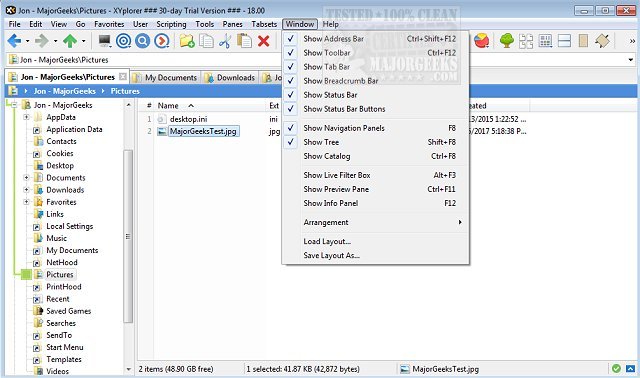
XYplorer has recently released two versions: 28.20.0200 and 27.20.1000. This innovative tabbed file manager for Windows is designed to enhance the user experience with powerful features such as an advanced file search capability, support for zip files, and a duplicate file finder.
In addition to these core functionalities, XYplorer offers a versatile preview option, a highly customizable interface, and an optional dual-pane layout. This allows users to navigate their files more efficiently. The tool is also known for its speed and portability, making it a lightweight alternative to traditional file managers.
Key features of XYplorer include tabbed browsing, six key navigation shortcuts, the ability to queue file operations, comprehensive zip support, batch renaming, and a one-click preview for quick access to file details. Users can also customize folder view settings to suit their preferences.
For those looking to optimize their file management experience, XYplorer provides unique automation options to handle recurring tasks effectively. This makes it an excellent choice for power users and anyone needing a more efficient way to manage their files.
Moreover, users may find helpful tips related to Windows File Explorer, such as disabling Quick Access, adding a Details Pane to the context menu, moving Libraries within the File Explorer layout, and resetting folder view settings in Windows 10 and 11.
Overall, XYplorer remains a robust and flexible tool for anyone seeking to improve their file management on Windows systems
In addition to these core functionalities, XYplorer offers a versatile preview option, a highly customizable interface, and an optional dual-pane layout. This allows users to navigate their files more efficiently. The tool is also known for its speed and portability, making it a lightweight alternative to traditional file managers.
Key features of XYplorer include tabbed browsing, six key navigation shortcuts, the ability to queue file operations, comprehensive zip support, batch renaming, and a one-click preview for quick access to file details. Users can also customize folder view settings to suit their preferences.
For those looking to optimize their file management experience, XYplorer provides unique automation options to handle recurring tasks effectively. This makes it an excellent choice for power users and anyone needing a more efficient way to manage their files.
Moreover, users may find helpful tips related to Windows File Explorer, such as disabling Quick Access, adding a Details Pane to the context menu, moving Libraries within the File Explorer layout, and resetting folder view settings in Windows 10 and 11.
Overall, XYplorer remains a robust and flexible tool for anyone seeking to improve their file management on Windows systems
XYplorer 28.20.0200 / 27.20.1000 released
XYplorer is a tabbed file manager for Windows featuring powerful file search, zip support, duplicate file finder and much more.