XnView Standard 2.52.5 has been released, offering a user-friendly platform for viewing, processing, and converting image files. This version supports over 500 formats, allowing conversions to popular formats such as GIF, BMP, JPG, PNG, and multi-page TIFF. Additionally, it can handle various video formats and unique file types like Amiga IFF and Calamus.
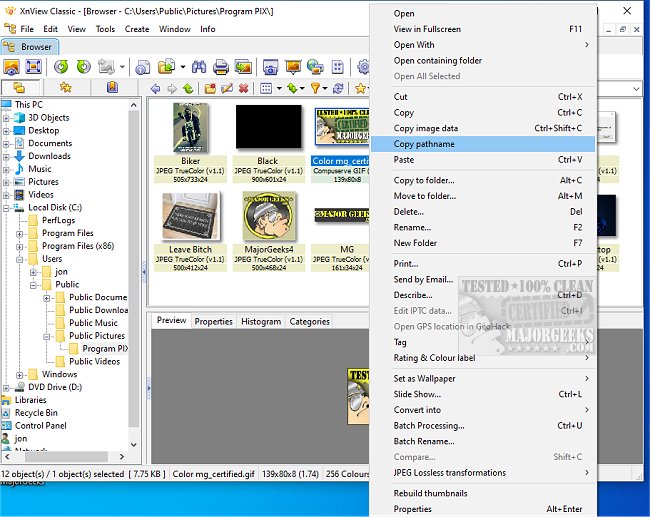
The software features an intuitive interface resembling Windows Explorer, where users can easily navigate directories and view images in thumbnail format, streamlining the selection process. One of its key advantages is its ability to run without installation, making it ideal for use as a "photograph album on CD," especially since it is free for private use.
In addition to basic viewing capabilities, XnView Standard includes advanced features like web page creation, contact prints, batch conversions, slide shows, screen capturing, and Twain support for scanners and cameras. Users can also apply numerous image filters and effects, enhancing their editing capabilities. The program integrates smoothly with professional graphics applications, such as Adobe Photoshop, enabling efficient workflows through drag-and-drop functionality and clipboard operations.
Moreover, XnView's built-in file management tools, including options for copying, moving, and creating directories, further enhance its versatility as a graphics utility. This makes XnView Standard a comprehensive tool not just for casual users but also for professionals looking to streamline their image handling processes.
In summary, XnView Standard 2.52.5 is a powerful, flexible image viewer and processor that caters to a wide range of user needs, from quick viewing to advanced editing and conversion, all while being accessible and easy to use. As technology evolves and image formats continue to diversify, XnView is likely to adapt and enhance its features to maintain its relevance in the digital imaging landscape
The software features an intuitive interface resembling Windows Explorer, where users can easily navigate directories and view images in thumbnail format, streamlining the selection process. One of its key advantages is its ability to run without installation, making it ideal for use as a "photograph album on CD," especially since it is free for private use.
In addition to basic viewing capabilities, XnView Standard includes advanced features like web page creation, contact prints, batch conversions, slide shows, screen capturing, and Twain support for scanners and cameras. Users can also apply numerous image filters and effects, enhancing their editing capabilities. The program integrates smoothly with professional graphics applications, such as Adobe Photoshop, enabling efficient workflows through drag-and-drop functionality and clipboard operations.
Moreover, XnView's built-in file management tools, including options for copying, moving, and creating directories, further enhance its versatility as a graphics utility. This makes XnView Standard a comprehensive tool not just for casual users but also for professionals looking to streamline their image handling processes.
In summary, XnView Standard 2.52.5 is a powerful, flexible image viewer and processor that caters to a wide range of user needs, from quick viewing to advanced editing and conversion, all while being accessible and easy to use. As technology evolves and image formats continue to diversify, XnView is likely to adapt and enhance its features to maintain its relevance in the digital imaging landscape
XnView Standard 2.52.5 released
XnView Standard is designed to quickly and easily view, process, and convert your image files. All languages and a few add-ons are included.