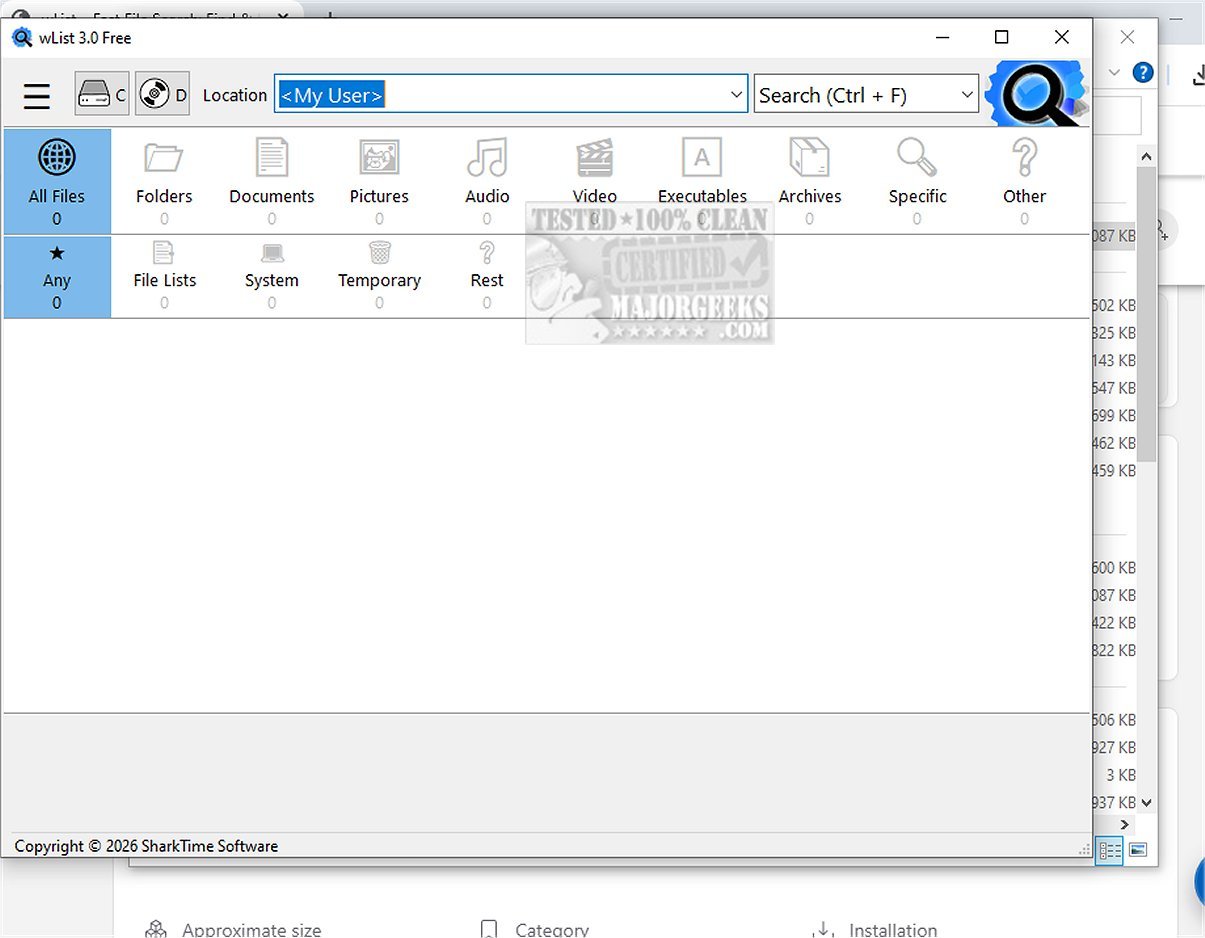
wList 3.0.114 is a powerful, lightweight file search tool designed to streamline the process of locating files across both local drives and network shares. With its rapid search capabilities, wList enables users to find files in seconds, significantly reducing the time typically spent on file discovery.
User-Friendly File Finder
In an age where large hard drives and intricate networks complicate file discovery, wList emerges as a reliable solution. Unlike many default search tools that can be sluggish, wList serves as a professional-grade file finder, effectively bridging the gap between basic file discovery and comprehensive data management. It has evolved from a simple directory lister into a high-performance tool that allows users to accurately locate files, making it ideal for anyone navigating a complex digital landscape.
Next-Gen Disk Indexer
wList incorporates a next-generation disk indexer for intelligent on-demand indexing. This innovative feature ensures that the software does not burden system performance with background processes, allowing for a smooth and respectful search experience. Users can enjoy quick search results without compromising their system’s speed or privacy.
Designed For Everybody
Whether you're an everyday user or an IT professional, wList offers a blend of intelligent caching and smart categorization to ensure fast and precise repeat searches. Beyond its search functionalities, wList also acts as a comprehensive directory lister, enabling users to create customizable file lists and printable folder reports efficiently. The software is lightweight, requiring minimal system resources, and operates without the need for background processes, making it a practical choice for file management.
Key Features of wList:
- Fast File Search and Discovery: Quickly locate files and folders across entire drives.
- Smart File Categories & Filtering: Easily find specific documents or media.
- Professional Directory Printer: Generate file catalogs for external drives effortlessly.
- Network File Search: Simplify LAN search tasks on shared network drives.
- User-Friendly Interface: Access files or folders directly from the application.
- Integrated Image Viewer: Verify images found during searches without external software.
- Unicode and Diacritics Support: Handle national characters in searches and listings.
- Low Resource Usage: Operates without burdening the system.
Supported File Formats Include:
- Documents: PDF, DOC, DOCX, XLS, XLSX, ODT, ODS
- Pictures: JPEG, JPG, PNG, WEBP, SVG, BMP, GIF
- Audio: MP3, OGG, WAV, FLAC, MID, MIDI
- Video: AVI, DIVX, MOV, MP4, MPEG, MPG, WMV
- Executables: EXE, MSIX, APPX, PS1, BAT
- Archives: ZIP, 7Z, GZ, GZIP, RAR
Fast, Precise Local and Network Searches
wList is designed to deliver exceptional speed and precision for local and network file searches. Its smart categorization helps users quickly find what they need while allowing for the instant creation of professional file lists. The interface is streamlined for maximum efficiency, ensuring that performance is not compromised.
For professionals involved in extensive LAN searches or dealing with vast amounts of network data, wList stands out as an essential tool. It excels in searching high-capacity drives, flash drives, and external disks, allowing users to bypass the "waiting game" and quickly locate missing data.
Conclusion
In summary, wList is an innovative file search program that revolutionizes the search experience, providing efficient and reliable solutions for both individual and professional use. With its intelligent categorization system and lightweight design, wList is the perfect choice for anyone seeking a fast and dependable file search tool that respects system resources.
Similar Topics:
- How to Show or Hide Hidden Files, Folders, or Drives
- How to Reset Folder View Settings in Windows 10 & 11
- How to Change Folder View Template for All Folders in Windows 10 & 11
Suggestions for Future Enhancements:
To further improve user experience, future updates could include features such as enhanced AI-driven search capabilities, expanded integration with cloud storage services, and customizable themes for the user interface. These enhancements could make wList even more versatile and user-friendly
User-Friendly File Finder
In an age where large hard drives and intricate networks complicate file discovery, wList emerges as a reliable solution. Unlike many default search tools that can be sluggish, wList serves as a professional-grade file finder, effectively bridging the gap between basic file discovery and comprehensive data management. It has evolved from a simple directory lister into a high-performance tool that allows users to accurately locate files, making it ideal for anyone navigating a complex digital landscape.
Next-Gen Disk Indexer
wList incorporates a next-generation disk indexer for intelligent on-demand indexing. This innovative feature ensures that the software does not burden system performance with background processes, allowing for a smooth and respectful search experience. Users can enjoy quick search results without compromising their system’s speed or privacy.
Designed For Everybody
Whether you're an everyday user or an IT professional, wList offers a blend of intelligent caching and smart categorization to ensure fast and precise repeat searches. Beyond its search functionalities, wList also acts as a comprehensive directory lister, enabling users to create customizable file lists and printable folder reports efficiently. The software is lightweight, requiring minimal system resources, and operates without the need for background processes, making it a practical choice for file management.
Key Features of wList:
- Fast File Search and Discovery: Quickly locate files and folders across entire drives.
- Smart File Categories & Filtering: Easily find specific documents or media.
- Professional Directory Printer: Generate file catalogs for external drives effortlessly.
- Network File Search: Simplify LAN search tasks on shared network drives.
- User-Friendly Interface: Access files or folders directly from the application.
- Integrated Image Viewer: Verify images found during searches without external software.
- Unicode and Diacritics Support: Handle national characters in searches and listings.
- Low Resource Usage: Operates without burdening the system.
Supported File Formats Include:
- Documents: PDF, DOC, DOCX, XLS, XLSX, ODT, ODS
- Pictures: JPEG, JPG, PNG, WEBP, SVG, BMP, GIF
- Audio: MP3, OGG, WAV, FLAC, MID, MIDI
- Video: AVI, DIVX, MOV, MP4, MPEG, MPG, WMV
- Executables: EXE, MSIX, APPX, PS1, BAT
- Archives: ZIP, 7Z, GZ, GZIP, RAR
Fast, Precise Local and Network Searches
wList is designed to deliver exceptional speed and precision for local and network file searches. Its smart categorization helps users quickly find what they need while allowing for the instant creation of professional file lists. The interface is streamlined for maximum efficiency, ensuring that performance is not compromised.
For professionals involved in extensive LAN searches or dealing with vast amounts of network data, wList stands out as an essential tool. It excels in searching high-capacity drives, flash drives, and external disks, allowing users to bypass the "waiting game" and quickly locate missing data.
Conclusion
In summary, wList is an innovative file search program that revolutionizes the search experience, providing efficient and reliable solutions for both individual and professional use. With its intelligent categorization system and lightweight design, wList is the perfect choice for anyone seeking a fast and dependable file search tool that respects system resources.
Similar Topics:
- How to Show or Hide Hidden Files, Folders, or Drives
- How to Reset Folder View Settings in Windows 10 & 11
- How to Change Folder View Template for All Folders in Windows 10 & 11
Suggestions for Future Enhancements:
To further improve user experience, future updates could include features such as enhanced AI-driven search capabilities, expanded integration with cloud storage services, and customizable themes for the user interface. These enhancements could make wList even more versatile and user-friendly
wList 3.0.114 released
wList is an efficient, lightweight file search tool that enables rapid searches across local drives and network shares, significantly accelerating file discovery. Additionally, wList allows users to generate professional file lists, making it an excellent choice for those needing to find files quickly, often in just seconds rather than minutes.