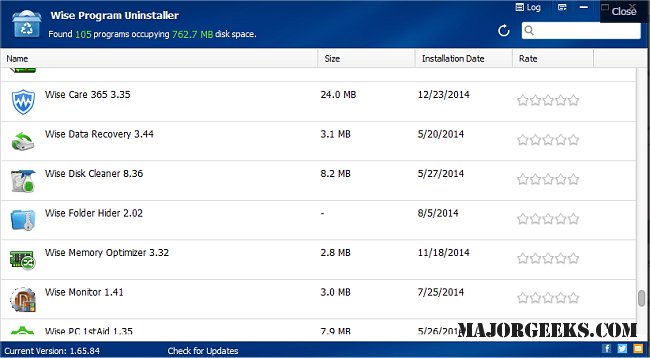
Wise Program Uninstaller has released version 3.2.8.272, designed to help users effectively remove unwanted software from their systems. This tool not only simplifies the uninstallation process for regular programs but also offers a forcible uninstall option for stubborn applications that are resistant to removal via standard Windows procedures. A video tutorial is available to guide users through its features.
One of the key advantages of Wise Program Uninstaller is its user-friendly interface, which makes it accessible even for those who are not tech-savvy. Users can quickly uninstall programs by right-clicking their icons and selecting the 'Uninstall with Wise Program Uninstaller' option, eliminating the need to open the application.
The latest version boasts several notable features, including:
- Enhanced leftover file search capabilities that surpass those of competing uninstallers.
- A combined Safe Uninstall and Forced Uninstall option to cater to various removal needs.
- A newly added program repair feature to fix issues with installed software.
- Support for multiple languages, making it more versatile for a global audience.
- Availability of online help documentation for users seeking additional assistance.
In addition, the uninstaller aligns well with other resources on managing software, such as guides on how to uninstall programs not listed in the Control Panel or suggested apps in Windows 10 and 11 settings.
Overall, Wise Program Uninstaller 3.2.8.272 provides a comprehensive solution for users looking to efficiently manage their installed applications, ensuring a cleaner and more organized system
One of the key advantages of Wise Program Uninstaller is its user-friendly interface, which makes it accessible even for those who are not tech-savvy. Users can quickly uninstall programs by right-clicking their icons and selecting the 'Uninstall with Wise Program Uninstaller' option, eliminating the need to open the application.
The latest version boasts several notable features, including:
- Enhanced leftover file search capabilities that surpass those of competing uninstallers.
- A combined Safe Uninstall and Forced Uninstall option to cater to various removal needs.
- A newly added program repair feature to fix issues with installed software.
- Support for multiple languages, making it more versatile for a global audience.
- Availability of online help documentation for users seeking additional assistance.
In addition, the uninstaller aligns well with other resources on managing software, such as guides on how to uninstall programs not listed in the Control Panel or suggested apps in Windows 10 and 11 settings.
Overall, Wise Program Uninstaller 3.2.8.272 provides a comprehensive solution for users looking to efficiently manage their installed applications, ensuring a cleaner and more organized system
Wise Program Uninstaller 3.2.8.272 released
Wise Program Uninstaller assists in uninstalling unwanted programs or grants a forcible uninstall for those stubborn ones that Windows cannot uninstall. Video tutorial available.