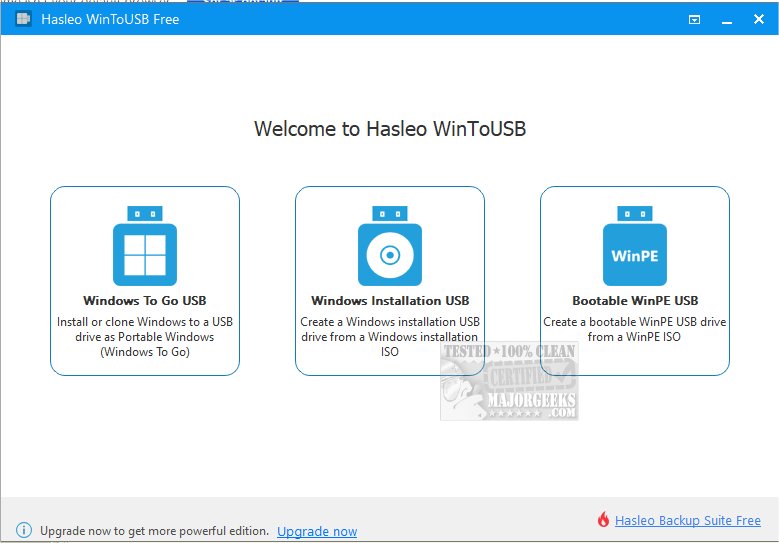
WinToUSB 10.4 has been released, providing users with the capability to install and run the Windows operating system directly from a USB hard drive or flash drive. This can be done using an ISO image or a CD/DVD drive as the installation source. To use WinToUSB, users need a Windows installation source (either a DVD or an image file) along with a valid Windows product key.
The key features of WinToUSB include:
- A straightforward three-step process to install or clone Windows onto a USB drive.
- The ability to create a Windows To Go USB drive using any edition of Windows 8(.1) or 10.
- The option to establish a Windows To Go Workspace on non-certified Windows To Go USB drives.
- Support for various Windows versions, including Windows 7, 8(.1), 10 Technical Preview, and WinPE 2/3/4/5 (both 32-bit and 64-bit).
Additionally, users can explore related topics such as optimizing USB drives for improved performance, retrieving embedded Windows keys, transferring Windows 10 and 11 licenses to different computers, diagnosing USB problems, and obtaining detailed information about Windows 10 and 11 installation ISOs.
Extending this information, WinToUSB serves as a versatile tool for users who wish to have a portable version of Windows that can be run from a USB drive. This is particularly useful for professionals who need to access their work environment on different machines, or for troubleshooting purposes. With the growing trend of remote work and the need for mobility, tools like WinToUSB are becoming increasingly relevant. Furthermore, users can stay updated on the latest enhancements and features by checking regular updates from the developers, ensuring they maximize the utility of their portable Windows installations
The key features of WinToUSB include:
- A straightforward three-step process to install or clone Windows onto a USB drive.
- The ability to create a Windows To Go USB drive using any edition of Windows 8(.1) or 10.
- The option to establish a Windows To Go Workspace on non-certified Windows To Go USB drives.
- Support for various Windows versions, including Windows 7, 8(.1), 10 Technical Preview, and WinPE 2/3/4/5 (both 32-bit and 64-bit).
Additionally, users can explore related topics such as optimizing USB drives for improved performance, retrieving embedded Windows keys, transferring Windows 10 and 11 licenses to different computers, diagnosing USB problems, and obtaining detailed information about Windows 10 and 11 installation ISOs.
Extending this information, WinToUSB serves as a versatile tool for users who wish to have a portable version of Windows that can be run from a USB drive. This is particularly useful for professionals who need to access their work environment on different machines, or for troubleshooting purposes. With the growing trend of remote work and the need for mobility, tools like WinToUSB are becoming increasingly relevant. Furthermore, users can stay updated on the latest enhancements and features by checking regular updates from the developers, ensuring they maximize the utility of their portable Windows installations
WinToUSB 10.4 released
WinToUSB will install and run the Windows operating system on a USB hard drive or USB flash drive, using an ISO image or CD/DVD drive as the installation source.