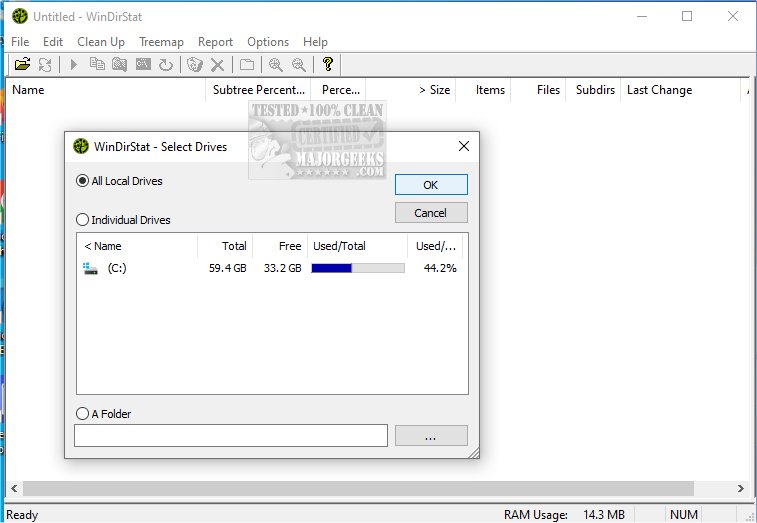
WinDirStat 2.6.0 has been released, enhancing its functionality as a disk usage statistics viewer and cleanup tool for Microsoft Windows. This free software allows users to analyze their disk space effectively, making it particularly useful for those unsure about what files are consuming their storage. A notable feature is its Portable version, which enables users to run the tool from a USB stick.
When launched, WinDirStat provides a detailed directory tree organized by space consumption, a visually engaging treemap displaying the entire drive as a collection of rectangles (with sizes corresponding to file sizes), and an extension list that highlights the types of files that are taking up significant space (e.g., .mp4, .zip, .exe). The treemap is particularly valuable, as it allows users to quickly identify large folders or files, often revealing unexpected space hogs like old projects or game installations through a color-coded system.
WinDirStat is ideal for a variety of users, particularly IT professionals, system administrators, and anyone who manages shared or networked drives. It helps identify large files before performing cleanup tasks and assists in monitoring disk usage over time.
Pros and Cons:
Pros:
- Free and open-source
- Excellent visual representation of disk usage
- Makes it easy to identify large or unnecessary files
- Portable option for on-the-go use
Cons:
- Lacks built-in file shredding or duplicate file detection features
- Scanning large drives may take some time
Geek Verdict: WinDirStat is highly recommended for those concerned about disk space management. Its practicality outweighs its lack of flashiness, and users often find the treemap feature both useful and intuitive once they become familiar with it. The tool is perfect for maintaining an organized and efficient storage environment.
Extensions: With the growing importance of data management, tools like WinDirStat are becoming essential in both personal and professional settings. Users may also find value in exploring complementary applications that offer features like file shredding and duplicate detection, or in leveraging Windows' built-in utilities like Storage Sense for automated maintenance. The combination of these tools can lead to a more streamlined and optimized digital workspace
When launched, WinDirStat provides a detailed directory tree organized by space consumption, a visually engaging treemap displaying the entire drive as a collection of rectangles (with sizes corresponding to file sizes), and an extension list that highlights the types of files that are taking up significant space (e.g., .mp4, .zip, .exe). The treemap is particularly valuable, as it allows users to quickly identify large folders or files, often revealing unexpected space hogs like old projects or game installations through a color-coded system.
WinDirStat is ideal for a variety of users, particularly IT professionals, system administrators, and anyone who manages shared or networked drives. It helps identify large files before performing cleanup tasks and assists in monitoring disk usage over time.
Pros and Cons:
Pros:
- Free and open-source
- Excellent visual representation of disk usage
- Makes it easy to identify large or unnecessary files
- Portable option for on-the-go use
Cons:
- Lacks built-in file shredding or duplicate file detection features
- Scanning large drives may take some time
Geek Verdict: WinDirStat is highly recommended for those concerned about disk space management. Its practicality outweighs its lack of flashiness, and users often find the treemap feature both useful and intuitive once they become familiar with it. The tool is perfect for maintaining an organized and efficient storage environment.
Extensions: With the growing importance of data management, tools like WinDirStat are becoming essential in both personal and professional settings. Users may also find value in exploring complementary applications that offer features like file shredding and duplicate detection, or in leveraging Windows' built-in utilities like Storage Sense for automated maintenance. The combination of these tools can lead to a more streamlined and optimized digital workspace
WinDirStat 2.6.0 released
WinDirStat is a disk usage statistics viewer and cleanup tool for Microsoft Windows. Portable available.