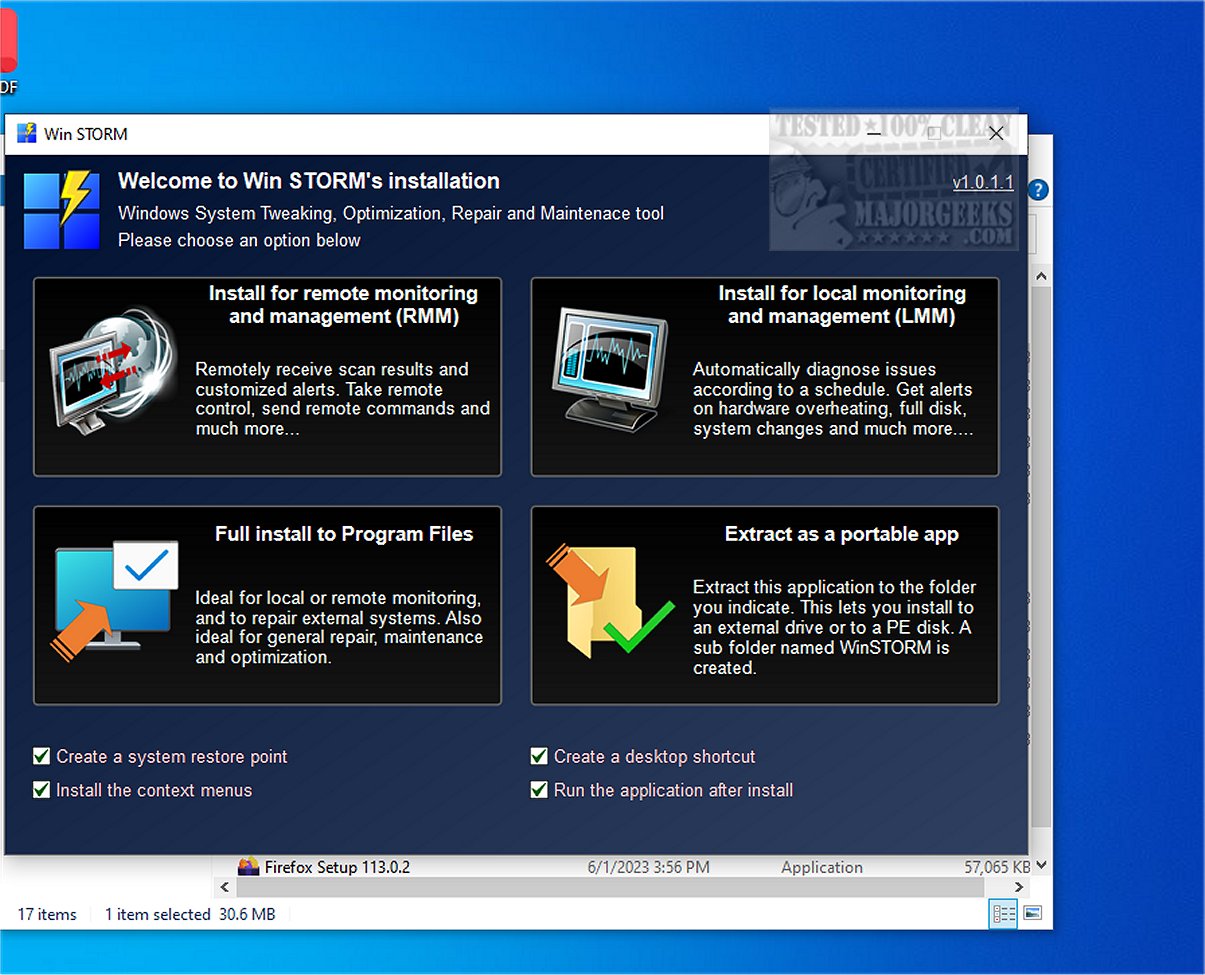
Win STORM is a powerful, professional software tool designed for managing, optimizing, and maintaining Windows-based systems. Developed for IT professionals and computer technicians, it inherits the robust capabilities of its predecessor, UVK – Ultra Virus Killer, while introducing enhanced functionalities for improved performance.
Core Features and Functionalities
Win STORM provides an extensive suite of tools that enable users to monitor system performance, optimize speed, and execute repairs as needed. A standout feature is its support for remote access, allowing technicians to assist clients from any location, thereby streamlining technical support. The user-friendly interface facilitates easy navigation through its features, complemented by detailed reporting tools that offer insights into system health and performance trends.
The application dashboard presents comprehensive information about hardware and software configurations, including details about the motherboard, processor, graphics card, RAM availability, and security measures like antivirus status and Windows Firewall protections.
Automated Diagnostics and Recommendations
One of Win STORM's key functionalities is its ability to automatically detect potential issues that could cause software conflicts or slow performance. It identifies redundant antivirus programs and recommends their removal, alongside a one-click option to free up storage by deleting temporary files and other unnecessary data. Additionally, it includes an integrated Windows Update Manager to streamline the update process.
On-demand scanning capabilities allow for comprehensive system analysis to uncover malware, unwanted files, autostart entries, and more. Win STORM also offers customization options for Windows settings, allowing users to tweak visual elements and enhance productivity by managing features like Cortana and Windows Search.
Security Management
Security-related adjustments are another critical aspect of Win STORM. Users can modify settings for User Account Control (UAC), detect potentially unwanted programs, and manage Windows Defender and Firewall configurations. However, it's important to note that some changes may require a system restart to take effect.
Conclusion
In summary, Win STORM consolidates multiple system maintenance and optimization tools into a single platform, serving as an essential utility for diagnosing and protecting PCs. Its ability to support both local and remote monitoring makes it a valuable resource for system and network administrators.
Future Prospects
As software evolves, future updates of Win STORM may include even more advanced features, such as AI-driven analytics for predictive maintenance, enhanced remote collaboration tools for technicians, and expanded customization options to suit diverse user needs. The ongoing development of Win STORM positions it as a leader in the field of Windows system management, ensuring that users are equipped with the latest technology to maintain optimal computing environments
Core Features and Functionalities
Win STORM provides an extensive suite of tools that enable users to monitor system performance, optimize speed, and execute repairs as needed. A standout feature is its support for remote access, allowing technicians to assist clients from any location, thereby streamlining technical support. The user-friendly interface facilitates easy navigation through its features, complemented by detailed reporting tools that offer insights into system health and performance trends.
The application dashboard presents comprehensive information about hardware and software configurations, including details about the motherboard, processor, graphics card, RAM availability, and security measures like antivirus status and Windows Firewall protections.
Automated Diagnostics and Recommendations
One of Win STORM's key functionalities is its ability to automatically detect potential issues that could cause software conflicts or slow performance. It identifies redundant antivirus programs and recommends their removal, alongside a one-click option to free up storage by deleting temporary files and other unnecessary data. Additionally, it includes an integrated Windows Update Manager to streamline the update process.
On-demand scanning capabilities allow for comprehensive system analysis to uncover malware, unwanted files, autostart entries, and more. Win STORM also offers customization options for Windows settings, allowing users to tweak visual elements and enhance productivity by managing features like Cortana and Windows Search.
Security Management
Security-related adjustments are another critical aspect of Win STORM. Users can modify settings for User Account Control (UAC), detect potentially unwanted programs, and manage Windows Defender and Firewall configurations. However, it's important to note that some changes may require a system restart to take effect.
Conclusion
In summary, Win STORM consolidates multiple system maintenance and optimization tools into a single platform, serving as an essential utility for diagnosing and protecting PCs. Its ability to support both local and remote monitoring makes it a valuable resource for system and network administrators.
Future Prospects
As software evolves, future updates of Win STORM may include even more advanced features, such as AI-driven analytics for predictive maintenance, enhanced remote collaboration tools for technicians, and expanded customization options to suit diverse user needs. The ongoing development of Win STORM positions it as a leader in the field of Windows system management, ensuring that users are equipped with the latest technology to maintain optimal computing environments
Win STORM 1.0.1.7 Beta released
Win STORM is a comprehensive, professional tool specifically designed to supervise, tweak, optimize, repair, and maintain Windows-based systems. Tailored for the needs of computer technicians and IT professionals, this robust application equips users with an extensive suite of features essential for efficient computer management.