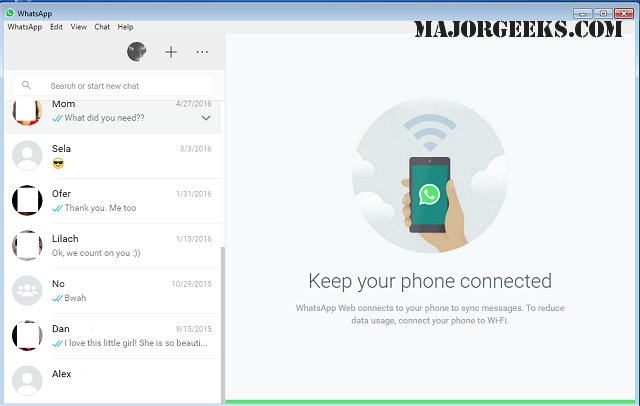
WhatsApp has released version 2.2606.213.1 of its desktop application, which offers a comprehensive messaging experience similar to that of its mobile counterpart. This version allows users to communicate with friends, family, and colleagues without the need to constantly check their phones. With WhatsApp for Desktop, users can send messages, share media, and engage in voice or video calls while keeping their conversations in sync across devices.
To get started, users simply need to download the app and scan a QR code with their mobile device for authorization. This version has improved functionality, allowing users to access their accounts even when their phones are off. Additionally, it promises faster loading times, reduced resource consumption, and an overall smoother experience that is ideal for multitasking.
The interface is optimized for PC use, allowing for full-sized media display, efficient chat management, and easy file sharing through drag-and-drop functionality. Security is a priority, with end-to-end encryption ensuring that messages and calls remain private. Users also have control over their privacy settings directly from the desktop application.
WhatsApp Desktop supports voice calls for up to 32 participants and video calls for up to 8, making it a viable alternative for virtual meetings. For those who prefer not to install an application, WhatsApp Web provides a browser-based option that allows for quick messaging, though it lacks some of the advanced features found in the desktop app.
In summary, WhatsApp for Desktop and WhatsApp Web both offer unique advantages for staying connected. The desktop app caters to users who need full messaging capabilities, while the web version serves as a quick-access solution. Both options ensure a secure and reliable messaging experience, making them suitable for both personal and professional communication.
Moreover, the emphasis on privacy with end-to-end encryption reaffirms WhatsApp's commitment to secure communication. The desktop app's capabilities, such as high-quality voice and video calls, position it as a competitive alternative to other conferencing platforms, catering to both casual and corporate users.
For those who may not want to download the application, WhatsApp Web remains a practical solution, allowing users to manage their communications effortlessly from any browser. While it may not support all the advanced features available in the desktop app, it is ideal for users seeking convenience and quick access to their messages.
Overall, whether through the desktop application or the web interface, WhatsApp continues to adapt its services to meet the evolving needs of users, ensuring they remain connected in a fast-paced digital world
To get started, users simply need to download the app and scan a QR code with their mobile device for authorization. This version has improved functionality, allowing users to access their accounts even when their phones are off. Additionally, it promises faster loading times, reduced resource consumption, and an overall smoother experience that is ideal for multitasking.
The interface is optimized for PC use, allowing for full-sized media display, efficient chat management, and easy file sharing through drag-and-drop functionality. Security is a priority, with end-to-end encryption ensuring that messages and calls remain private. Users also have control over their privacy settings directly from the desktop application.
WhatsApp Desktop supports voice calls for up to 32 participants and video calls for up to 8, making it a viable alternative for virtual meetings. For those who prefer not to install an application, WhatsApp Web provides a browser-based option that allows for quick messaging, though it lacks some of the advanced features found in the desktop app.
In summary, WhatsApp for Desktop and WhatsApp Web both offer unique advantages for staying connected. The desktop app caters to users who need full messaging capabilities, while the web version serves as a quick-access solution. Both options ensure a secure and reliable messaging experience, making them suitable for both personal and professional communication.
Extended Summary:
The latest update to WhatsApp for Desktop enhances user experience by integrating features that make communication more fluid across devices. The app’s installation is user-friendly, employing QR code authentication for quick access. The ability to operate independently of the mobile app signifies a leap towards greater flexibility, especially for users who may not always have their phones at hand.Moreover, the emphasis on privacy with end-to-end encryption reaffirms WhatsApp's commitment to secure communication. The desktop app's capabilities, such as high-quality voice and video calls, position it as a competitive alternative to other conferencing platforms, catering to both casual and corporate users.
For those who may not want to download the application, WhatsApp Web remains a practical solution, allowing users to manage their communications effortlessly from any browser. While it may not support all the advanced features available in the desktop app, it is ideal for users seeking convenience and quick access to their messages.
Overall, whether through the desktop application or the web interface, WhatsApp continues to adapt its services to meet the evolving needs of users, ensuring they remain connected in a fast-paced digital world
WhatsApp 2.2606.213.1 released
WhatsApp for Desktop provides you with nearly all the same free functionality of the Android version directly on your PC.