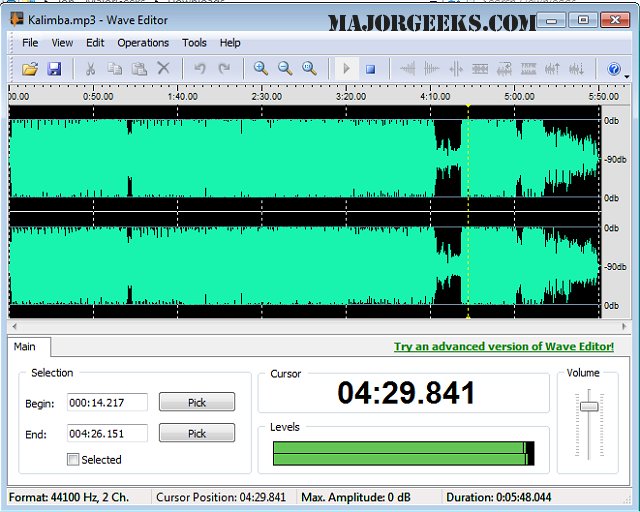
Wave Editor 5.0.1.0 has been released as an intuitive digital audio editing software that caters to users of all skill levels. This program supports a variety of audio formats and offers a range of editing operations. Designed with a focus on user-friendliness, Wave Editor allows beginners to easily perform basic tasks such as cutting, copying, pasting, and deleting segments of audio recordings. Unlike other similar applications, it is built from scratch on an ActiveX engine, providing a sleek user interface that enhances speed and simplicity.
Key features include the ability to select audio blocks during playback and a non-destructive editing function, which enables users to experiment with edits without altering the original audio file. This is particularly beneficial for those who wish to test different editing techniques before finalizing their work.
Wave Editor supports a wide array of audio formats, including MP3, WMA, and various WAV formats, with options for 8-bit or 16-bit samples. It accommodates both mono and stereo channels and supports sample rates ranging from 8000 Hz to 96000 Hz, with a maximum audio file size limit of 2 gigabytes.
The software boasts numerous editing operations, including:
- Cut, Copy, Paste, and Delete
- Insert Silence
- Normalize and Amplify with Peak Limiter
- Fade In and Fade Out effects
- Save Selected Fragments
- Reverse/Invert audio
- Unlimited Undo/Redo capabilities
- Play, Pause, and Stop functions
- Zoom in and Zoom Out
- Export functionality to WAV and MP3 formats
In addition to its core features, Wave Editor aligns with various audio management topics such as enabling Windows Sonic Surround Sound, adjusting default sound output devices, and troubleshooting common audio issues on Windows 10 and 11.
Overall, Wave Editor 5.0.1.0 presents a powerful, user-friendly solution for audio editing, appealing to both novice and experienced users who seek a comprehensive tool for managing and enhancing their audio projects. Future updates may include additional features, improved performance, and expanded format support to further enhance the user experience
Key features include the ability to select audio blocks during playback and a non-destructive editing function, which enables users to experiment with edits without altering the original audio file. This is particularly beneficial for those who wish to test different editing techniques before finalizing their work.
Wave Editor supports a wide array of audio formats, including MP3, WMA, and various WAV formats, with options for 8-bit or 16-bit samples. It accommodates both mono and stereo channels and supports sample rates ranging from 8000 Hz to 96000 Hz, with a maximum audio file size limit of 2 gigabytes.
The software boasts numerous editing operations, including:
- Cut, Copy, Paste, and Delete
- Insert Silence
- Normalize and Amplify with Peak Limiter
- Fade In and Fade Out effects
- Save Selected Fragments
- Reverse/Invert audio
- Unlimited Undo/Redo capabilities
- Play, Pause, and Stop functions
- Zoom in and Zoom Out
- Export functionality to WAV and MP3 formats
In addition to its core features, Wave Editor aligns with various audio management topics such as enabling Windows Sonic Surround Sound, adjusting default sound output devices, and troubleshooting common audio issues on Windows 10 and 11.
Overall, Wave Editor 5.0.1.0 presents a powerful, user-friendly solution for audio editing, appealing to both novice and experienced users who seek a comprehensive tool for managing and enhancing their audio projects. Future updates may include additional features, improved performance, and expanded format support to further enhance the user experience
Wave Editor 5.0.1.0 released
Wave Editor is an easy-to-use digital audio editing tool with many supported formats, and operations.