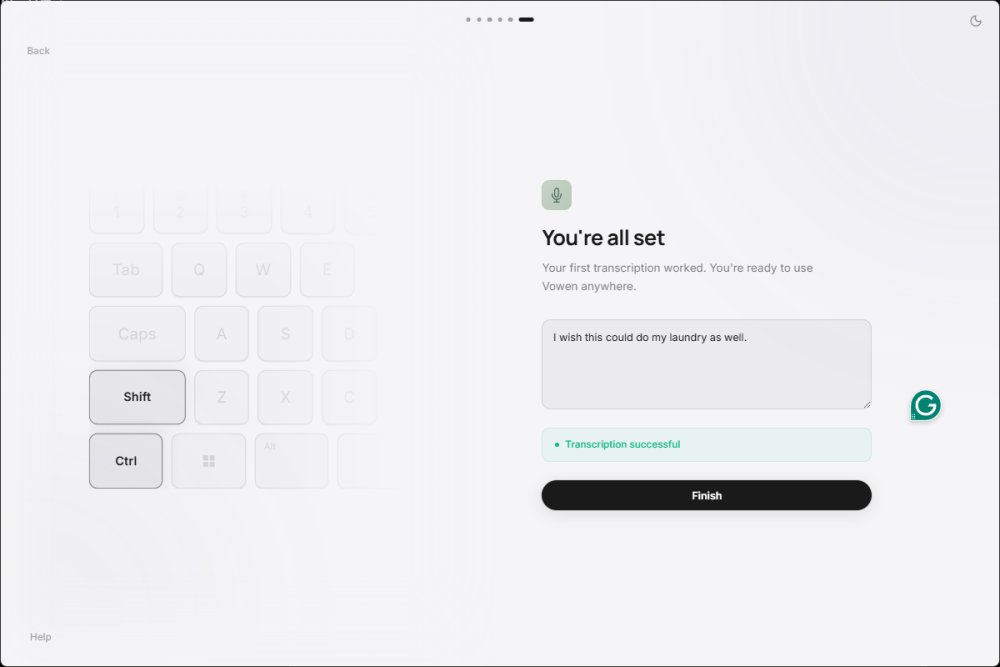
Vowen is a free voice productivity application designed for Windows and macOS, emphasizing privacy and functionality through offline AI transcription. Targeted primarily at writers, coders, and professionals engaged in virtual meetings, Vowen allows users to convert speech into text without the need for an internet connection, ensuring that their recordings remain secure and private.
Core Features
The application serves as a system-wide dictation tool that can be integrated into virtually any text input field. Users can initiate dictation by holding a designated shortcut (Control+Shift) and speaking directly into their desired application, such as email clients, web browsers, or code editors. This feature is particularly handy for those who prefer verbal communication over typing, allowing for efficient documentation and note-taking during meetings. Vowen also includes additional functionalities like AI assistance for meeting notes, translations, summaries, and voice commands, which enhance its usability.
User Benefits
Vowen is particularly advantageous for users who face challenges with traditional typing methods, whether due to time constraints or physical limitations. Its hands-free mode (activated via CTRL+H) allows users to dictate notes, emails, or tasks while multitasking. The app can also streamline the process of note-taking during virtual meetings by recording discussions and organizing them into coherent notes for future reference.
Privacy and Offline Capabilities
A standout feature of Vowen is its commitment to user privacy, as core dictation processes occur locally on the device rather than relying on cloud services. This aspect is crucial for individuals handling sensitive information, such as developers or business professionals, who may prefer to keep their data secure and away from external servers.
Advanced Features and Setup
While Vowen offers robust offline transcription, users seeking to leverage its advanced AI capabilities will need to configure API keys for services like OpenAI or Claude. Although this may seem daunting for casual users, power users will appreciate the flexibility to customize their experience. The app also supports basic voice commands for desktop automation, allowing users to perform tasks with verbal instructions.
Installation and Usability
To get started with Vowen, users must install the app, select their microphone, and set up their preferred dictation shortcut. The installation process may prompt users to install the Microsoft Visual C++ 2010 Redistributable Package, a common requirement for many applications. While Vowen's interface is generally user-friendly, beginners may need some time to familiarize themselves with its features and functionalities.
Conclusion
In summary, Vowen 0.4.2 is a powerful voice productivity tool that prioritizes user privacy while offering a range of features designed for efficient text input and task management. While its advanced capabilities may require some initial setup, the benefits of offline dictation and the ability to dictate in various applications make it a valuable tool for anyone looking to enhance their productivity through voice. With its focus on local processing, Vowen is particularly suitable for individuals seeking a reliable alternative to cloud-dependent dictation services. Overall, Vowen is a recommended choice for those looking to simplify their writing and documentation processes while maintaining control over their data
Core Features
The application serves as a system-wide dictation tool that can be integrated into virtually any text input field. Users can initiate dictation by holding a designated shortcut (Control+Shift) and speaking directly into their desired application, such as email clients, web browsers, or code editors. This feature is particularly handy for those who prefer verbal communication over typing, allowing for efficient documentation and note-taking during meetings. Vowen also includes additional functionalities like AI assistance for meeting notes, translations, summaries, and voice commands, which enhance its usability.
User Benefits
Vowen is particularly advantageous for users who face challenges with traditional typing methods, whether due to time constraints or physical limitations. Its hands-free mode (activated via CTRL+H) allows users to dictate notes, emails, or tasks while multitasking. The app can also streamline the process of note-taking during virtual meetings by recording discussions and organizing them into coherent notes for future reference.
Privacy and Offline Capabilities
A standout feature of Vowen is its commitment to user privacy, as core dictation processes occur locally on the device rather than relying on cloud services. This aspect is crucial for individuals handling sensitive information, such as developers or business professionals, who may prefer to keep their data secure and away from external servers.
Advanced Features and Setup
While Vowen offers robust offline transcription, users seeking to leverage its advanced AI capabilities will need to configure API keys for services like OpenAI or Claude. Although this may seem daunting for casual users, power users will appreciate the flexibility to customize their experience. The app also supports basic voice commands for desktop automation, allowing users to perform tasks with verbal instructions.
Installation and Usability
To get started with Vowen, users must install the app, select their microphone, and set up their preferred dictation shortcut. The installation process may prompt users to install the Microsoft Visual C++ 2010 Redistributable Package, a common requirement for many applications. While Vowen's interface is generally user-friendly, beginners may need some time to familiarize themselves with its features and functionalities.
Conclusion
In summary, Vowen 0.4.2 is a powerful voice productivity tool that prioritizes user privacy while offering a range of features designed for efficient text input and task management. While its advanced capabilities may require some initial setup, the benefits of offline dictation and the ability to dictate in various applications make it a valuable tool for anyone looking to enhance their productivity through voice. With its focus on local processing, Vowen is particularly suitable for individuals seeking a reliable alternative to cloud-dependent dictation services. Overall, Vowen is a recommended choice for those looking to simplify their writing and documentation processes while maintaining control over their data
Vowen 0.4.2 released
Vowen is a free, privacy-focused voice productivity app for Windows and macOS that turns speech into text using offline AI transcription.