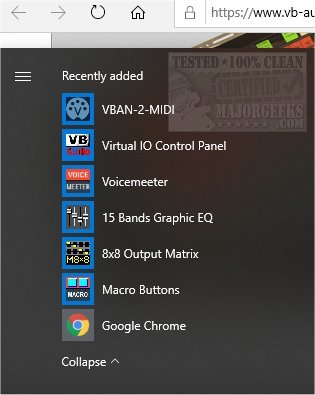
VB-Audio Voicemeeter version 1.1.2.2 has been released, enhancing its functionality as a comprehensive audio mixer application. This software features a Virtual Audio Device that serves as a virtual input/output (I/O) system, allowing users to mix and manage audio from various sources and send it to any audio devices or applications seamlessly.
For first-time users, it is crucial to refer to the user manual available on the official website, particularly the first section, to ensure proper setup and utilization. Voicemeeter supports multiple audio interfaces, including MME, DirectX, Kernel Streaming (KS), Windows Driver Model (WDM), and ASIO, making it versatile for various audio configurations. The application provides six distinct modules, enabling users to mix audio from different sources effectively.
The Virtual Audio Mixer can handle up to three audio inputs and directs them through two buses, allowing users to mix sounds such as voice recordings, music, movie audio, Skype calls, gaming sounds, and internet radio, distributing them to multiple audio outputs or recording applications. As a Virtual Audio Device, Voicemeeter functions similarly to a hardware mixing console, making it an ideal solution for audio professionals and enthusiasts alike.
In addition, Voicemeeter can be utilized as the main audio device for your system, providing complete control over audio routing and mixing. It is also compatible with various professional digital audio workstations (DAWs) and musical instruments, further expanding its utility.
As the demand for high-quality audio management continues to grow in areas like streaming and content creation, Voicemeeter stands out as a powerful tool for users looking to enhance their audio experience. The application not only simplifies audio mixing but also allows for creative audio manipulation, making it a valuable asset for both novice and experienced users.
For those seeking to optimize their audio settings further, related guides are available, covering topics such as enabling Windows Sonic Surround Sound, changing default sound output devices, adjusting sound input/output names, and troubleshooting low computer sound volume issues
For first-time users, it is crucial to refer to the user manual available on the official website, particularly the first section, to ensure proper setup and utilization. Voicemeeter supports multiple audio interfaces, including MME, DirectX, Kernel Streaming (KS), Windows Driver Model (WDM), and ASIO, making it versatile for various audio configurations. The application provides six distinct modules, enabling users to mix audio from different sources effectively.
The Virtual Audio Mixer can handle up to three audio inputs and directs them through two buses, allowing users to mix sounds such as voice recordings, music, movie audio, Skype calls, gaming sounds, and internet radio, distributing them to multiple audio outputs or recording applications. As a Virtual Audio Device, Voicemeeter functions similarly to a hardware mixing console, making it an ideal solution for audio professionals and enthusiasts alike.
In addition, Voicemeeter can be utilized as the main audio device for your system, providing complete control over audio routing and mixing. It is also compatible with various professional digital audio workstations (DAWs) and musical instruments, further expanding its utility.
As the demand for high-quality audio management continues to grow in areas like streaming and content creation, Voicemeeter stands out as a powerful tool for users looking to enhance their audio experience. The application not only simplifies audio mixing but also allows for creative audio manipulation, making it a valuable asset for both novice and experienced users.
For those seeking to optimize their audio settings further, related guides are available, covering topics such as enabling Windows Sonic Surround Sound, changing default sound output devices, adjusting sound input/output names, and troubleshooting low computer sound volume issues
VB-Audio Voicemeeter 1.1.2.2 released
VB-Audio Voicemeeter is an all-in-one audio mixer application that includes a Virtual Audio Device used as virtual I/O for mixing and managing any audio source from or to any audio device or application.