TweakNow Gallery has recently launched version 1.3.1, an efficient photo organization tool designed for users to easily sort, manage, and rediscover their cherished memories. This user-friendly application serves as both an image manager and viewer, providing intuitive features that facilitate seamless navigation and clarity while handling photo collections.
Upon launching TweakNow Gallery, users are greeted with an empty main window, encouraging them to browse their Windows folders to locate their photos. Once a folder is accessed, the software presents small or large previews of the images, along with selection tools for streamlined management. Users can quickly copy, move, or rename files through right-click options or a dedicated toolbar button that allows for easy deletion.
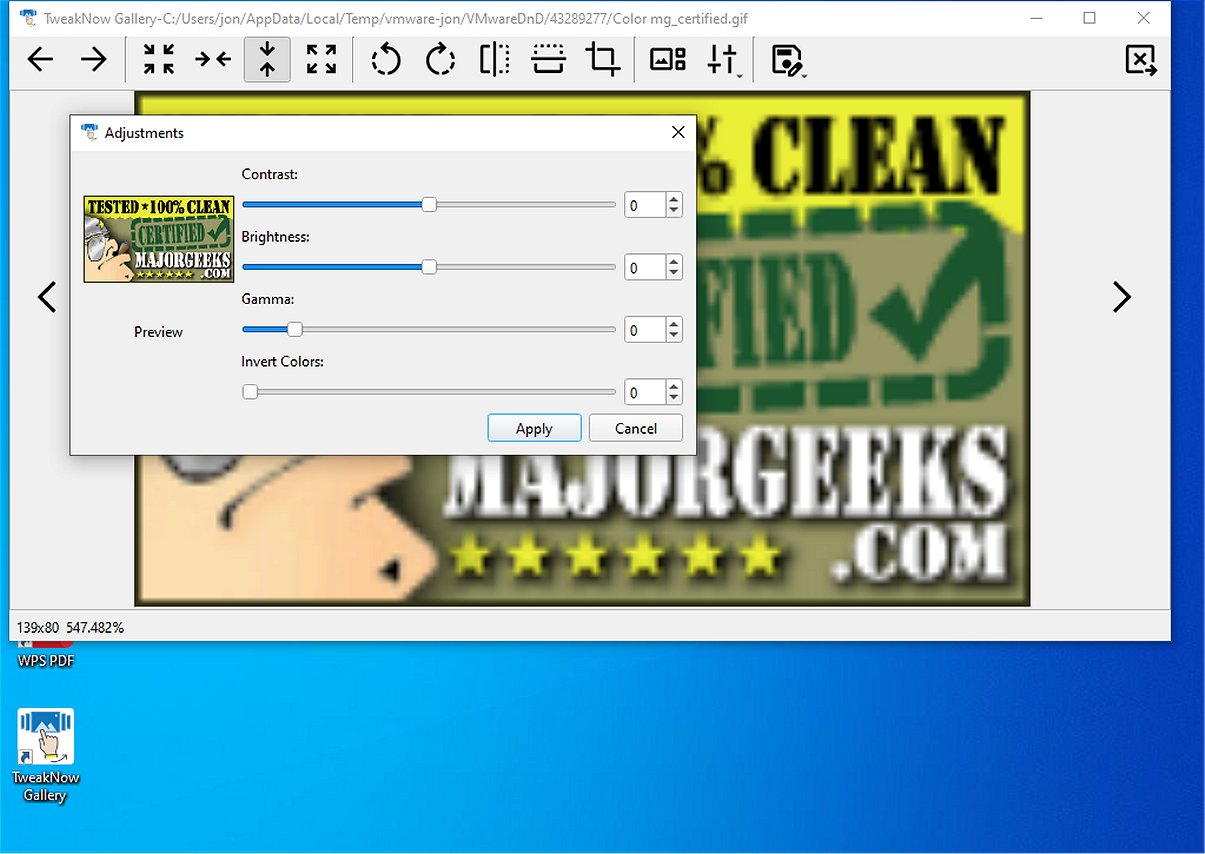
In addition to basic file manipulation, TweakNow Gallery incorporates essential image editing tools, making it a versatile option for users needing both viewing and editing functionalities. Editing features include rotating, cropping, and flipping images for straightforward adjustments. The software also offers color adjustment capabilities, enabling users to modify contrast, brightness, gamma levels, and apply artistic filters like grayscale and sepia for stylistic enhancements.
Overall, TweakNow Gallery stands out as a practical choice for individuals looking to balance file management with essential image editing. It provides the necessary tools to efficiently curate image collections and enhance photos without requiring extensive time spent on learning the software.
In extending this summary, it's worth noting that TweakNow Gallery is particularly beneficial for amateur photographers, casual users, and anyone who frequently manages large volumes of images. By combining user-friendly features with essential editing capabilities, it caters to a broad audience. Future updates could focus on expanding its editing suite with advanced features such as layer management, text overlay, and additional filters to further enhance its appeal and functionality. Additionally, integrating cloud storage options could enable users to easily back up their collections and access them from multiple devices, providing a comprehensive solution for modern photo management needs
Upon launching TweakNow Gallery, users are greeted with an empty main window, encouraging them to browse their Windows folders to locate their photos. Once a folder is accessed, the software presents small or large previews of the images, along with selection tools for streamlined management. Users can quickly copy, move, or rename files through right-click options or a dedicated toolbar button that allows for easy deletion.
In addition to basic file manipulation, TweakNow Gallery incorporates essential image editing tools, making it a versatile option for users needing both viewing and editing functionalities. Editing features include rotating, cropping, and flipping images for straightforward adjustments. The software also offers color adjustment capabilities, enabling users to modify contrast, brightness, gamma levels, and apply artistic filters like grayscale and sepia for stylistic enhancements.
Overall, TweakNow Gallery stands out as a practical choice for individuals looking to balance file management with essential image editing. It provides the necessary tools to efficiently curate image collections and enhance photos without requiring extensive time spent on learning the software.
In extending this summary, it's worth noting that TweakNow Gallery is particularly beneficial for amateur photographers, casual users, and anyone who frequently manages large volumes of images. By combining user-friendly features with essential editing capabilities, it caters to a broad audience. Future updates could focus on expanding its editing suite with advanced features such as layer management, text overlay, and additional filters to further enhance its appeal and functionality. Additionally, integrating cloud storage options could enable users to easily back up their collections and access them from multiple devices, providing a comprehensive solution for modern photo management needs
TweakNow Gallery 1.3.1 released
TweakNow Gallery serves as an effective photo organization tool designed to help users sort, manage, and rediscover their treasured memories seamlessly.