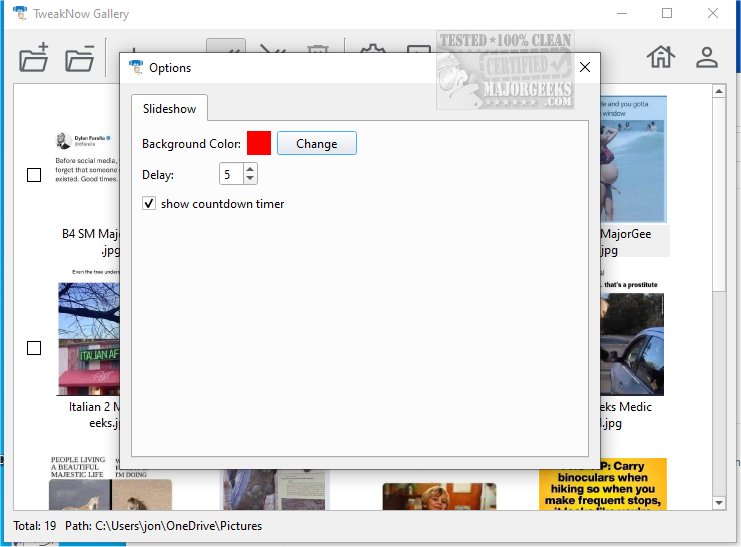
TweakNow Gallery 1.0.2 has been released as an efficient photo organization tool that simplifies the process of sorting, managing, and rediscovering cherished memories. This user-friendly application is designed for individuals of all skill levels, allowing for seamless management of graphic files. Upon launching, users are greeted with an empty main window where they can navigate to their photo storage folders.
Once a folder is accessed, TweakNow Gallery provides clear previews of images, alongside selection tools that enhance the management process. Users can easily copy, move, rename, or delete files through simple right-click options or a dedicated toolbar button. In addition to basic file manipulation, TweakNow Gallery incorporates essential image editing functionalities, enabling users to perform straightforward adjustments like rotating, cropping, and flipping images.
Furthermore, the application includes advanced color adjustment capabilities, allowing users to modify contrast and brightness, adjust gamma levels, and apply artistic filters such as grayscale and sepia. This blend of photo management and editing tools makes TweakNow Gallery an ideal choice for anyone looking to enhance their image collection efficiently.
Extended Summary:
TweakNow Gallery stands out in the crowded market of photo management software by combining ease of use with essential editing features. Its intuitive interface is designed to cater to both novice and experienced users, ensuring that anyone can navigate their photo library with minimal effort. The software's file manipulation tools allow for quick organization, while its editing capabilities provide users with the means to enhance their images creatively without requiring extensive technical knowledge.
Moreover, TweakNow Gallery's ability to save time and effort in managing a photo collection makes it a valuable tool for those who frequently work with images, such as photographers, social media enthusiasts, and casual users alike. With continuous updates and improvements, the software is expected to evolve further, potentially adding more advanced editing features, cloud integration for storage, and enhanced sharing options to keep pace with user demands.
In conclusion, TweakNow Gallery 1.0.2 is not only a practical solution for photo management but also a stepping stone for users looking to elevate their photography experience, making it an indispensable tool in the digital age
Once a folder is accessed, TweakNow Gallery provides clear previews of images, alongside selection tools that enhance the management process. Users can easily copy, move, rename, or delete files through simple right-click options or a dedicated toolbar button. In addition to basic file manipulation, TweakNow Gallery incorporates essential image editing functionalities, enabling users to perform straightforward adjustments like rotating, cropping, and flipping images.
Furthermore, the application includes advanced color adjustment capabilities, allowing users to modify contrast and brightness, adjust gamma levels, and apply artistic filters such as grayscale and sepia. This blend of photo management and editing tools makes TweakNow Gallery an ideal choice for anyone looking to enhance their image collection efficiently.
Extended Summary:
TweakNow Gallery stands out in the crowded market of photo management software by combining ease of use with essential editing features. Its intuitive interface is designed to cater to both novice and experienced users, ensuring that anyone can navigate their photo library with minimal effort. The software's file manipulation tools allow for quick organization, while its editing capabilities provide users with the means to enhance their images creatively without requiring extensive technical knowledge.
Moreover, TweakNow Gallery's ability to save time and effort in managing a photo collection makes it a valuable tool for those who frequently work with images, such as photographers, social media enthusiasts, and casual users alike. With continuous updates and improvements, the software is expected to evolve further, potentially adding more advanced editing features, cloud integration for storage, and enhanced sharing options to keep pace with user demands.
In conclusion, TweakNow Gallery 1.0.2 is not only a practical solution for photo management but also a stepping stone for users looking to elevate their photography experience, making it an indispensable tool in the digital age
TweakNow Gallery 1.0.2 released
TweakNow Gallery serves as an effective photo organization tool designed to help users sort, manage, and rediscover their treasured memories seamlessly.