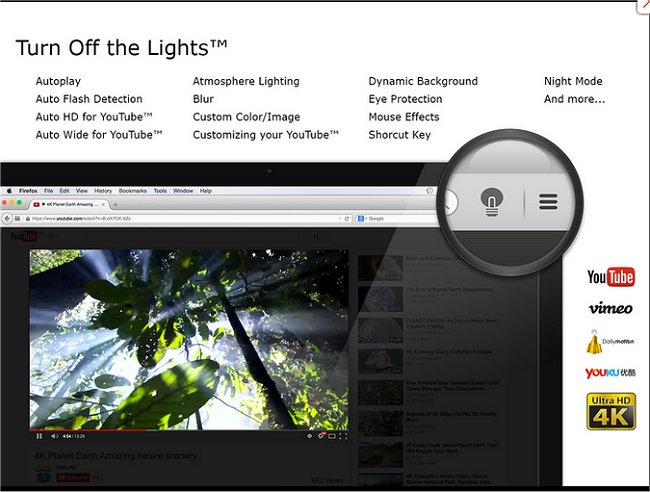
The latest version 4.6.4 of the "Turn Off the Lights" browser extension for Chrome, Firefox, and Edge enhances the viewing experience by allowing users to obscure everything on their screens except for the video content they are watching, whether it’s Flash or HTML5. This feature helps minimize distractions and promotes a more immersive viewing experience.
The extension features a small lamp icon in the browser's menu bar or Omnibox, which users can click to fade out the surrounding area of the video. Clicking outside the video restores the full view of the screen. Additionally, users can customize the opacity of the overlay and select a color other than black, enhancing personalization.
Beyond this core functionality, the extension is part of a broader ecosystem of browser tools designed to enhance user experience. For example, users might explore guides on how to manage Chrome’s automatic startup behaviors, reset or repair their browsers, or delete unwanted autofill entries to maintain a smoother browsing experience.
In future updates, it could be beneficial for the developers to consider adding features such as a dark mode for improved nighttime viewing, automatic detection of video elements on various websites, or integration with popular streaming platforms to streamline the user experience even further
The extension features a small lamp icon in the browser's menu bar or Omnibox, which users can click to fade out the surrounding area of the video. Clicking outside the video restores the full view of the screen. Additionally, users can customize the opacity of the overlay and select a color other than black, enhancing personalization.
Beyond this core functionality, the extension is part of a broader ecosystem of browser tools designed to enhance user experience. For example, users might explore guides on how to manage Chrome’s automatic startup behaviors, reset or repair their browsers, or delete unwanted autofill entries to maintain a smoother browsing experience.
In future updates, it could be beneficial for the developers to consider adding features such as a dark mode for improved nighttime viewing, automatic detection of video elements on various websites, or integration with popular streaming platforms to streamline the user experience even further
Turn Off the Lights for Chrome, Firefox, and Edge 4.6.4 released
Turn Off the Lights for Chrome, Firefox, and Edge is a useful browser extension that lets users obscure everything on their screen except the Flash or HTML5 video they're watching, minimizing distractions and making for a more pleasant viewing experience.
Turn Off the Lights for Chrome, Firefox, and Edge 4.6.4 released @ MajorGeeks