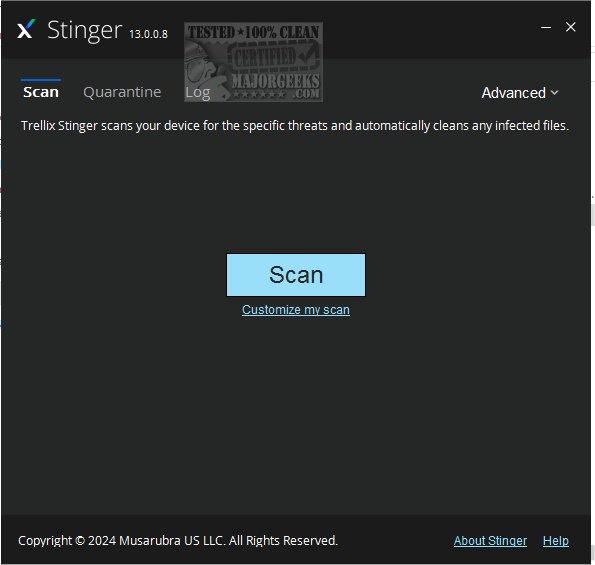
Trellix Stinger 26.06.24.2 has been released and is designed to detect and eliminate specific viruses from infected systems. Formerly known as McAfee Stinger, this tool is not a comprehensive antivirus solution; rather, it serves as a specialized utility for virus removal. It is particularly useful for tech professionals who may want to carry it on portable devices like thumb drives.
By default, Trellix Stinger scans for various types of malware, including rootkits and running processes, while also checking registry and directory locations commonly targeted by malicious software. This streamlined approach helps to minimize scan times, making it efficient for users. Most users will need either the 32-Bit or 64-Bit version of the tool, as the EPO version is specialized and not necessary for the average user.
For those seeking complete antivirus protection, it is recommended to consider alternatives such as Malwarebytes, which offers robust defense for devices, data, and privacy.
In addition to Trellix Stinger, users should also explore related topics such as Windows Device Performance & Health, the best anti-malware applications, and guidance on what to do when existing antivirus subscriptions, like Norton or McAfee, expire.
Extension:
As cyber threats continue to evolve, having specialized tools like Trellix Stinger can be a valuable asset for anyone dealing with computer security. While it excels in targeted virus removal, maintaining a comprehensive antivirus program is crucial for ongoing protection. Users should regularly update their antivirus solutions and consider combining multiple security measures, such as firewalls and intrusion detection systems, to enhance their overall defense against malware.
Furthermore, educating oneself on safe browsing practices and recognizing phishing attempts can significantly reduce the risk of infection. Regular system scans, software updates, and data backups should also be part of a proactive security strategy. As technology advances, staying informed about the latest security trends and tools will empower users to better protect themselves against potential threats
By default, Trellix Stinger scans for various types of malware, including rootkits and running processes, while also checking registry and directory locations commonly targeted by malicious software. This streamlined approach helps to minimize scan times, making it efficient for users. Most users will need either the 32-Bit or 64-Bit version of the tool, as the EPO version is specialized and not necessary for the average user.
For those seeking complete antivirus protection, it is recommended to consider alternatives such as Malwarebytes, which offers robust defense for devices, data, and privacy.
In addition to Trellix Stinger, users should also explore related topics such as Windows Device Performance & Health, the best anti-malware applications, and guidance on what to do when existing antivirus subscriptions, like Norton or McAfee, expire.
Extension:
As cyber threats continue to evolve, having specialized tools like Trellix Stinger can be a valuable asset for anyone dealing with computer security. While it excels in targeted virus removal, maintaining a comprehensive antivirus program is crucial for ongoing protection. Users should regularly update their antivirus solutions and consider combining multiple security measures, such as firewalls and intrusion detection systems, to enhance their overall defense against malware.
Furthermore, educating oneself on safe browsing practices and recognizing phishing attempts can significantly reduce the risk of infection. Regular system scans, software updates, and data backups should also be part of a proactive security strategy. As technology advances, staying informed about the latest security trends and tools will empower users to better protect themselves against potential threats
Trellix Stinger 26.06.24.2 released
Trellix Stinger (formerly McAfee Stinger) detects and removes specific viruses. Video tutorial and portable version available.