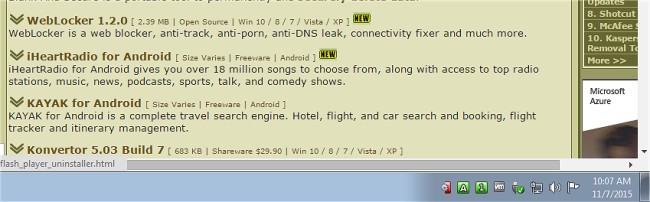
TrayStatus 5.1 has been released, offering users an efficient utility that displays indicator lights for various keyboard functions and hard drive activity directly in the system tray. This tool is particularly beneficial for those using laptops or keyboards lacking dedicated indicator lights for caps lock, number lock, or hard drive activity.
With TrayStatus, users can easily toggle features to customize the information displayed in the notification area of their taskbar. The utility provides real-time updates on the following statuses:
- Num Lock
- Caps Lock
- Scroll Lock
- Alt key
- Ctrl key
- Shift key
- Windows key
- Hard Drive activity (including read/write speeds shown in tooltips)
This streamlined access to essential status indicators enhances user productivity and helps to avoid common typing errors associated with toggling these keys blindly.
In addition to its core functionalities, TrayStatus can serve as a gateway to further productivity resources, including tips on keyboard shortcuts and maximizing the use of lesser-known keys like the Pause and Break keys. Users looking to boost their efficiency can benefit from exploring additional keyboard shortcuts available in Windows, which complement the functionality provided by TrayStatus.
As technology continues to evolve, users can anticipate future updates to TrayStatus that may introduce even more features, potentially expanding its role as a comprehensive keyboard management tool
With TrayStatus, users can easily toggle features to customize the information displayed in the notification area of their taskbar. The utility provides real-time updates on the following statuses:
- Num Lock
- Caps Lock
- Scroll Lock
- Alt key
- Ctrl key
- Shift key
- Windows key
- Hard Drive activity (including read/write speeds shown in tooltips)
This streamlined access to essential status indicators enhances user productivity and helps to avoid common typing errors associated with toggling these keys blindly.
In addition to its core functionalities, TrayStatus can serve as a gateway to further productivity resources, including tips on keyboard shortcuts and maximizing the use of lesser-known keys like the Pause and Break keys. Users looking to boost their efficiency can benefit from exploring additional keyboard shortcuts available in Windows, which complement the functionality provided by TrayStatus.
As technology continues to evolve, users can anticipate future updates to TrayStatus that may introduce even more features, potentially expanding its role as a comprehensive keyboard management tool
TrayStatus 5.1 released
TrayStatus is a small utility designed to provide indicator lights for caps lock, number lock, scroll lock and hard drive activity status right in your systray.