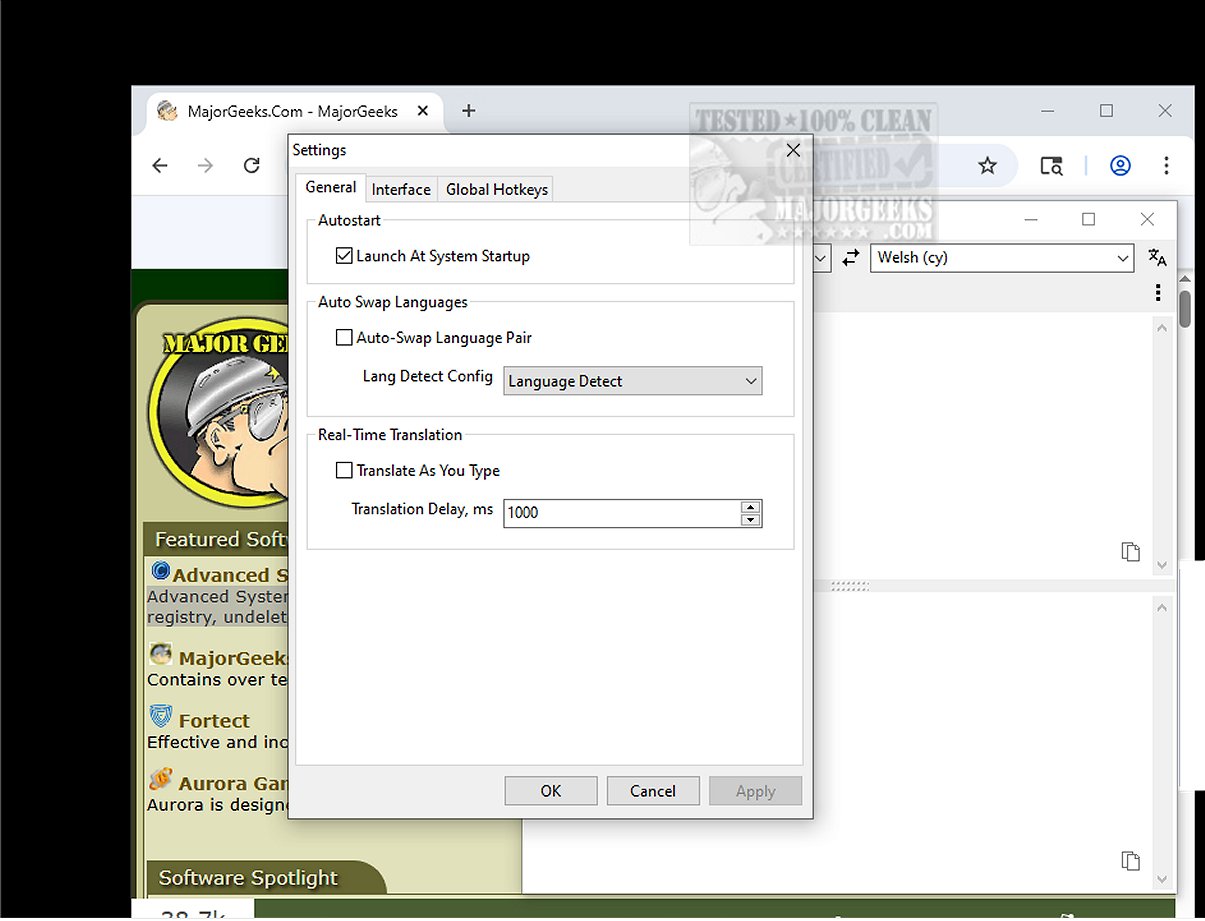
Trayslate is a cutting-edge tray-based client designed for seamless translation services. This user-friendly application allows users to effortlessly input text for translation right within the interface. A standout feature of Trayslate is its ability to translate content that has been copied to the clipboard, enabling quick processing from various sources.
Always Accessible via the Systray
Trayslate is conveniently accessible from the system tray, allowing users to manually enter text and choose their desired language pairs for translation. The application is lightweight, utilizing an external service-based translation engine, which ensures that no data is stored locally on your device.
Input Options: Auto-Detect or Manual Entry
Users can enter text in two ways: manually typing it in or allowing the app to automatically detect content from the clipboard. With smooth integration into the operating system, Trayslate offers a simple hotkey feature that enhances efficiency by enabling automatic text replacement in other applications with corresponding translations. This functionality streamlines workflows and saves considerable time.
Key Features of Trayslate:
- Always Available: Runs in the system tray, ensuring constant readiness.
- External Services: Configurable translation services with no built-in engines.
- Configurability: Fully customizable using INI files.
- System-wide Use: Works across all applications, not limited to web browsers.
- Global Hotkeys: Translate selected text using user-defined hotkeys.
- Input Replacement: Directly replace text inside input fields via hotkeys.
- Clipboard Support: Process clipboard content with a double-click on the tray icon or using hotkeys.
- Real-time Mode: Live processing while typing, with adjustable delay settings.
- Auto Language Swap: Optional automatic language switching based on input language.
- Tray Indicator: Displays current language pair and translation progress on the tray icon.
- Recent Pairs: Manage and save recently used language pairs automatically.
- Multilingual UI: Interface available in twenty-five popular languages.
- Dark Mode: Supports Windows dark mode, adapting to the system theme.
Highlight Feature
One of Trayslate's most impressive features is its capability to translate selected text from any application in use. Whether you are working in a word processor, web browser, or email client, you can quickly obtain translations without switching between programs.
User Verdict
Trayslate proves to be an efficient application that simplifies quick translations. Don't leave your translation tasks to chance; trust in the user-friendly efficiency of Trayslate! This intuitive, tray-based app not only automatically translates clipboard content but also facilitates on-demand translations, ensuring a smooth and enjoyable translation experience every time. Get ready to embrace efficient translations with Trayslate!
Similar Topics:
- How to Remove a Language from Windows 10 & 11
- How to Add, Delete or Change Languages in Google Chrome
Extension: Future Updates and User Feedback
As Trayslate continues to evolve, future updates are expected to introduce additional features based on user feedback. The developers are committed to enhancing user experience, potentially adding support for more languages, improved machine learning translation capabilities, and more integration options with third-party applications. Users are encouraged to share their thoughts to help shape the future of Trayslate, ensuring it remains a top choice for anyone needing reliable translation services
Always Accessible via the Systray
Trayslate is conveniently accessible from the system tray, allowing users to manually enter text and choose their desired language pairs for translation. The application is lightweight, utilizing an external service-based translation engine, which ensures that no data is stored locally on your device.
Input Options: Auto-Detect or Manual Entry
Users can enter text in two ways: manually typing it in or allowing the app to automatically detect content from the clipboard. With smooth integration into the operating system, Trayslate offers a simple hotkey feature that enhances efficiency by enabling automatic text replacement in other applications with corresponding translations. This functionality streamlines workflows and saves considerable time.
Key Features of Trayslate:
- Always Available: Runs in the system tray, ensuring constant readiness.
- External Services: Configurable translation services with no built-in engines.
- Configurability: Fully customizable using INI files.
- System-wide Use: Works across all applications, not limited to web browsers.
- Global Hotkeys: Translate selected text using user-defined hotkeys.
- Input Replacement: Directly replace text inside input fields via hotkeys.
- Clipboard Support: Process clipboard content with a double-click on the tray icon or using hotkeys.
- Real-time Mode: Live processing while typing, with adjustable delay settings.
- Auto Language Swap: Optional automatic language switching based on input language.
- Tray Indicator: Displays current language pair and translation progress on the tray icon.
- Recent Pairs: Manage and save recently used language pairs automatically.
- Multilingual UI: Interface available in twenty-five popular languages.
- Dark Mode: Supports Windows dark mode, adapting to the system theme.
Highlight Feature
One of Trayslate's most impressive features is its capability to translate selected text from any application in use. Whether you are working in a word processor, web browser, or email client, you can quickly obtain translations without switching between programs.
User Verdict
Trayslate proves to be an efficient application that simplifies quick translations. Don't leave your translation tasks to chance; trust in the user-friendly efficiency of Trayslate! This intuitive, tray-based app not only automatically translates clipboard content but also facilitates on-demand translations, ensuring a smooth and enjoyable translation experience every time. Get ready to embrace efficient translations with Trayslate!
Similar Topics:
- How to Remove a Language from Windows 10 & 11
- How to Add, Delete or Change Languages in Google Chrome
Extension: Future Updates and User Feedback
As Trayslate continues to evolve, future updates are expected to introduce additional features based on user feedback. The developers are committed to enhancing user experience, potentially adding support for more languages, improved machine learning translation capabilities, and more integration options with third-party applications. Users are encouraged to share their thoughts to help shape the future of Trayslate, ensuring it remains a top choice for anyone needing reliable translation services
Trayslate 1.4.0 released
Trayslate is an innovative tray-based client designed specifically for seamless translation services. With this user-friendly application, you can easily enter text for translation directly within the interface.