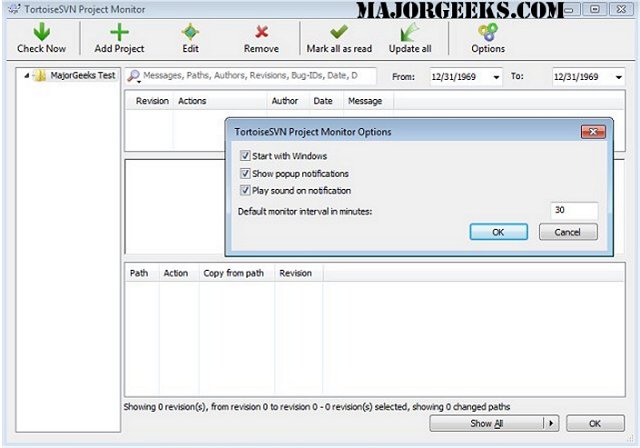
TortoiseSVN version 1.15.0 has been released, continuing its role as a reliable Apache Subversion (SVN) client designed specifically for Windows users. This application functions as a shell extension for Windows, making it accessible for both 32-bit and 64-bit systems. TortoiseSVN is particularly useful for programmers and developers who need to manage various versions of their source code without being tied to a specific integrated development environment (IDE) like Visual Studio or Eclipse.
One of the standout features of TortoiseSVN is its seamless integration with Windows Explorer, allowing users to execute SVN commands directly from the file manager. This integration not only provides a convenient way to manage files but also enhances user experience by displaying the status of files in real-time. Users can easily move files by performing a simple right-drag action within Windows Explorer, making file management straightforward and intuitive.
To streamline the user experience, TortoiseSVN intelligently displays only the commands relevant to the selected file or folder. This functionality ensures that users are not overwhelmed by options that are not applicable to their current context, allowing for a more organized and efficient workflow.
In conclusion, TortoiseSVN 1.15.0 continues to be an essential tool for developers seeking an effective way to manage their source code versions while providing an intuitive user interface that integrates effortlessly with the Windows operating system. Its compatibility with various file types and development tools further enhances its versatility in the software development process. As the software evolves, users can expect further improvements and features to enhance their experience with version control
One of the standout features of TortoiseSVN is its seamless integration with Windows Explorer, allowing users to execute SVN commands directly from the file manager. This integration not only provides a convenient way to manage files but also enhances user experience by displaying the status of files in real-time. Users can easily move files by performing a simple right-drag action within Windows Explorer, making file management straightforward and intuitive.
To streamline the user experience, TortoiseSVN intelligently displays only the commands relevant to the selected file or folder. This functionality ensures that users are not overwhelmed by options that are not applicable to their current context, allowing for a more organized and efficient workflow.
In conclusion, TortoiseSVN 1.15.0 continues to be an essential tool for developers seeking an effective way to manage their source code versions while providing an intuitive user interface that integrates effortlessly with the Windows operating system. Its compatibility with various file types and development tools further enhances its versatility in the software development process. As the software evolves, users can expect further improvements and features to enhance their experience with version control
TortoiseSVN 1.15.0 released
TortoiseSVN is an Apache SVN client implemented as a Windows shell extension. Also available for 32-Bit.